
CA practice management software for client books, compliance deadlines and billing
CA practice management software for client books, compliance deadlines and billing
The CA Practice App gives your firm one workspace for every client company you manage. Open any client's books in a click, track statutory obligations across GST, TDS, income tax and ROC, run the work on Kanban boards, and bill clients for the hours your team logs.
Every client company, one click away
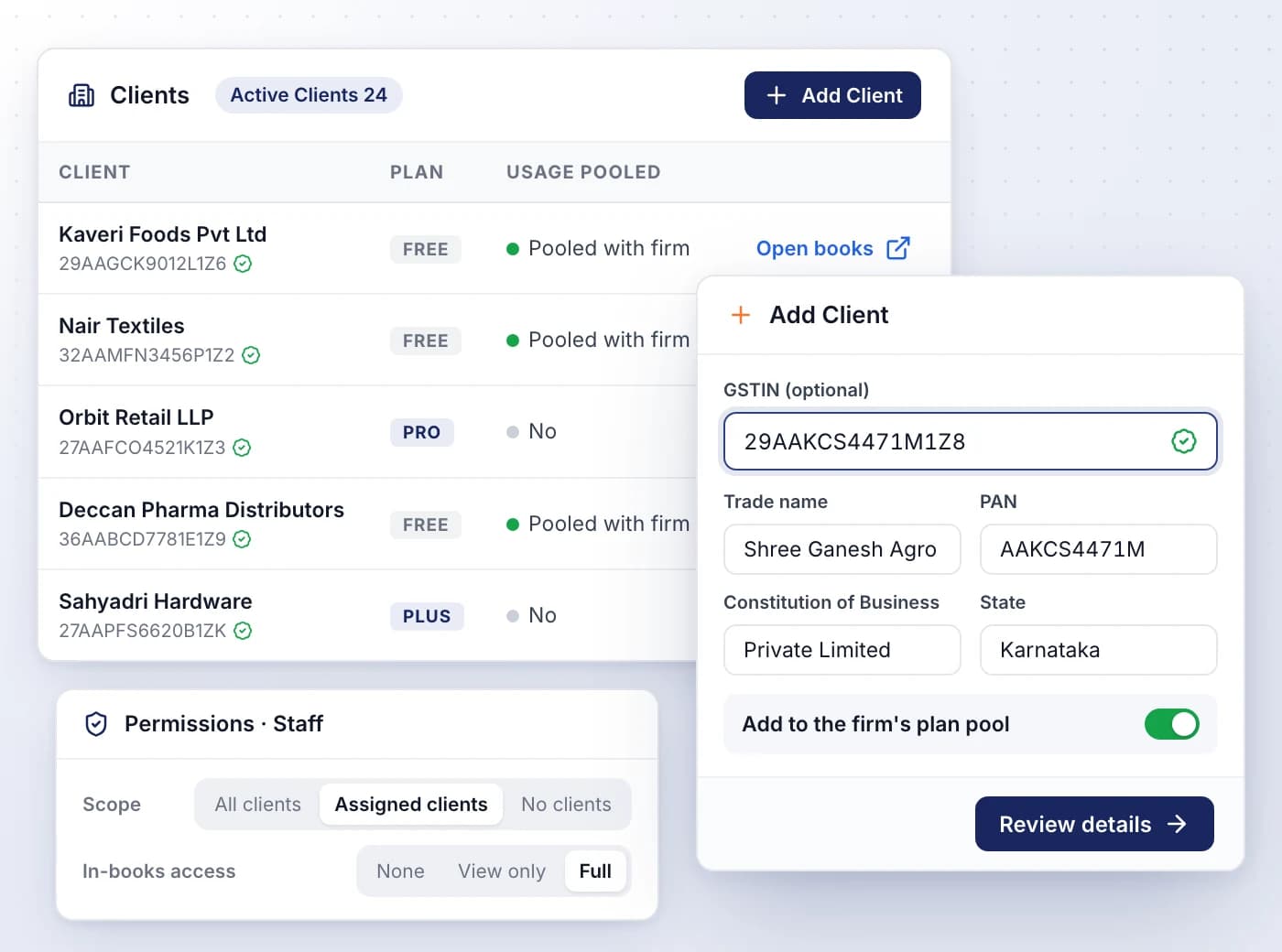
Practice Overview lists every client company your firm manages, with its GSTIN, its plan and whether it shares the firm's usage pool.
- Add a client by GSTIN; legal name, PAN, constitution and address fill in once it's verified
- Open books launches the client's workspace in a new tab
- Pool metered usage, such as SmartUploads, on the firm's plan, or keep a client on its own
- Firm roles, from Firm Owner to Auditor, set each member's client scope and in-books access
- Team members see only the clients assigned to them
Know what every client owes, and when
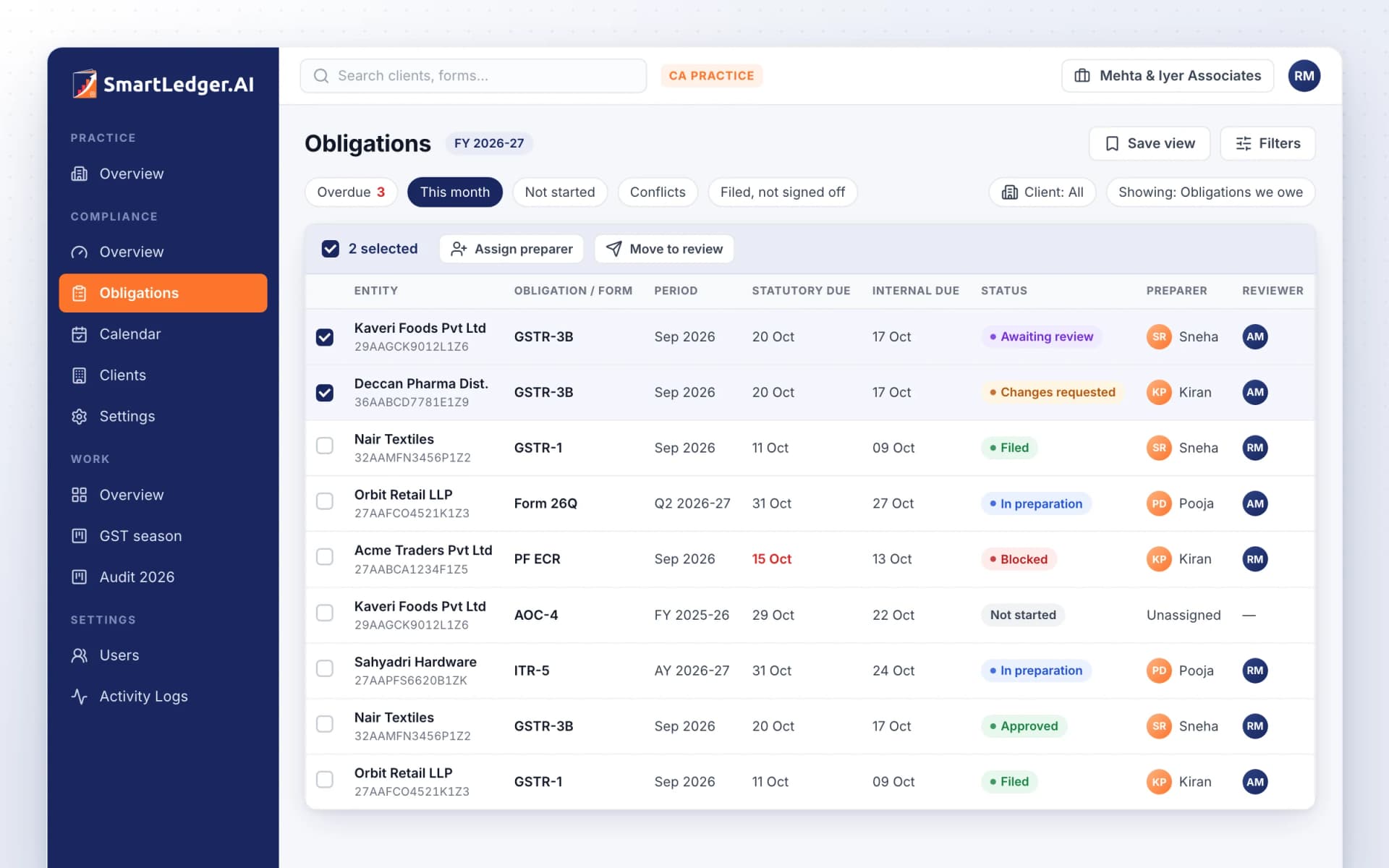
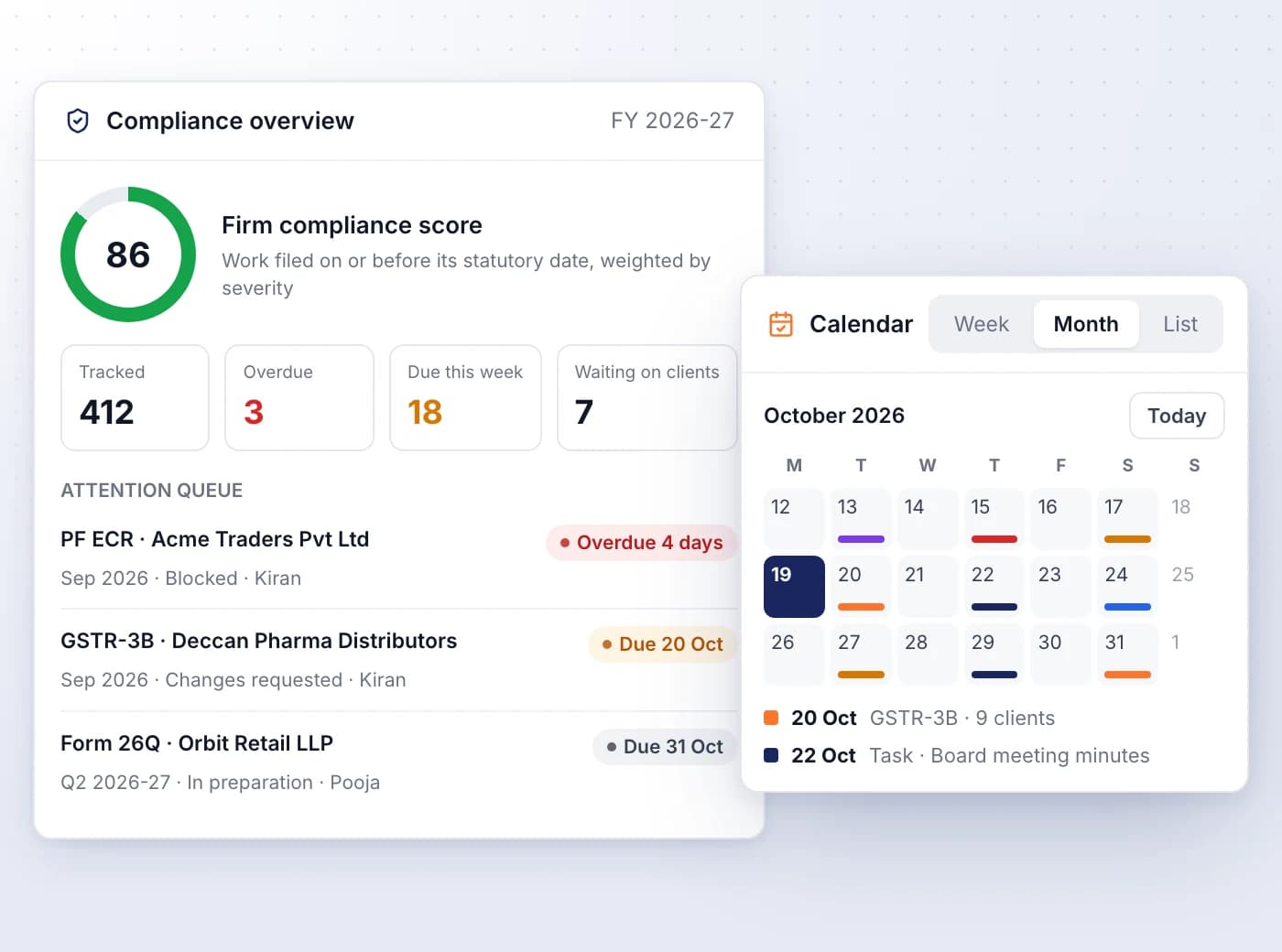
A rules engine works out each client's GST, TDS / TCS, income tax, ROC / MCA, PF / ESI and professional tax obligations from its profile.
- Answer a client's profile questions once; a missing fact parks an obligation, never rules it out
- Fill GST profile answers from the GST portal using the client's GSTIN
- Firm compliance score, Overdue, Due this week and Waiting on clients at a glance
- Internal due dates count back from statutory dates, skipping weekends and firm holidays
- Plan the month on the Calendar in Week, Month or List view, alongside your own tasks
From preparation to filing, with an audit trail
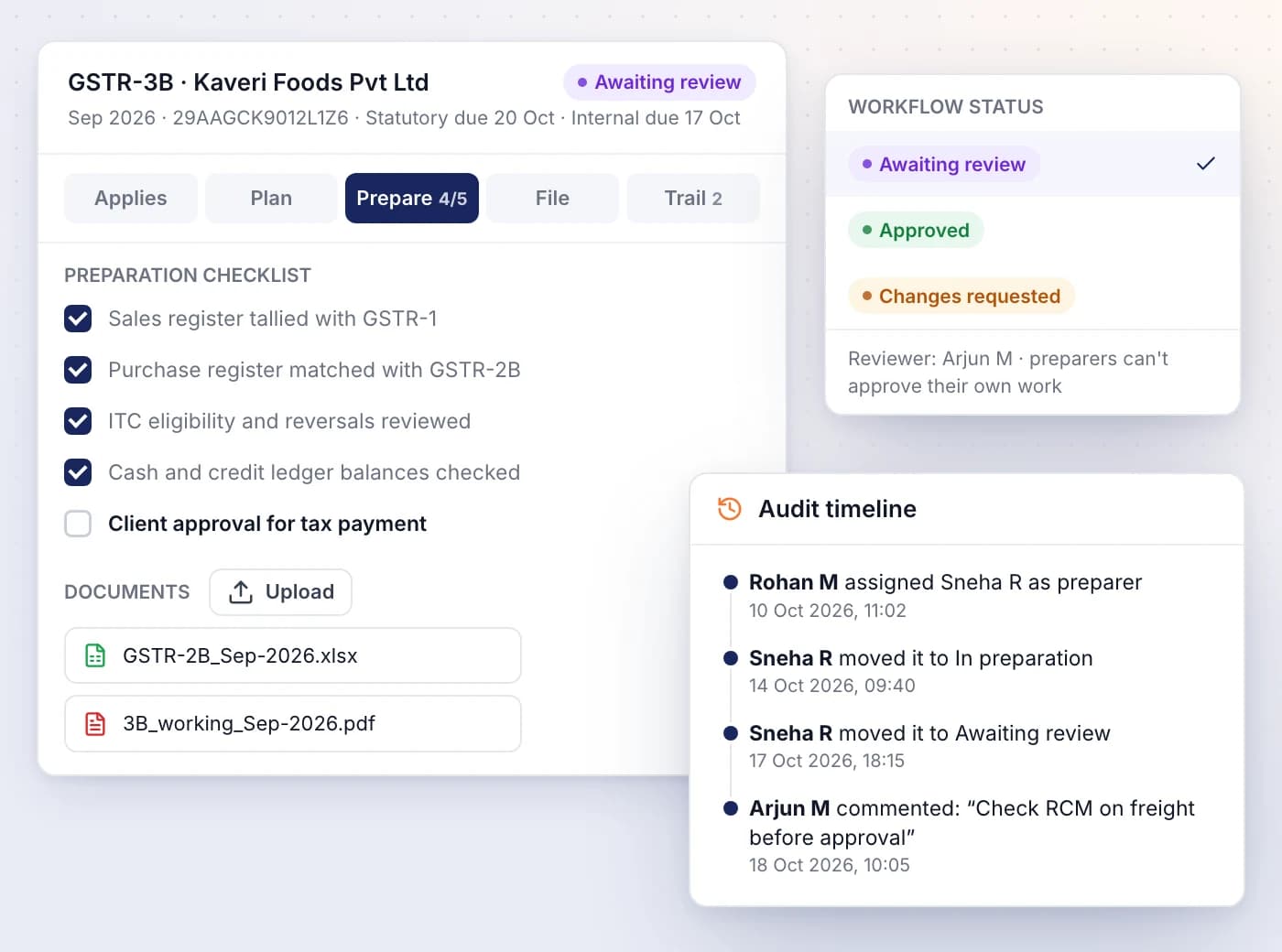
Each obligation moves through preparation, review and filing with a named preparer, a reviewer and, if your firm uses one, an approver.
- Tick off the preparation checklist and upload the documents it asks for
- Reviewers approve or request changes, and preparers can't approve their own work
- GSTR-1, GSTR-3B and GSTR-9 link to the matching filing in the client's books
- Mark filed from this once the portal shows the return as filed
- Trail keeps every status change and comment as the audit record
Run client jobs on Kanban boards
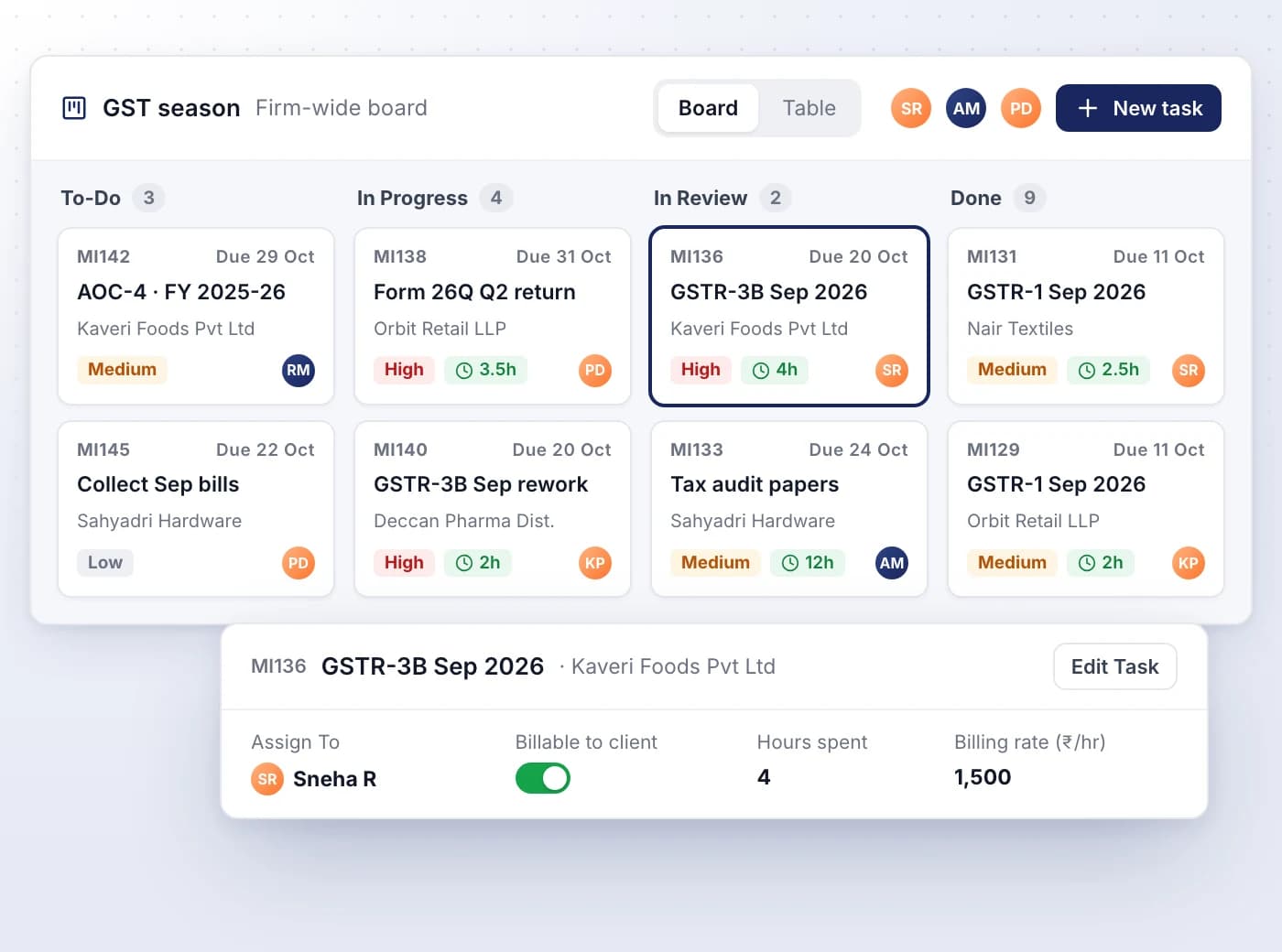
Work boards track filings, reviews and other client jobs, so everyone can see who is holding what and what's due next.
- Lanes start as To-Do, In Progress, In Review and Done, and can be reconfigured
- Every task gets a ticket ID, client, assignee, deadline and priority
- Switch between Board and Table views, or filter by client, priority or teammate
- Private boards are shared only with the admins and managers you choose
- Raise a task from an obligation and it carries the preparation checklist
Turn logged hours into fee invoices
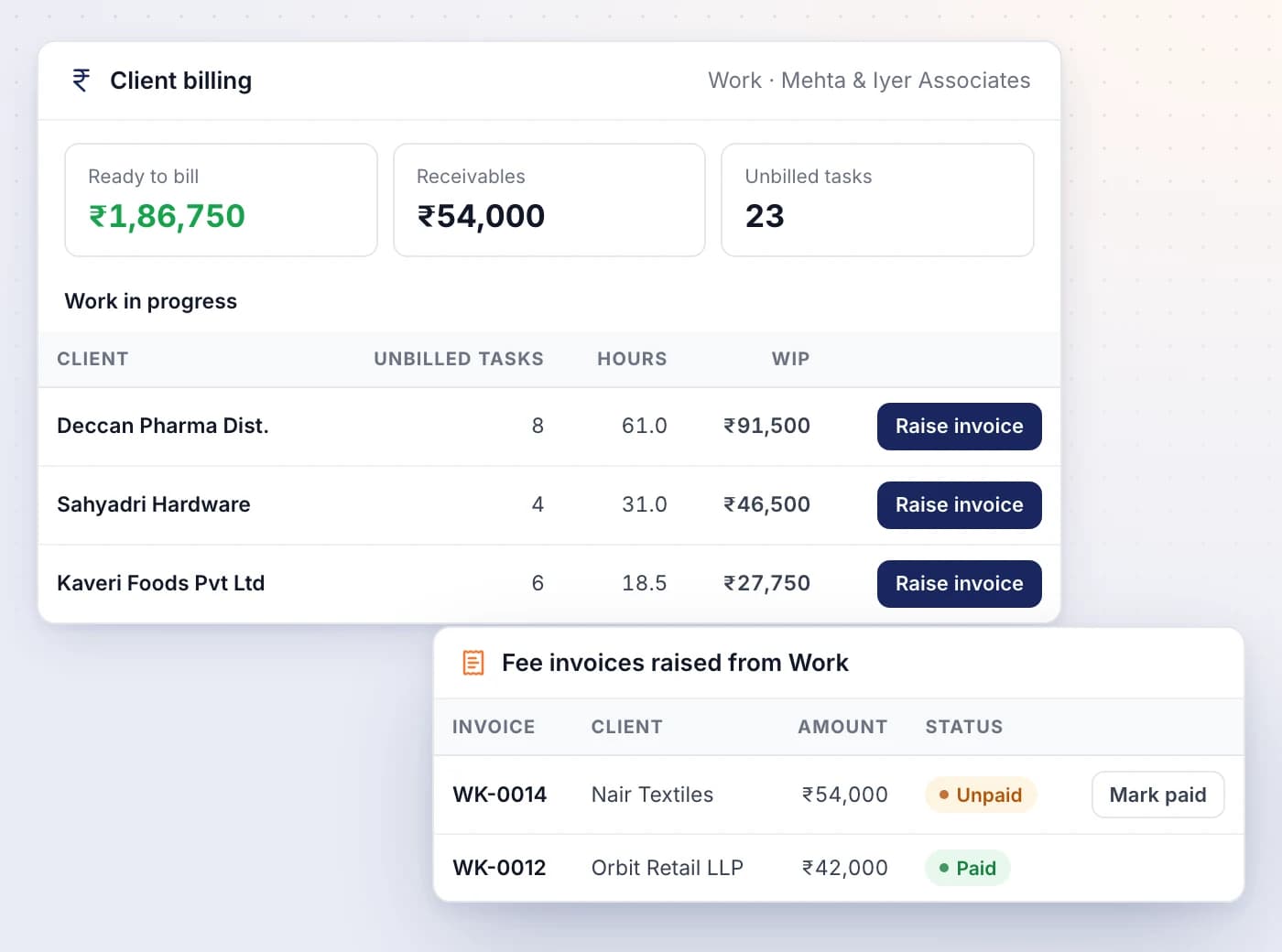
Mark tasks billable with the hours spent and a billing rate, then raise one fee invoice per client from all its unbilled work.
- Work in progress shows each client's unbilled tasks, hours and WIP value
- Raise invoice gathers every unbilled billable task for that client
- Ready to bill, Receivables and Unbilled tasks cards sit at the top
- Mark a fee invoice paid when the client settles it
- Teammates without billing access see the hours but never the rate

Ready When You Are
Let AI run the books. You verify.
Start a 7-day free trial on your own books or your clients' in minutes — or book a demo walkthrough and we'll show you the full platform live, from AI bookkeeping to compliance and reports.
7-day free trial · No charge today · Built for Indian GST, TDS and ITR