
Inventory management with live stock, batch and serial tracking, tied to your invoices
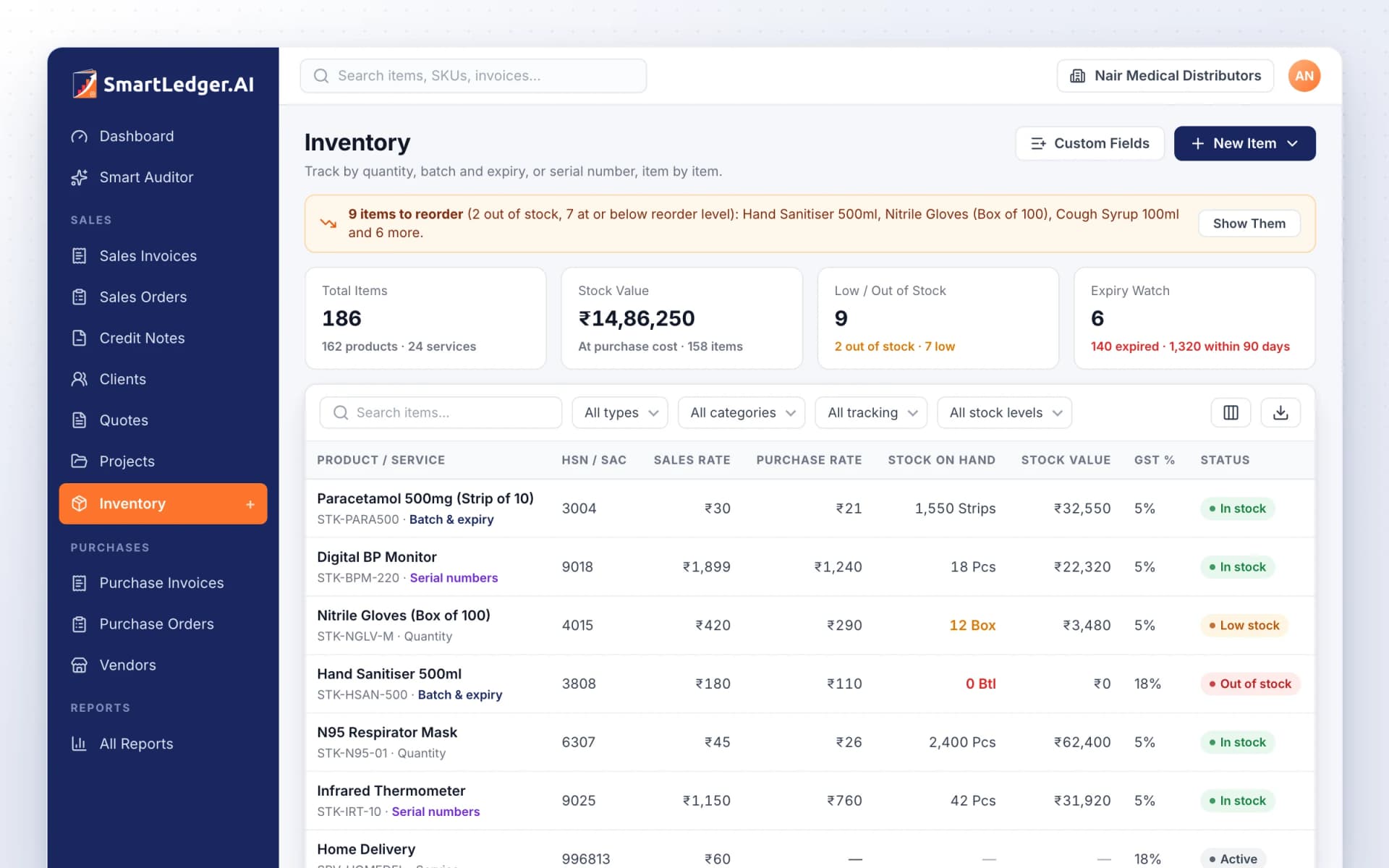
Inventory management with live stock, batch and serial tracking, tied to your invoices
Keep your products and services in one list with SKU, HSN/SAC, unit and GST rate. Track stock by quantity, by batch and expiry, or by serial number, and let sales and purchase invoices move it for you. Six reports show what you have, what it is worth and what to reorder.
One item list for products and services
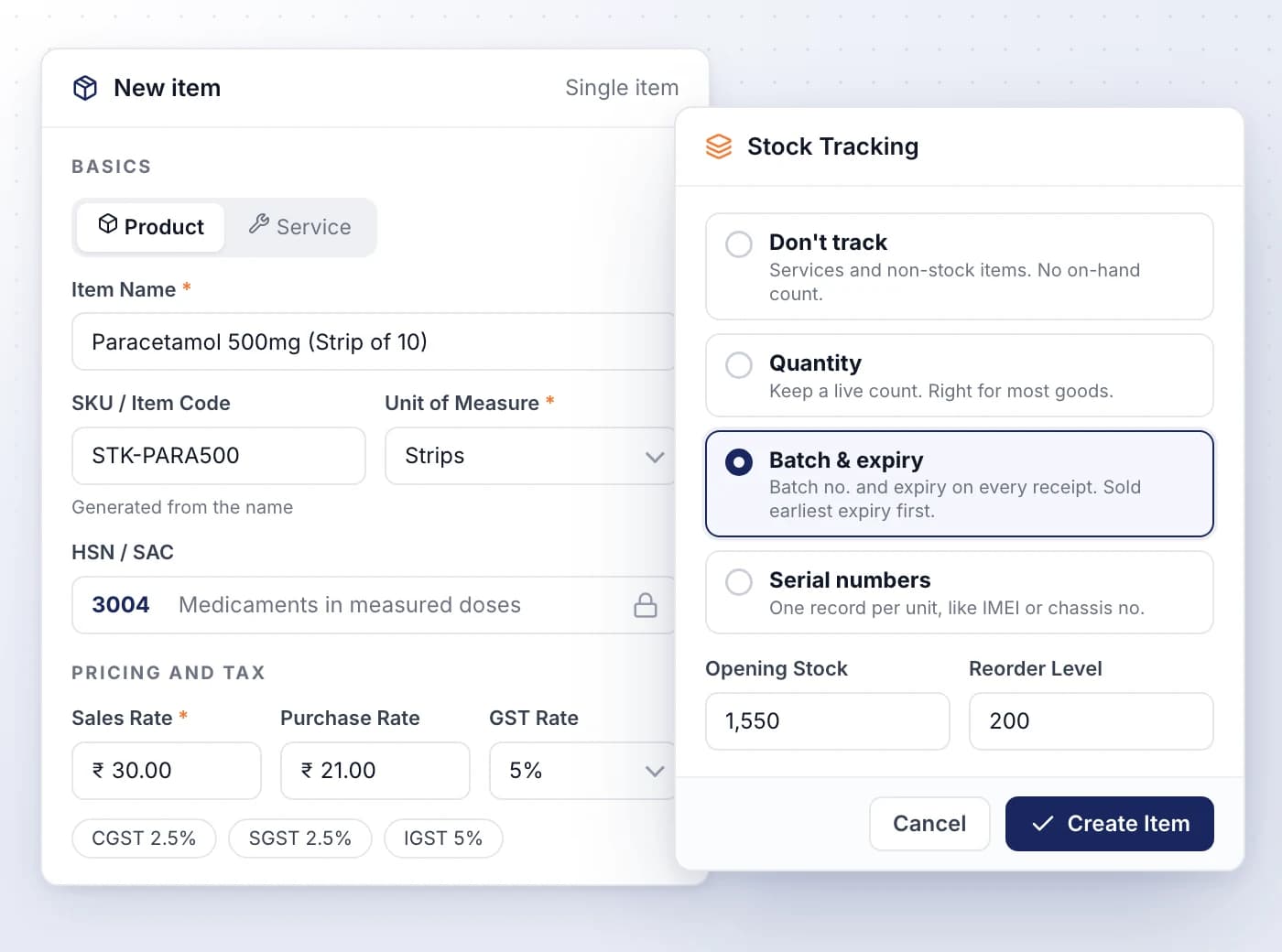
Add each item once with its SKU, HSN/SAC, unit and GST rate, and picking it on an invoice, quote or order fills the line in.
- Picking an HSN code fills in its GST rates, split into CGST, SGST and IGST
- SKUs generate themselves, starting STK- for products and SRV- for services
- Choose built-in units such as Pieces, Box and Kilograms, or create your own
- Keep separate sales and purchase rates, and see the margin on every item
- Sell one product in several sizes or colours as an item with variants
Track every batch's expiry, or every unit
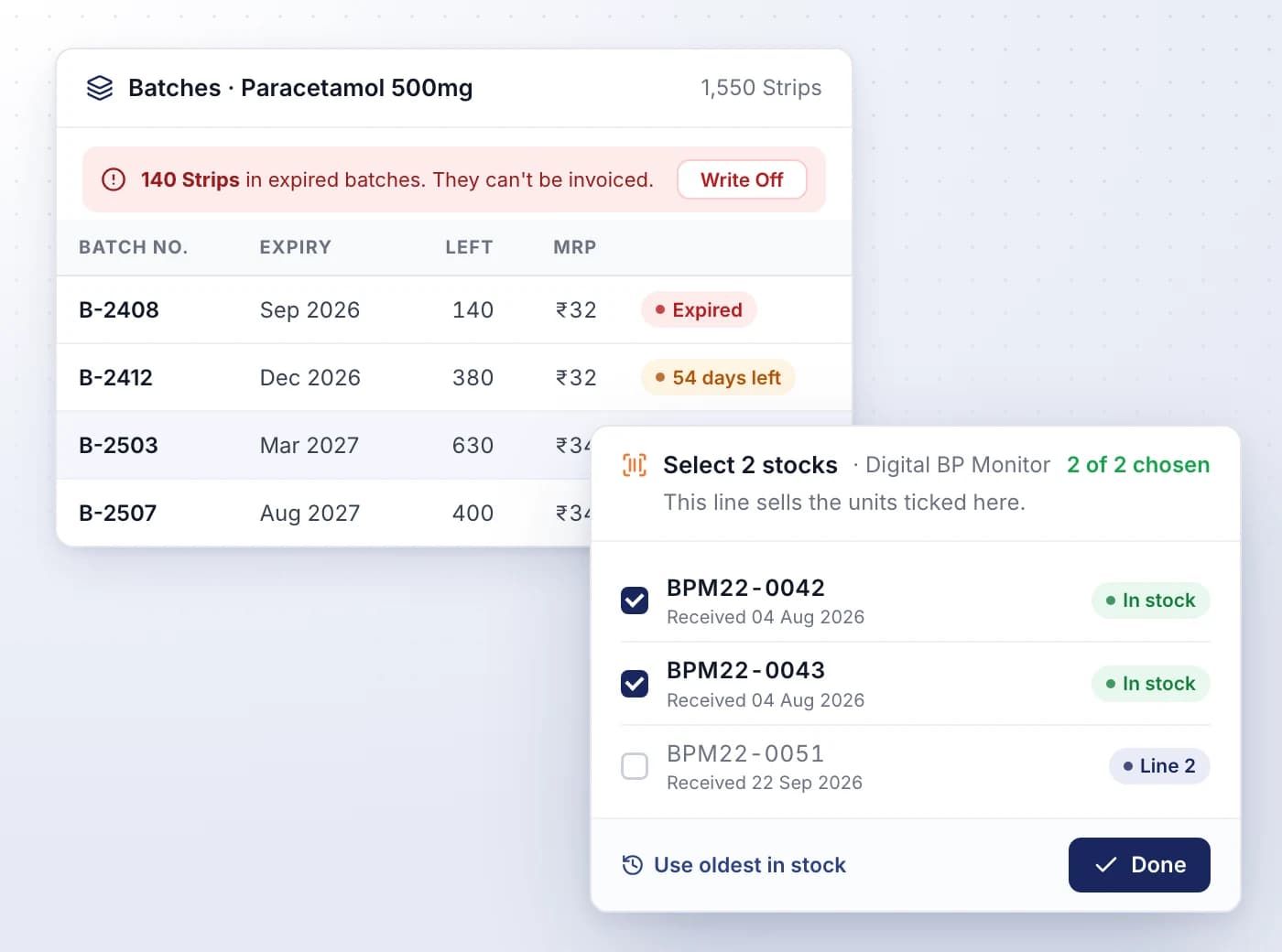
Record a batch number and expiry for medicines, food and FMCG, or a serial number, IMEI or chassis number for every unit you sell.
- Sales invoices take batch stock from the earliest expiry first and skip expired batches
- Choose exactly which serial units each invoice line sells, or let it take the oldest
- Add your own fields such as IMEI or MRP, and make unit fields unique
- Batches expiring within 90 days are flagged, and expired stock is written off in one step
- Trace a recall: every sold unit shows the invoice it went out on
Sales and purchase invoices move your stock
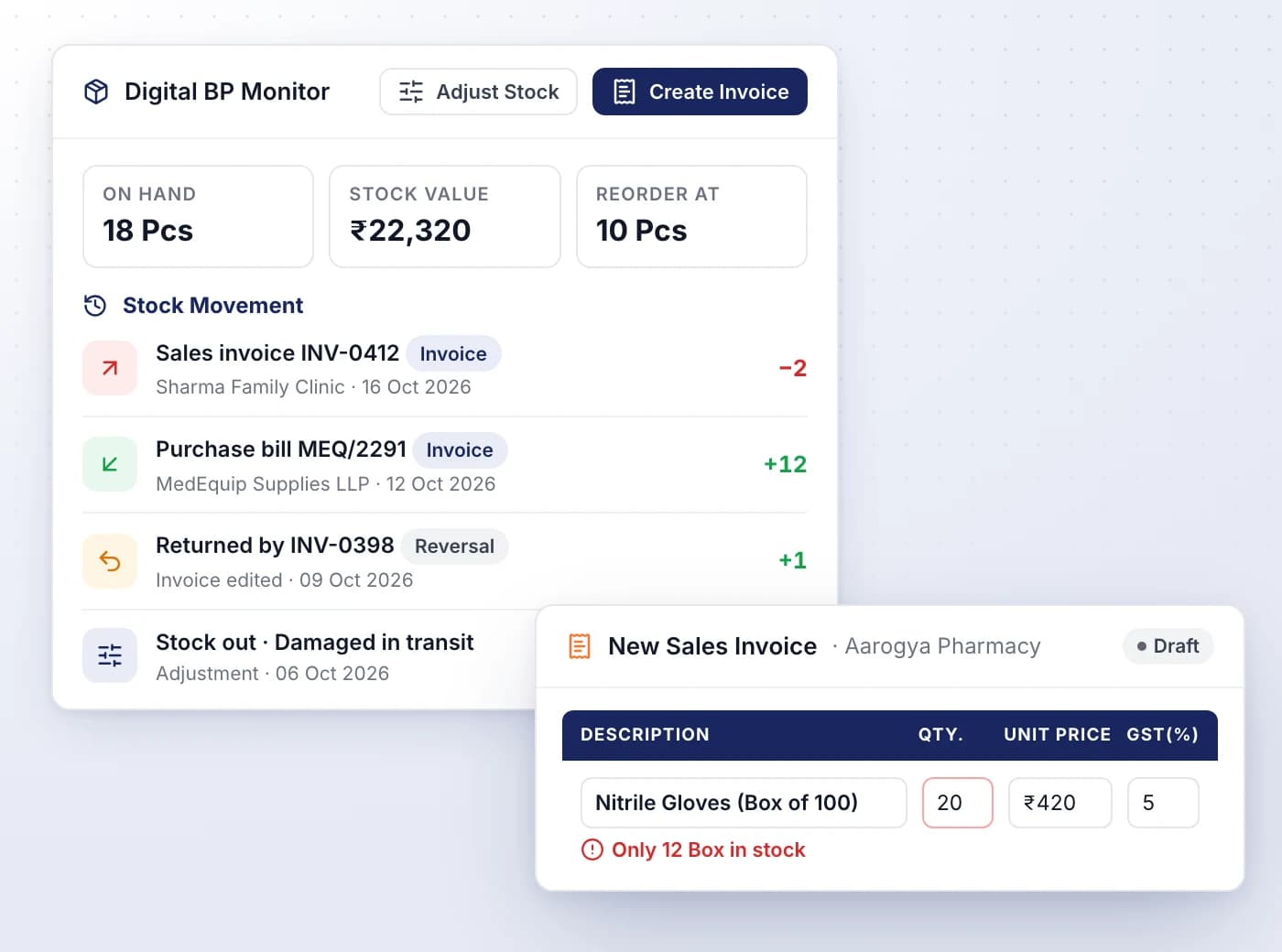
Issue a sales invoice and its items leave stock; record a purchase invoice and they come in, with every movement logged on the item.
- Drafts don't move stock, and editing, deleting or reverting an invoice gives its stock back
- A line asking for more than you have warns you, for example Only 7 Pcs in stock
- Each item's Stock Movement names the invoice, the client or vendor and the date
- Start a sales or purchase invoice straight from an item with Create Invoice
Adjust stock and raise the invoice together
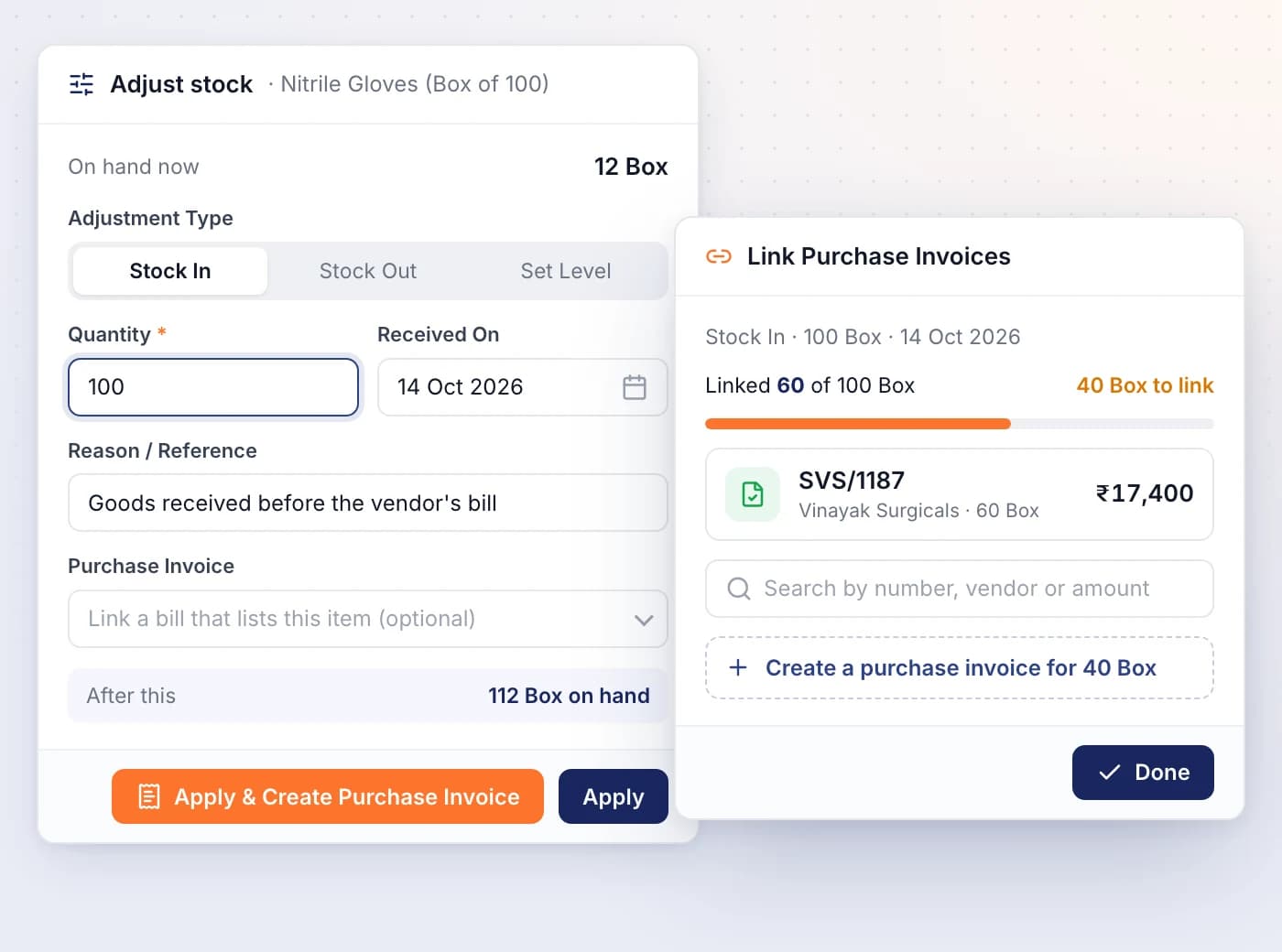
Record a stock in, a stock out or a counted level by hand, and create or link the matching invoice so nothing is counted twice.
- Use Set Level after a physical count and SmartLedger records the difference
- Apply & Create Purchase Invoice opens a bill with the item and quantity already on it
- Link one adjustment to several invoices and see how many units are still unlinked
- A linked invoice moves only the stock the adjustment didn't already cover
- Every adjustment is logged in the item's Stock Movement with its reason
Know what to reorder and what isn't moving
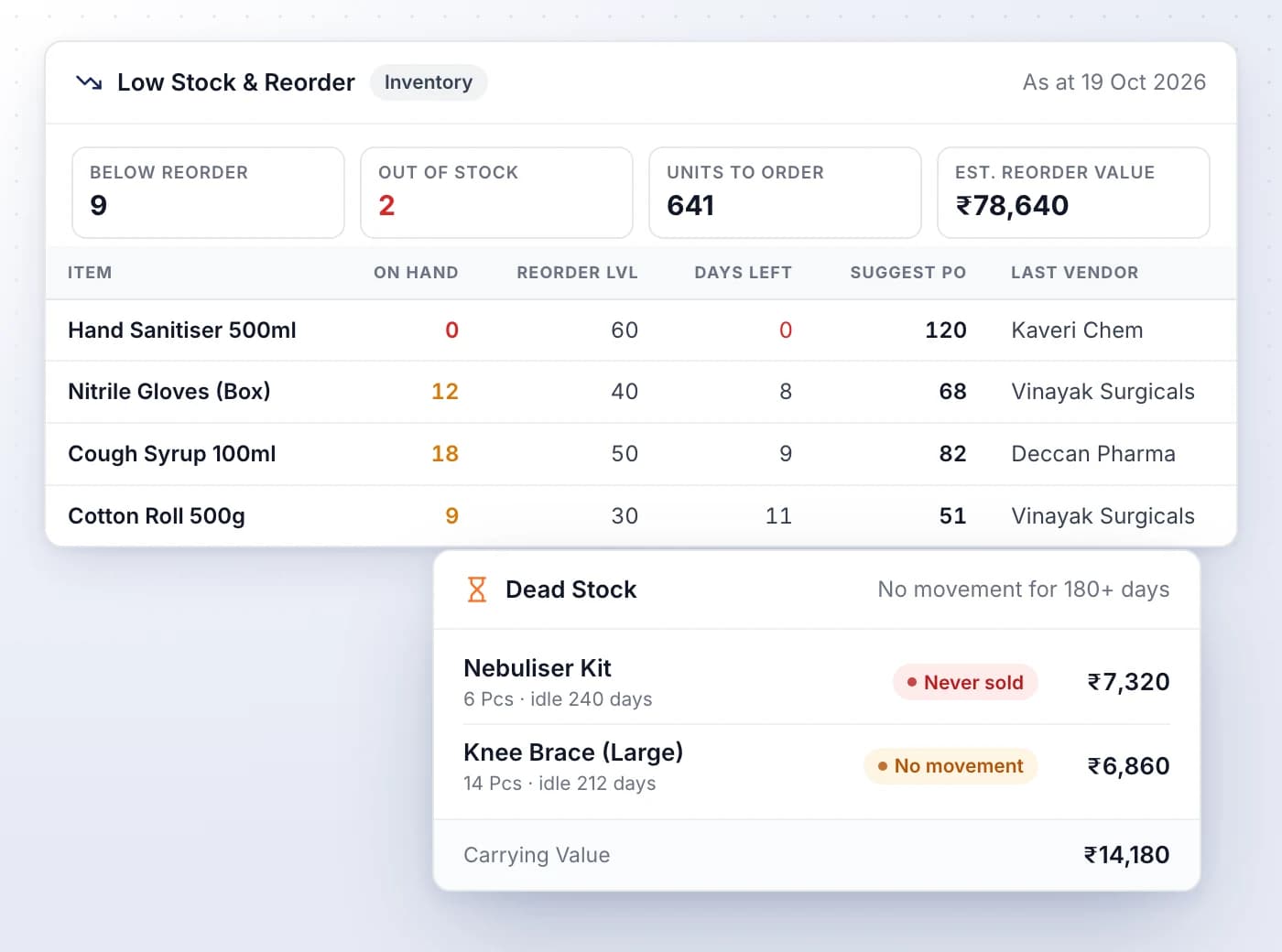
Six inventory reports cover stock on hand and its value, every movement, FIFO and weighted average valuation, reorder needs, dead stock and batches.
- Low Stock & Reorder suggests how much to order and names the vendor you last bought from
- Days Left estimates how long stock will last at your recent rate of use
- Dead Stock lists items idle for 90, 180, 270 or 365 days, with their carrying value
- Inventory Valuation shows FIFO and weighted average cost side by side
- Export any report as CSV or PDF, following the filters you set

Ready When You Are
Let AI run the books. You verify.
Start a 7-day free trial on your own books or your clients' in minutes — or book a demo walkthrough and we'll show you the full platform live, from AI bookkeeping to compliance and reports.
7-day free trial · No charge today · Built for Indian GST, TDS and ITR