
Get an IRN and generate e-way bills for your invoices without leaving SmartLedger
Get an IRN and generate e-way bills for your invoices without leaving SmartLedger
Register a saved sales invoice with the NIC e-invoice portal to get its IRN and signed QR code, then build the e-way bill from the same invoice. SmartLedger keeps the IRN, e-way bill number and validity with your records, and handles cancellations and extensions.
Get an IRN without leaving the invoice
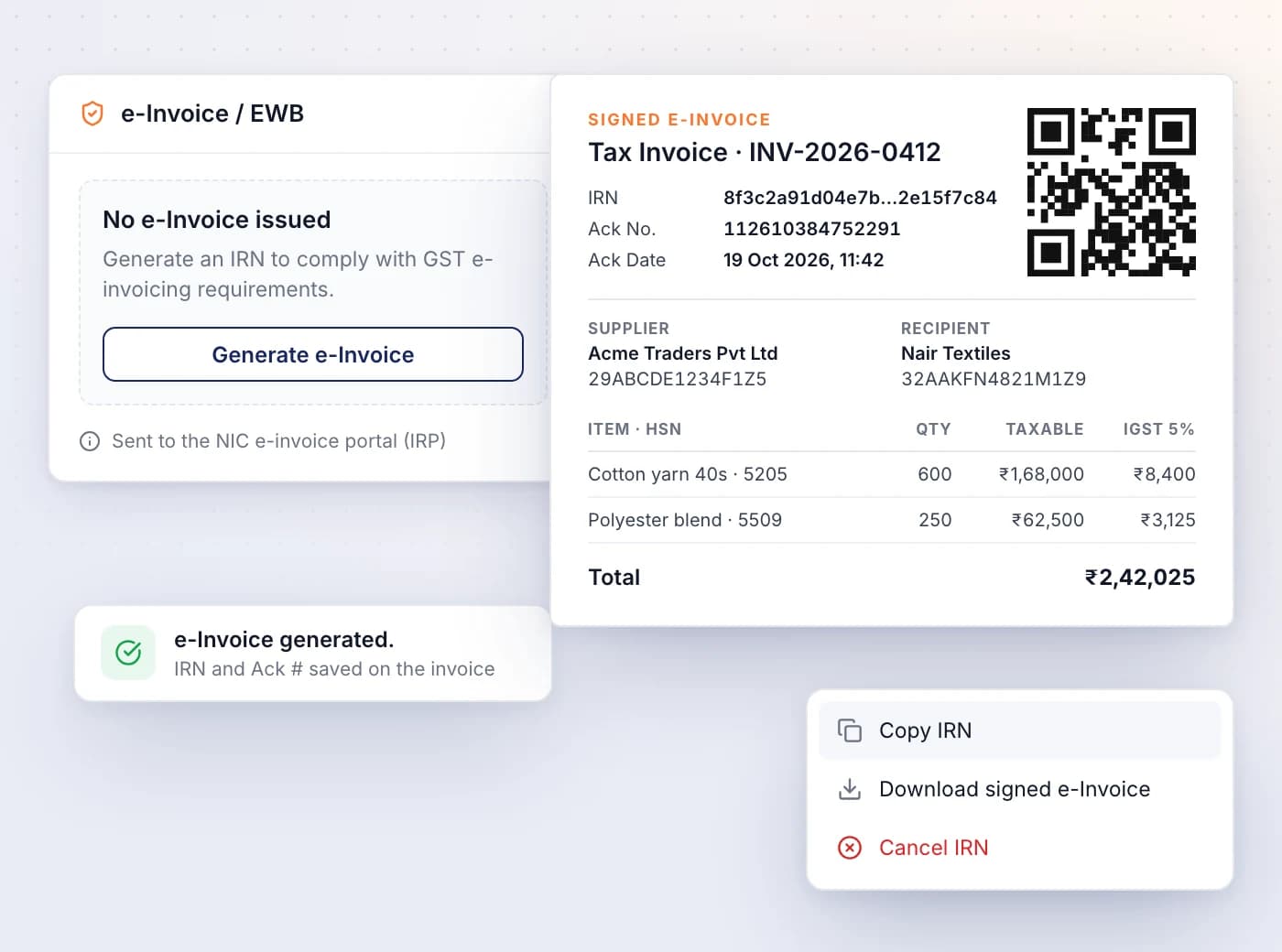
Register a saved sales invoice with the NIC e-invoice portal and SmartLedger stores the IRN, acknowledgement number and signed e-invoice with its QR code.
- Click Generate e-Invoice on the invoice's e-Invoice / EWB card, then Yes, Generate
- Enter your e-invoice API credentials once; they are separate from your e-way bill credentials
- Copy IRN or download the signed e-invoice from the card's menu
- Emailed invoices go to the client as the signed e-invoice with IRN and QR code
- Show the e-Invoice column in the invoice list to see each invoice's IRN
Clear answers when an IRN can't be issued
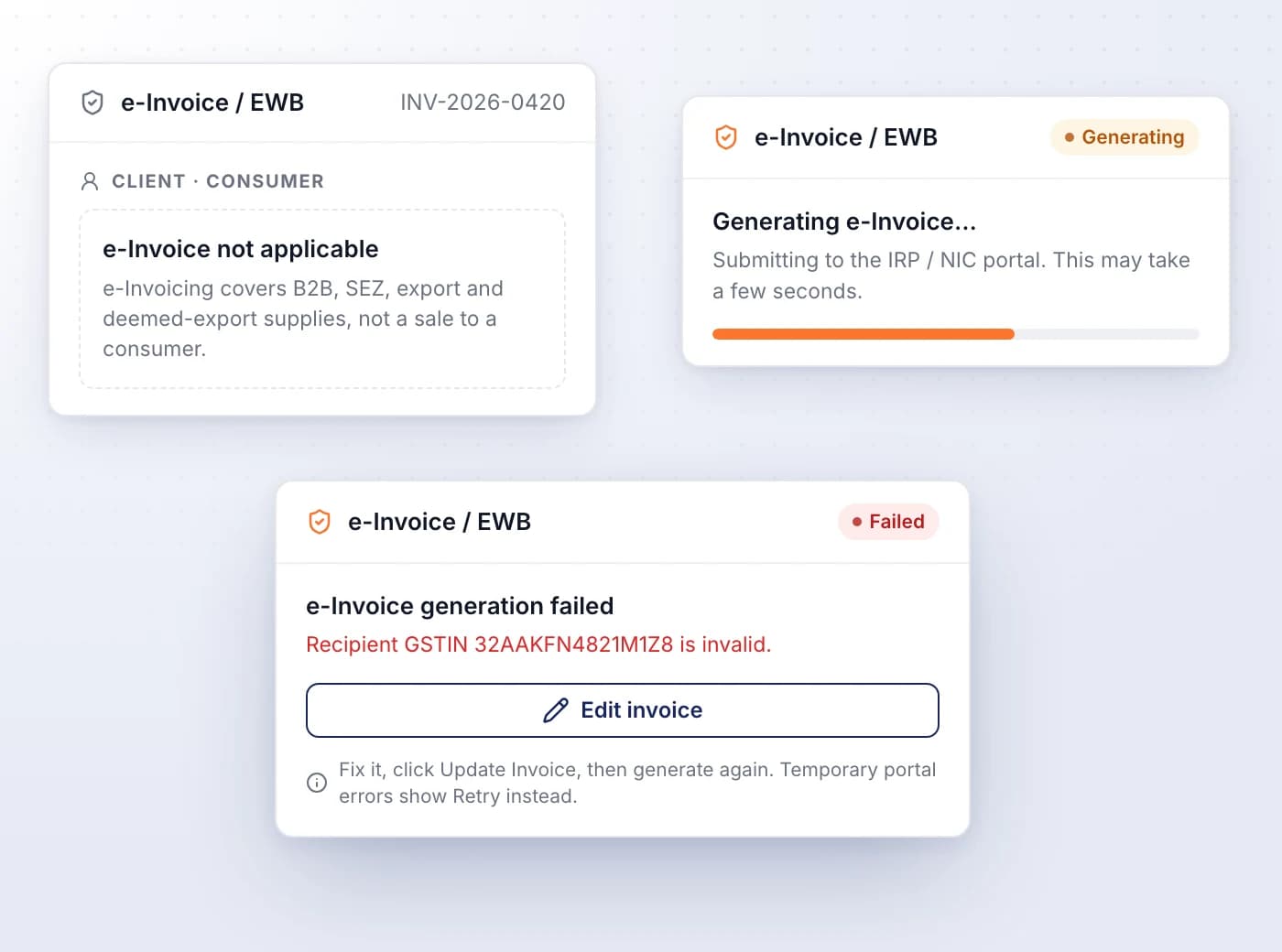
SmartLedger tells you when an invoice is outside e-invoicing, and shows the portal's reason when generation fails, with the right next step.
- B2B, SEZ, export and deemed-export supplies qualify; consumer sales show e-Invoice not applicable
- The client's Tax behaviour panel shows whether e-invoicing applies before you invoice
- Temporary portal problems show Retry; data problems show Edit invoice
- Invoice unchanged means the portal refused a second IRN for identical data
Cancel an IRN within 24 hours
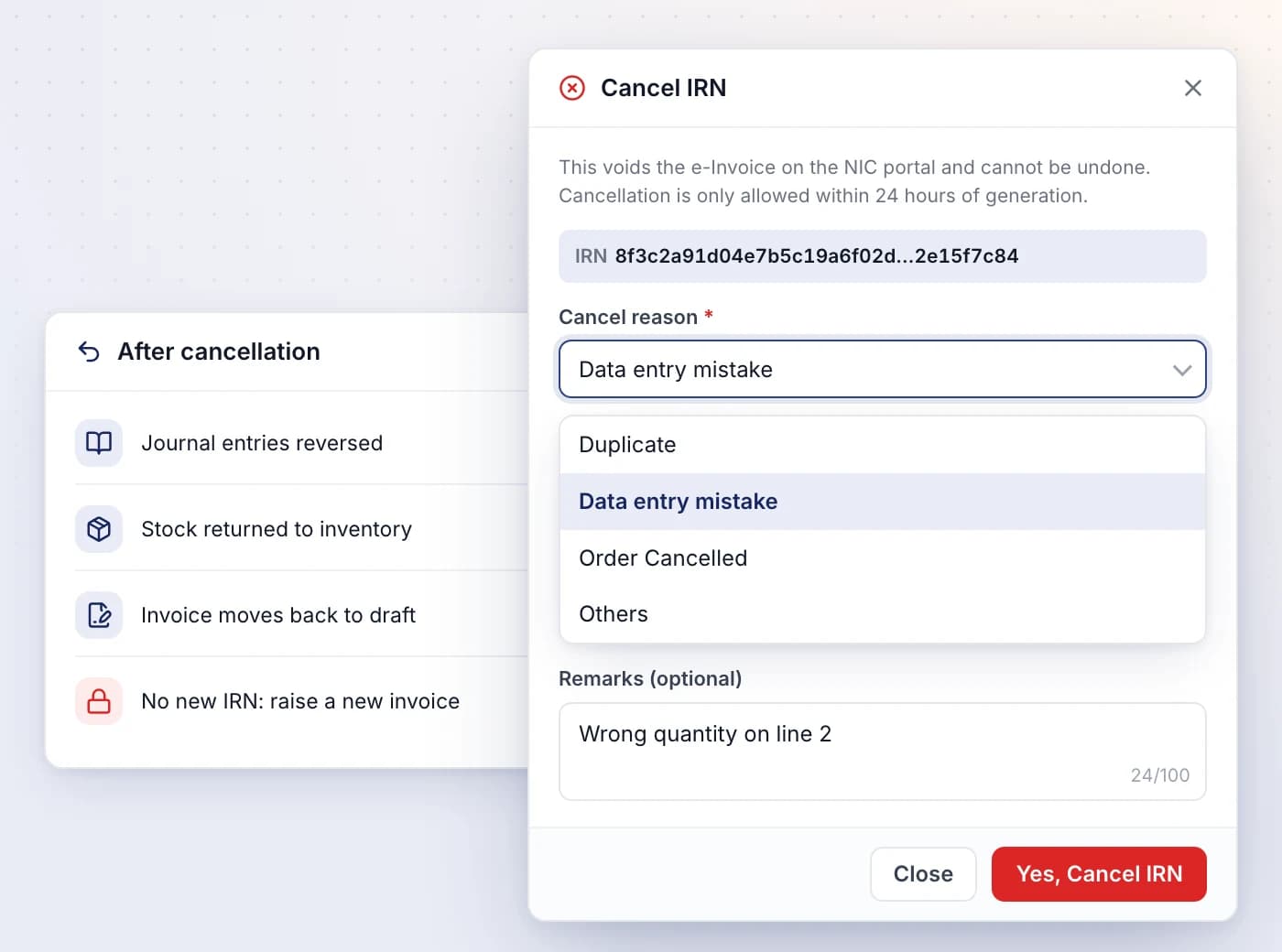
Cancel an e-invoice from the same card with a reason, and SmartLedger takes the invoice back out of your books.
- Choose Duplicate, Data entry mistake, Order Cancelled or Others, with optional remarks
- A warning appears once 24 hours have passed, as the portal usually refuses by then
- An active e-way bill on the invoice has to be cancelled first
- Journal entries are reversed, stock is returned and the invoice moves back to draft
Build an e-way bill from a saved invoice
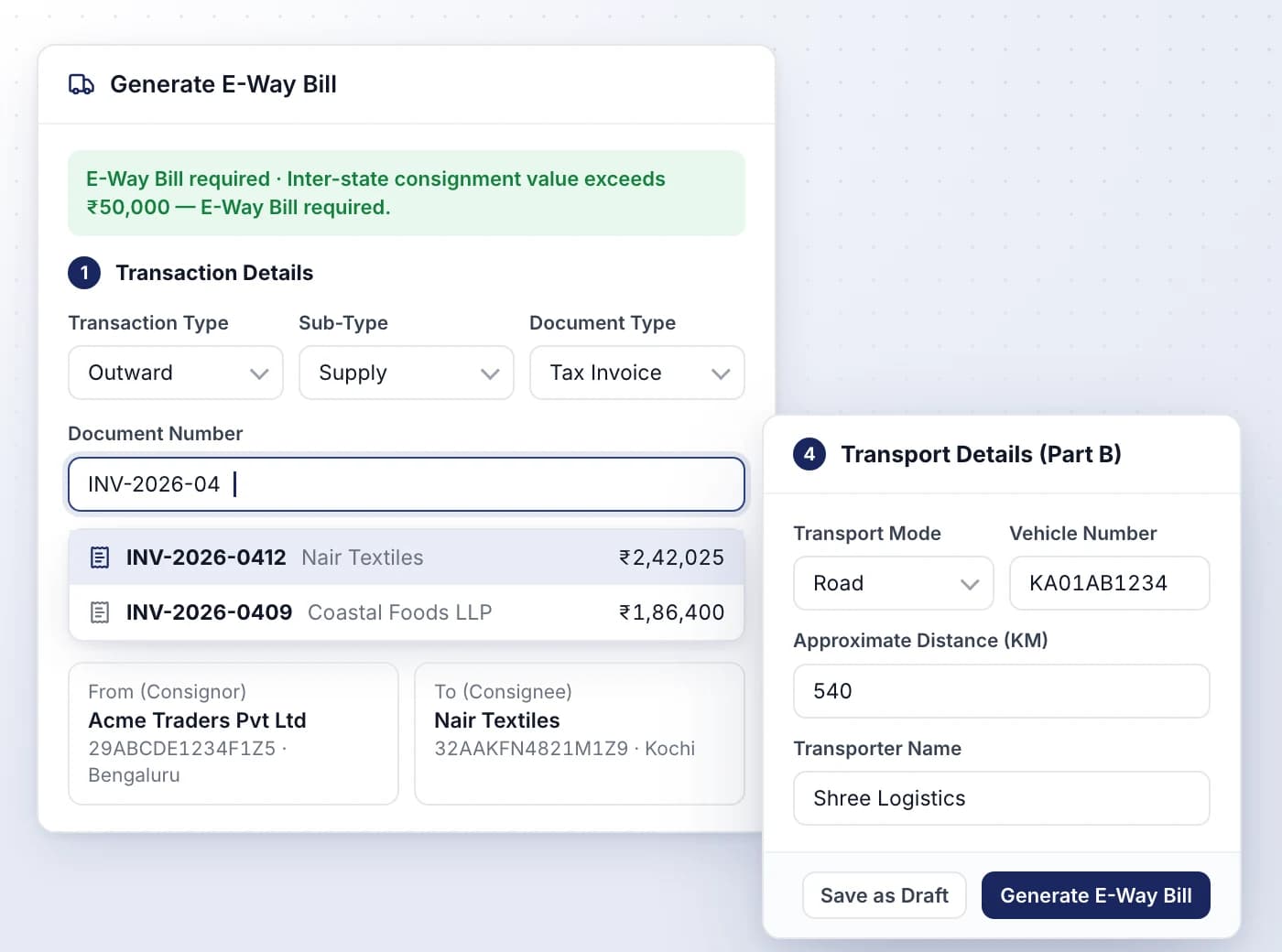
Pick the sales invoice on the e-way bill form and SmartLedger fills in both parties and the goods, so you only add the transport details.
- Consignor and consignee are looked up on the GST portal from their GSTINs
- One goods row per invoice line, with HSN, quantity, unit, taxable value and GST rate
- Tells you whether the movement needs an e-way bill, using state-wise limits
- Warns when the invoice already has an active e-way bill
- Save as Draft to finish later, then generate when the vehicle is ready
Track, extend and cancel e-way bills
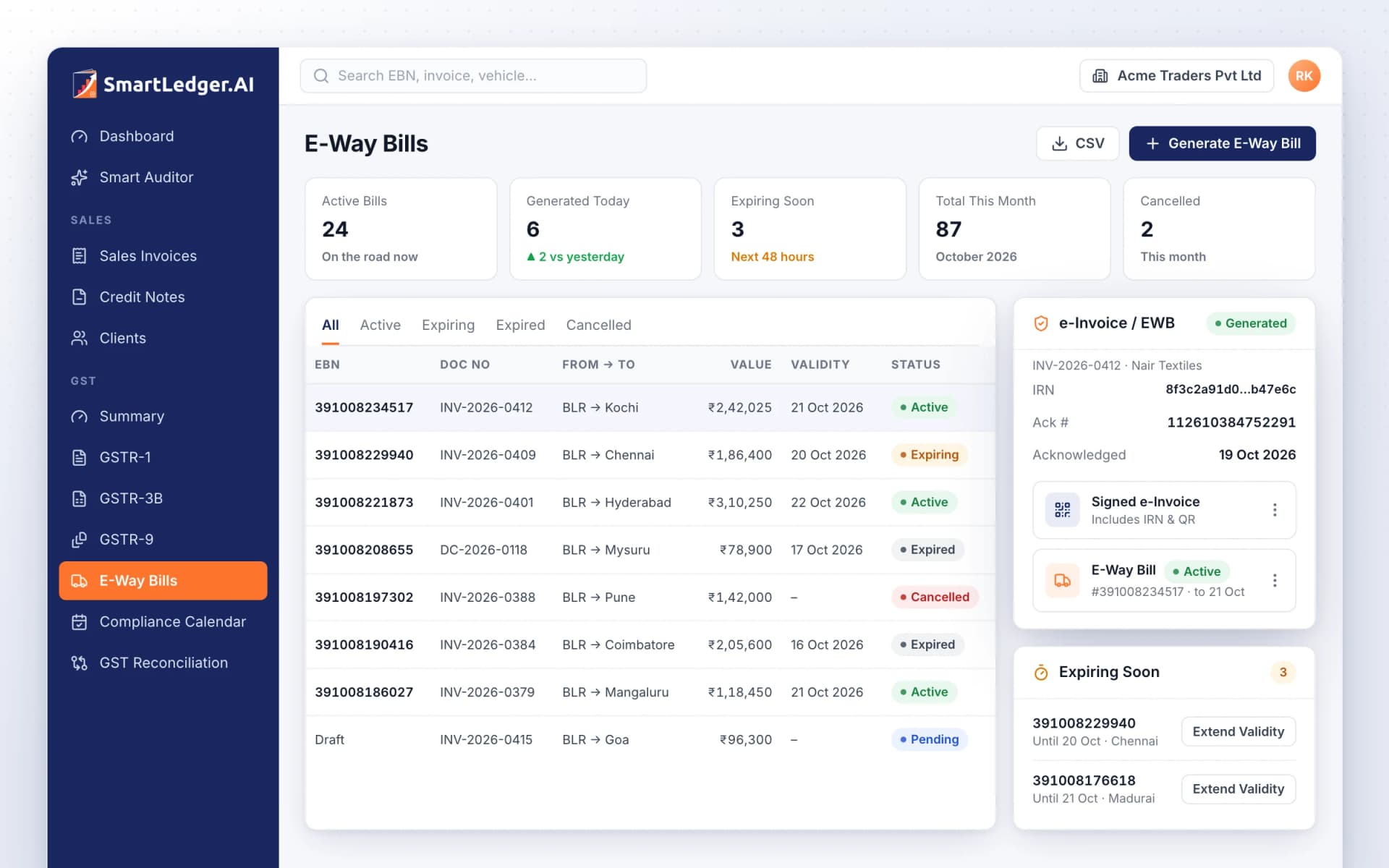
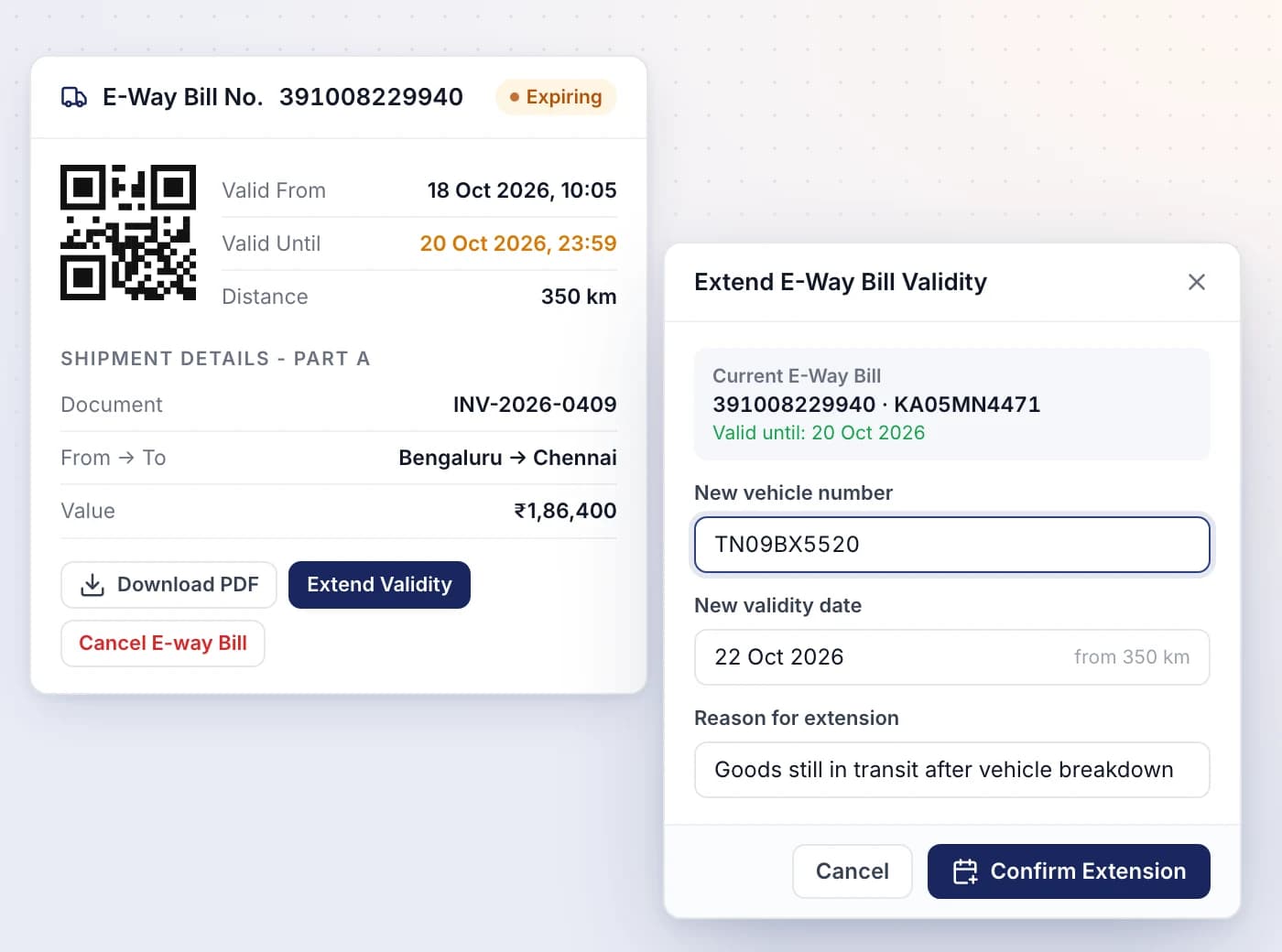
The E-Way Bills list shows every bill's validity, so you can extend one still in transit or cancel a wrong one in time.
- Tiles for Active Bills, Generated Today, Expiring Soon, Total This Month and Cancelled
- Expiring Soon flags bills whose validity ends within 48 hours
- Extend Validity with a new vehicle number and reason; the new date is suggested from the distance
- Cancel within 24 hours of generation, if the bill hasn't been verified in transit
- Download PDF for the transporter, or export the list as CSV

Ready When You Are
Let AI run the books. You verify.
Start a 7-day free trial on your own books or your clients' in minutes — or book a demo walkthrough and we'll show you the full platform live, from AI bookkeeping to compliance and reports.
7-day free trial · No charge today · Built for Indian GST, TDS and ITR