
Accounting integrations for Zoho Books, Tally, Google Drive, WhatsApp and Slack
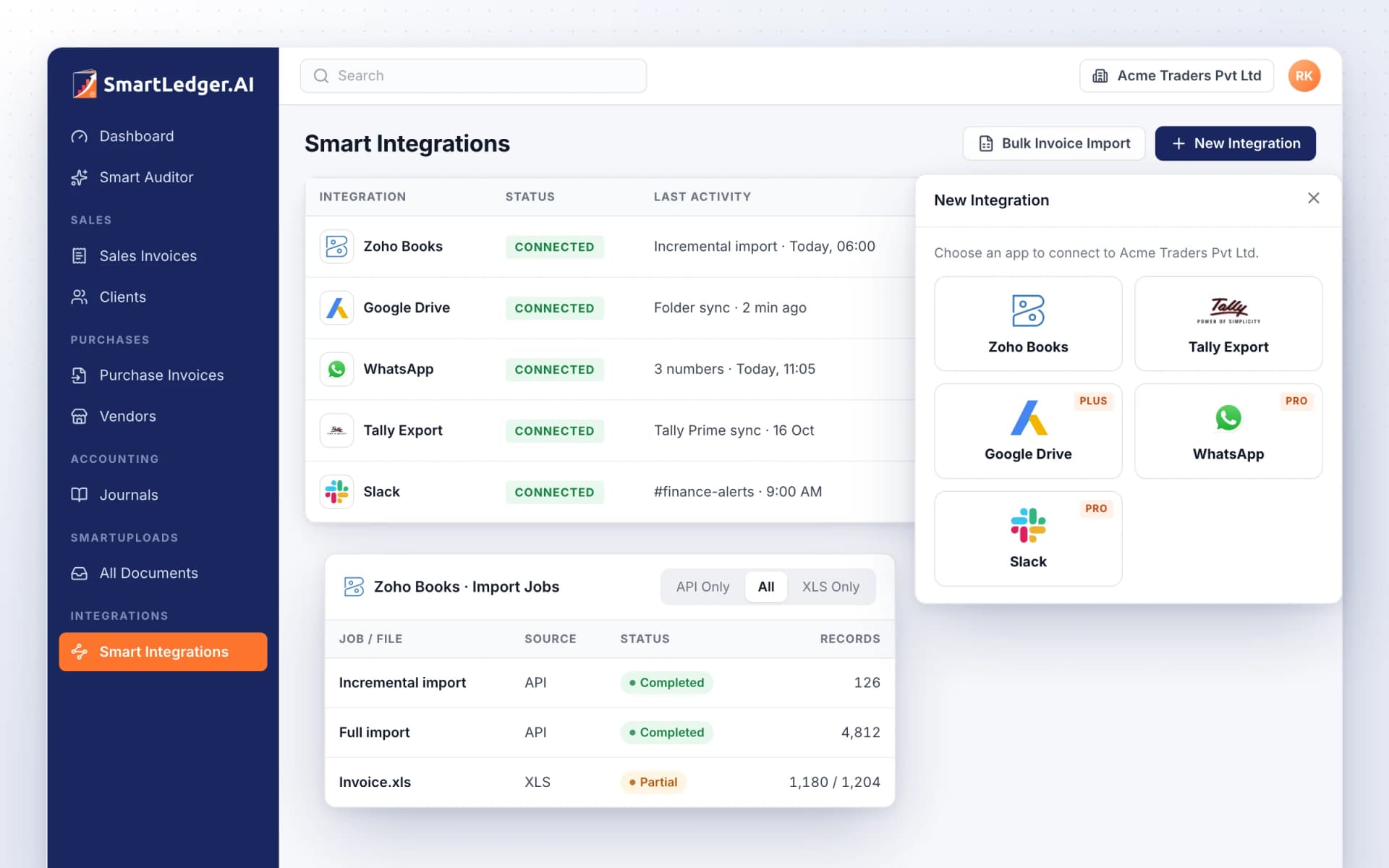
Accounting integrations for Zoho Books, Tally, Google Drive, WhatsApp and Slack
Connect SmartLedger to the tools you already use. Import Zoho Books data by API or spreadsheet, bring Tally Prime books in through the Tally Connector, pull bills from a Google Drive folder, and link WhatsApp and Slack, all from one Smart Integrations page.
Move from Zoho Books and stay in sync
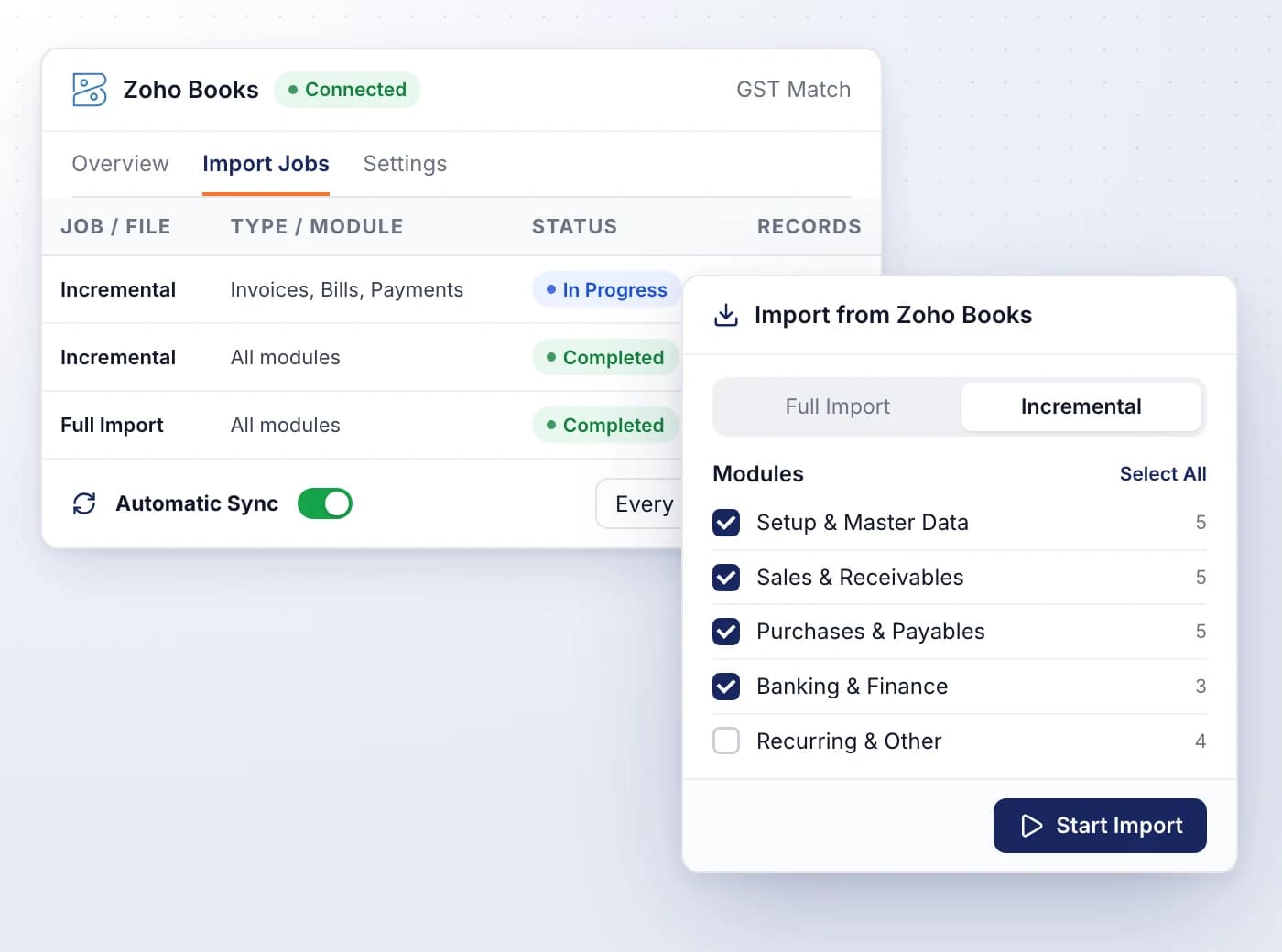
Sign in to Zoho, pick the organisation whose GSTIN matches your company, and import your masters and transactions module by module.
- Run a full import first, then incremental imports that bring in only the changes
- Choose modules across masters, sales, purchases, banking and recurring items
- Turn on Automatic Sync to import every hour, or up to every 7 days
- Import Jobs shows each job's status, records and errors, with Retry and Cancel
- Push selected purchase invoices back to Zoho Books, with a preview first
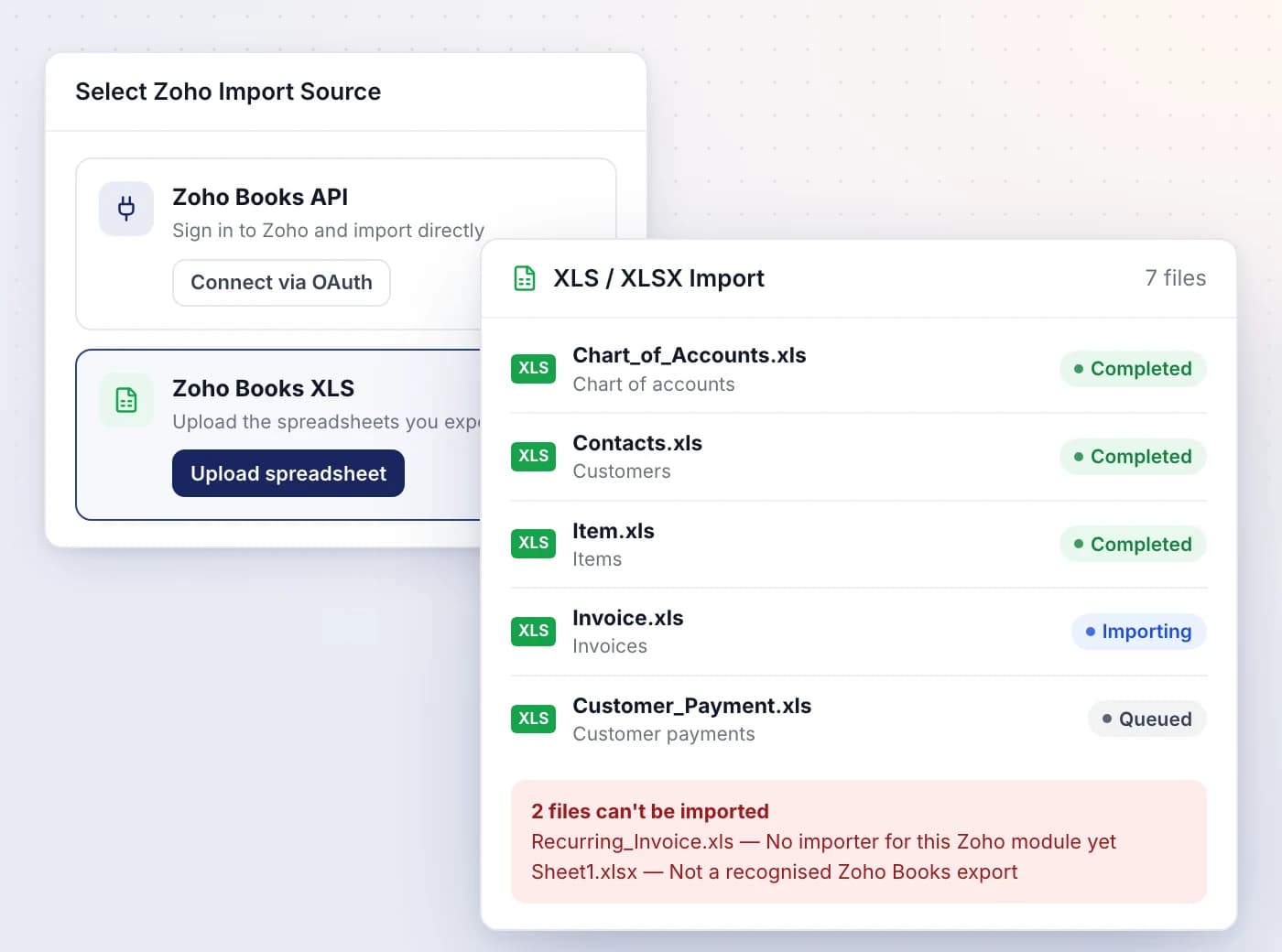
No login needed: upload your Zoho exports
Export your modules from Zoho Books as XLS or XLSX files, upload them together, and SmartLedger recognises each file and imports it.
- Covers accounts, customers, vendors, items, projects, quotes, invoices, bills, orders, journals, payments and credit notes
- Upload in any order: masters go in first, then transactions, then payments
- Files that can't be used are listed with the reason
- Partial imports show which rows failed and why, with Retry
Bring your Tally Prime books into SmartLedger
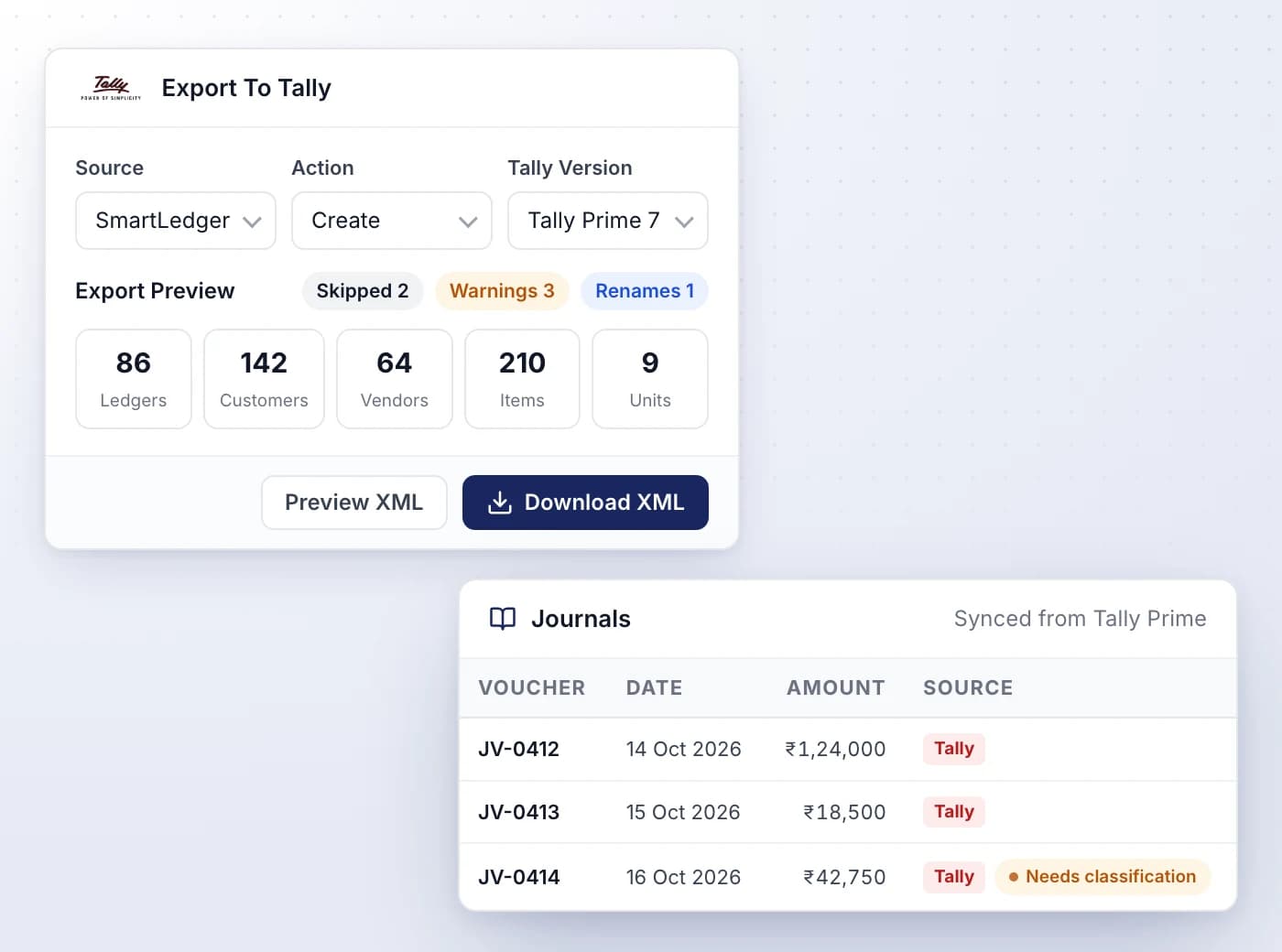
The Tally Connector desktop app reads the company open in Tally Prime and sends its ledgers and vouchers to your SmartLedger company.
- Sundry Debtors become clients, Sundry Creditors vendors, and other ledgers your chart of accounts
- Vouchers arrive as sales invoices, purchase invoices and journal entries
- After the first sync, only what changed in Tally is sent
- Records from Tally carry a Tally badge; unclear vouchers are marked Needs classification
- Going the other way, export your masters as a Tally-ready XML file for Tally Prime 4 to 7
Turn a shared Drive folder into an inbox
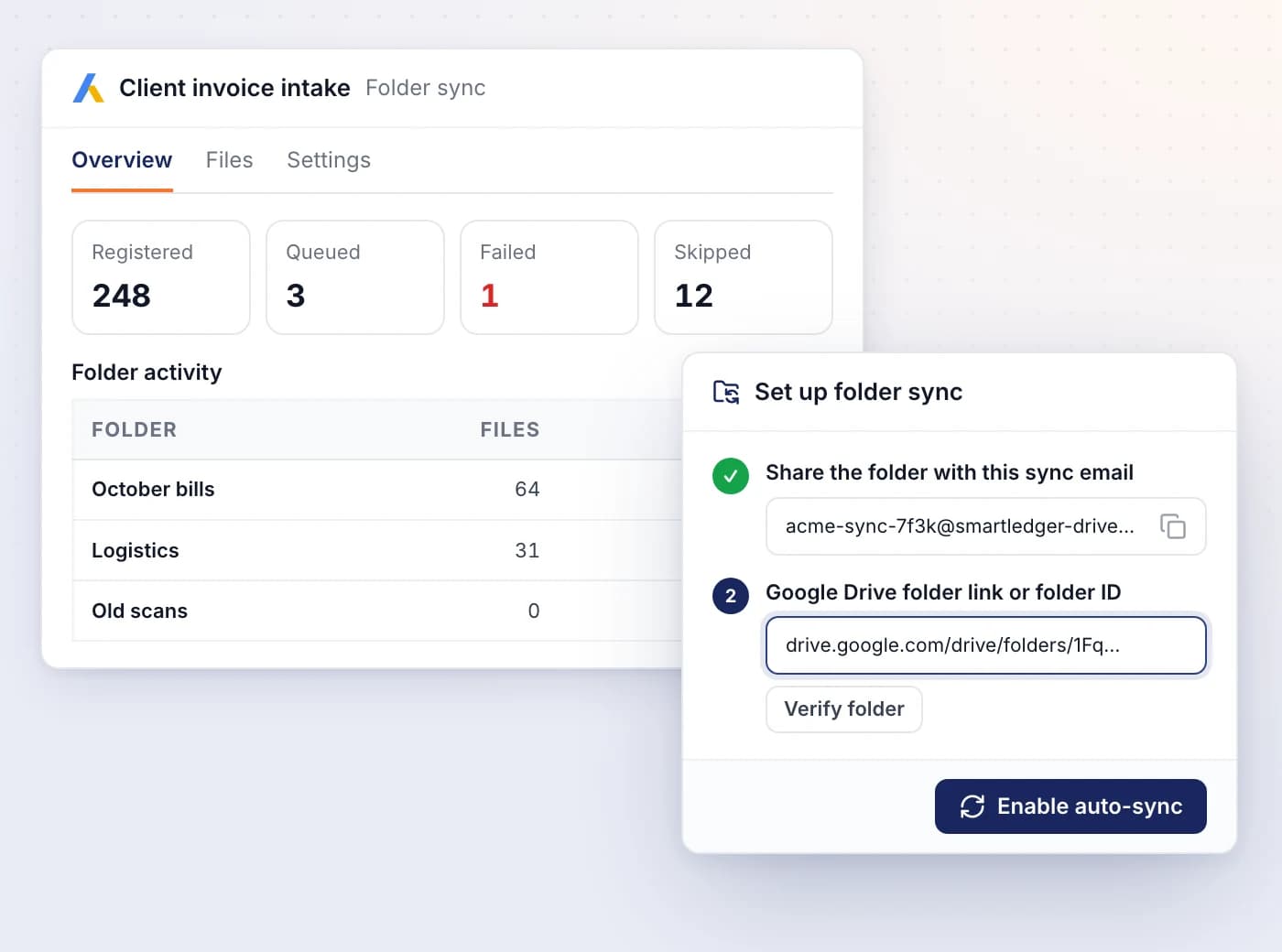
Share one Google Drive folder with your company's sync email, and every new bill, invoice or receipt added to it goes to SmartUploads.
- No Google sign-in needed: share the folder as Viewer with the sync email
- The folder and its subfolders are checked about every two minutes
- Track Registered, Queued, Failed and Skipped files, folder by folder
- Prefer to pick files? Connect your Google account and browse Drive inside SmartLedger
- Deleting a file in Drive never deletes anything in SmartLedger
Connect your team's chat apps
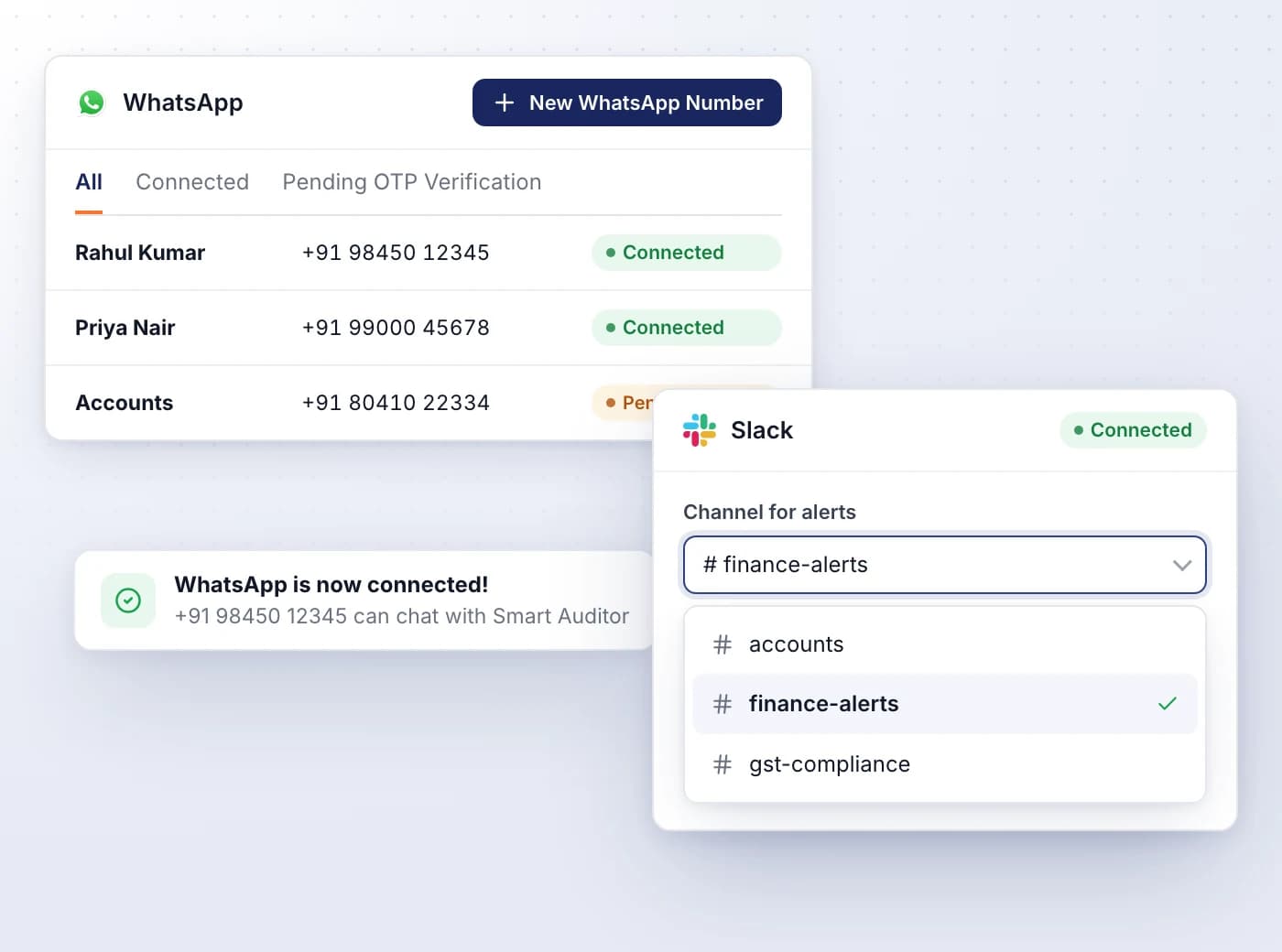
Verify WhatsApp numbers to chat with SmartAuditor and send in bills, and connect Slack to receive alerts in a channel you choose.
- Verify each Indian WhatsApp number with a six-digit code sent on WhatsApp
- Add numbers for partners and staff, and remove any of them at any time
- Pick the Slack channel where compliance and system alerts are posted
- WhatsApp is included on the Pro plan and above; Zoho Books and Tally imports on every plan

Ready When You Are
Let AI run the books. You verify.
Start a 7-day free trial on your own books or your clients' in minutes — or book a demo walkthrough and we'll show you the full platform live, from AI bookkeeping to compliance and reports.
7-day free trial · No charge today · Built for Indian GST, TDS and ITR