
User roles and permissions, with an audit trail of who changed what in your books
User roles and permissions, with an audit trail of who changed what in your books
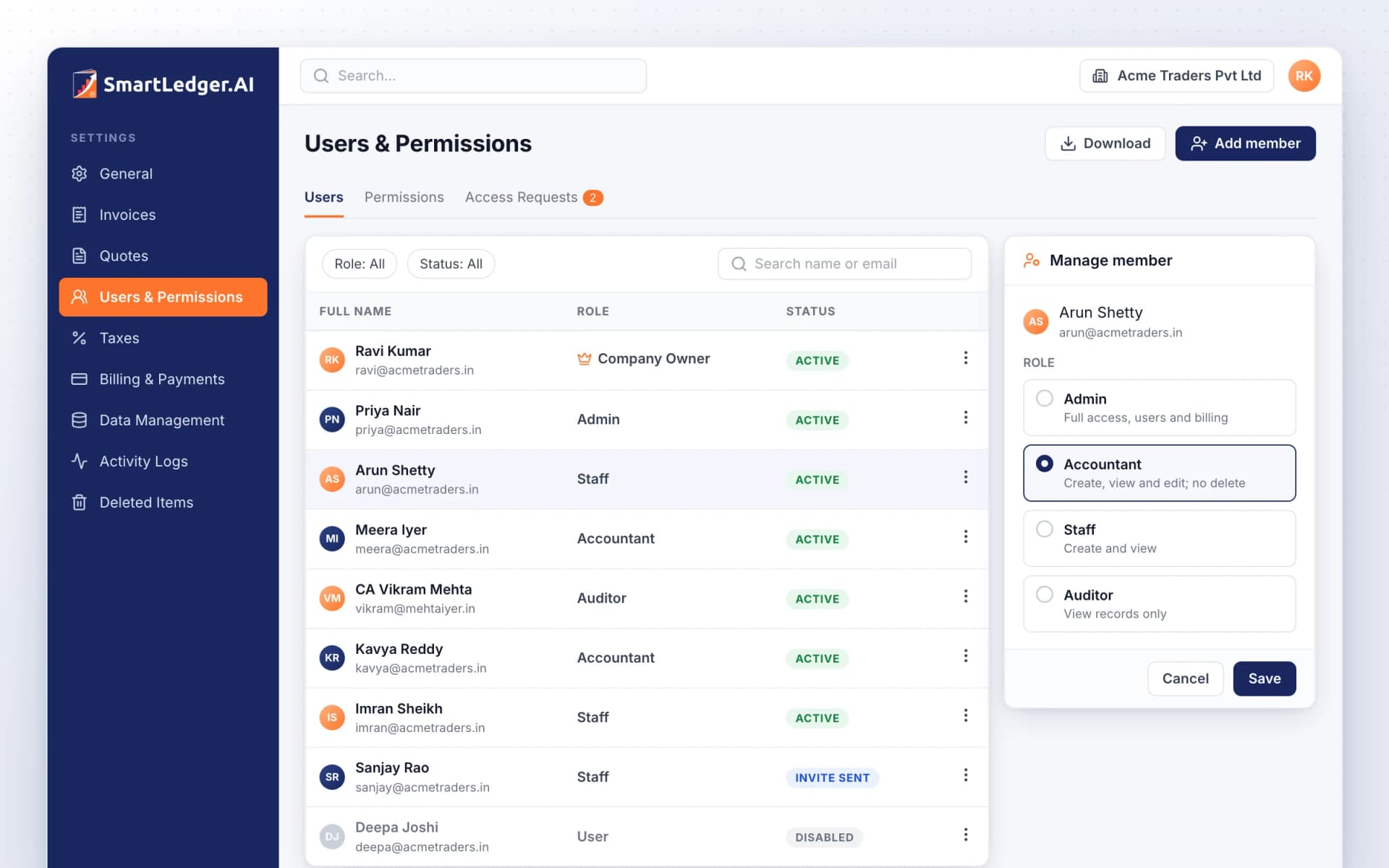
Give each member of your team a role that fits their work, from Company Owner to a read-only Auditor, and see exactly what each role can do. Activity is written to an append-only log, deleted records wait in Deleted Items until you restore them, and owners and admins can export a full backup at any time.
Six roles, from Company Owner to Auditor
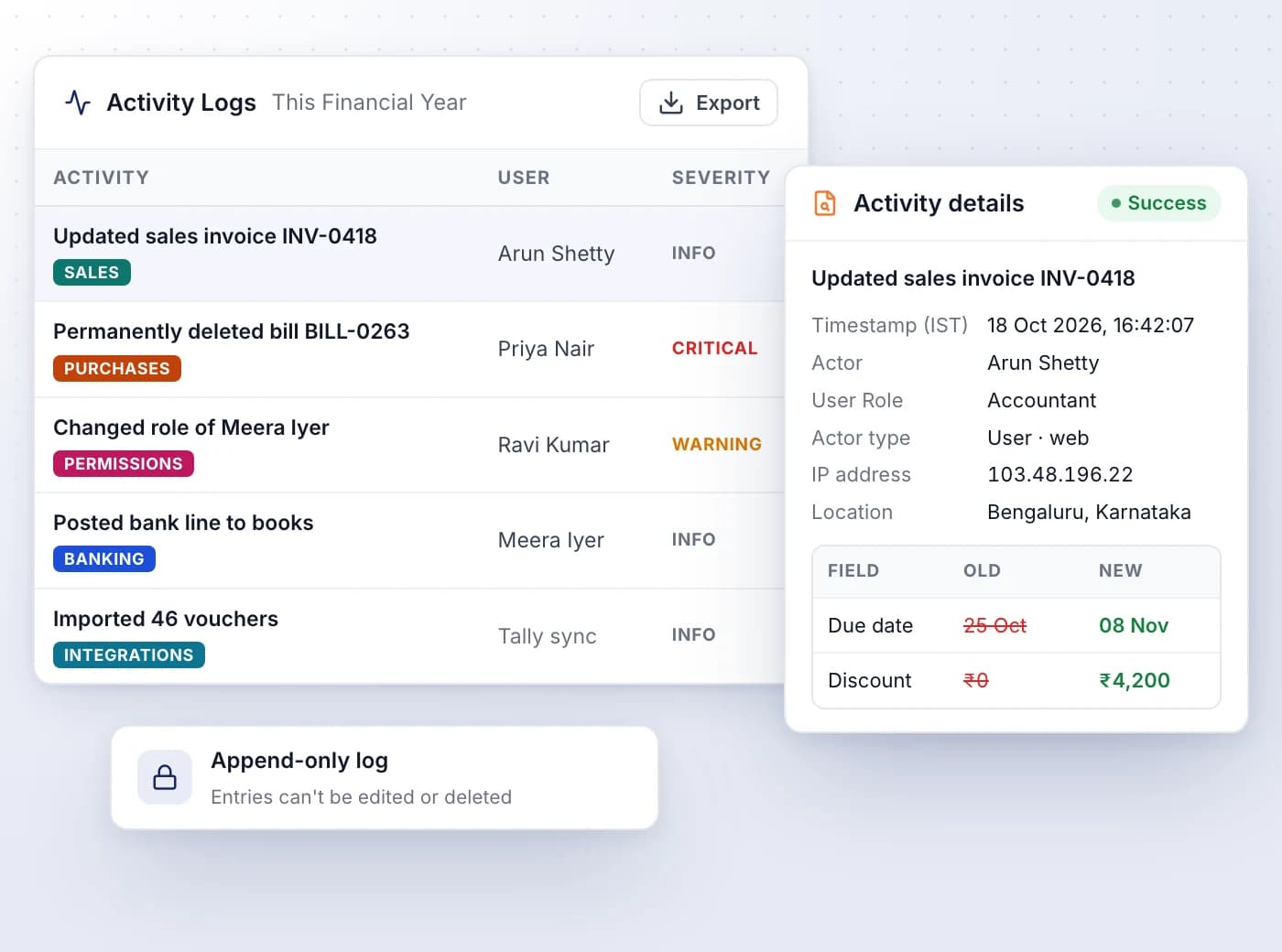
Every member gets one role, and the Permissions tab shows what that role can create, read, update and delete in each module.
- Company Owner and Admin get full access; only the owner can delete the company
- Accountants create, view and edit but can't delete; Staff create and view
- Auditor and User roles view your records without changing them
- AI Modules show whether Smart Uploads, AI Auditor and Smart Integration are enabled for a role
- Change a member's role from Manage member; nobody can change their own role or the owner's
Invite your team, approve who asks to join
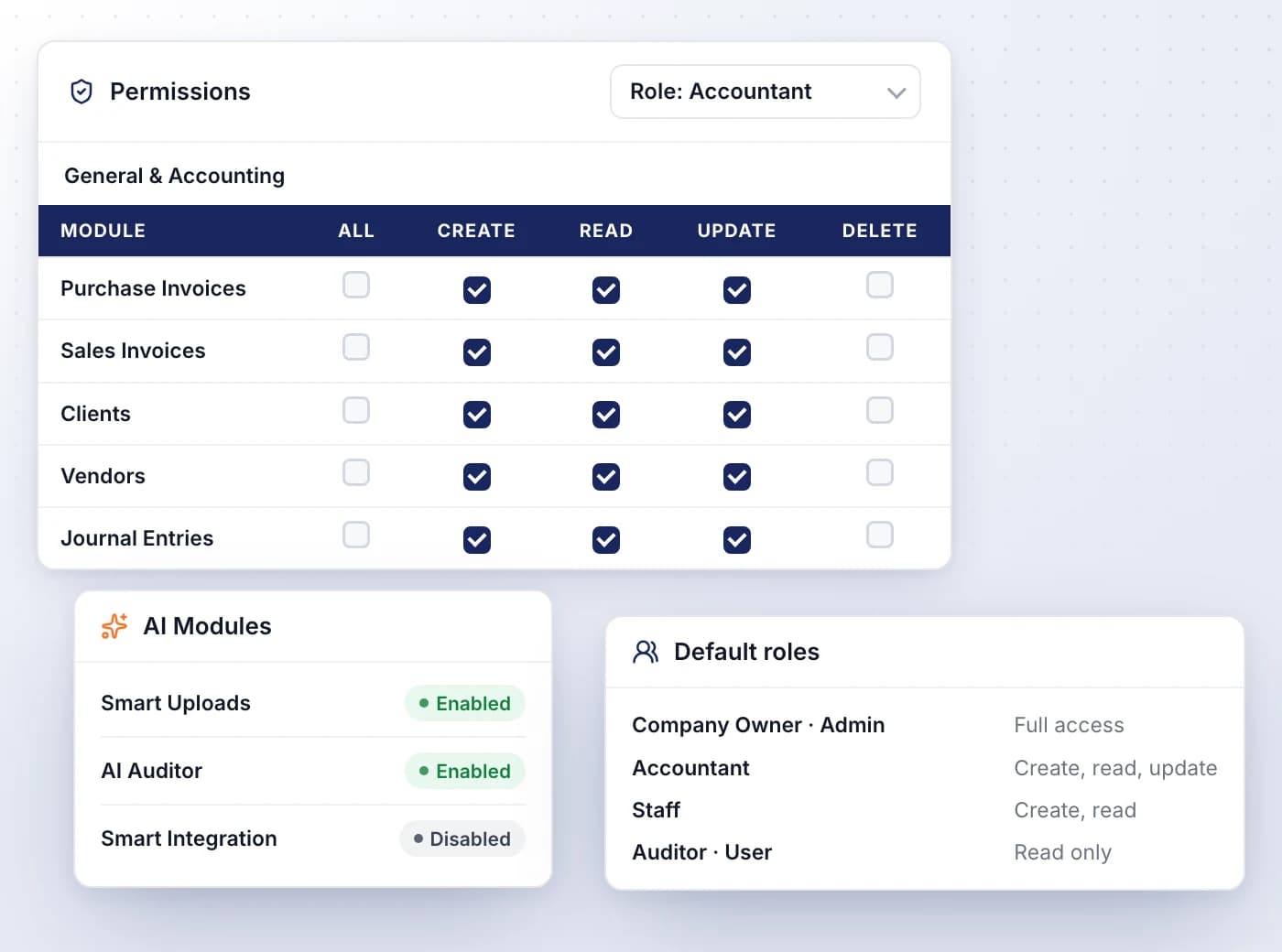
Add members by email or share an invite link, pick their role up front, and approve people who ask to join your company.
- Invite several people at once; each gets a verification email and sets their own password
- Invitees see your company in their switcher with an INVITED tag and accept it there
- People whose sign-up matched your GSTIN appear under Access Requests
- Choose their role when you approve, or decline with an optional reason
- Disable a member to pause access, or remove them from this company only
An audit trail nobody can edit
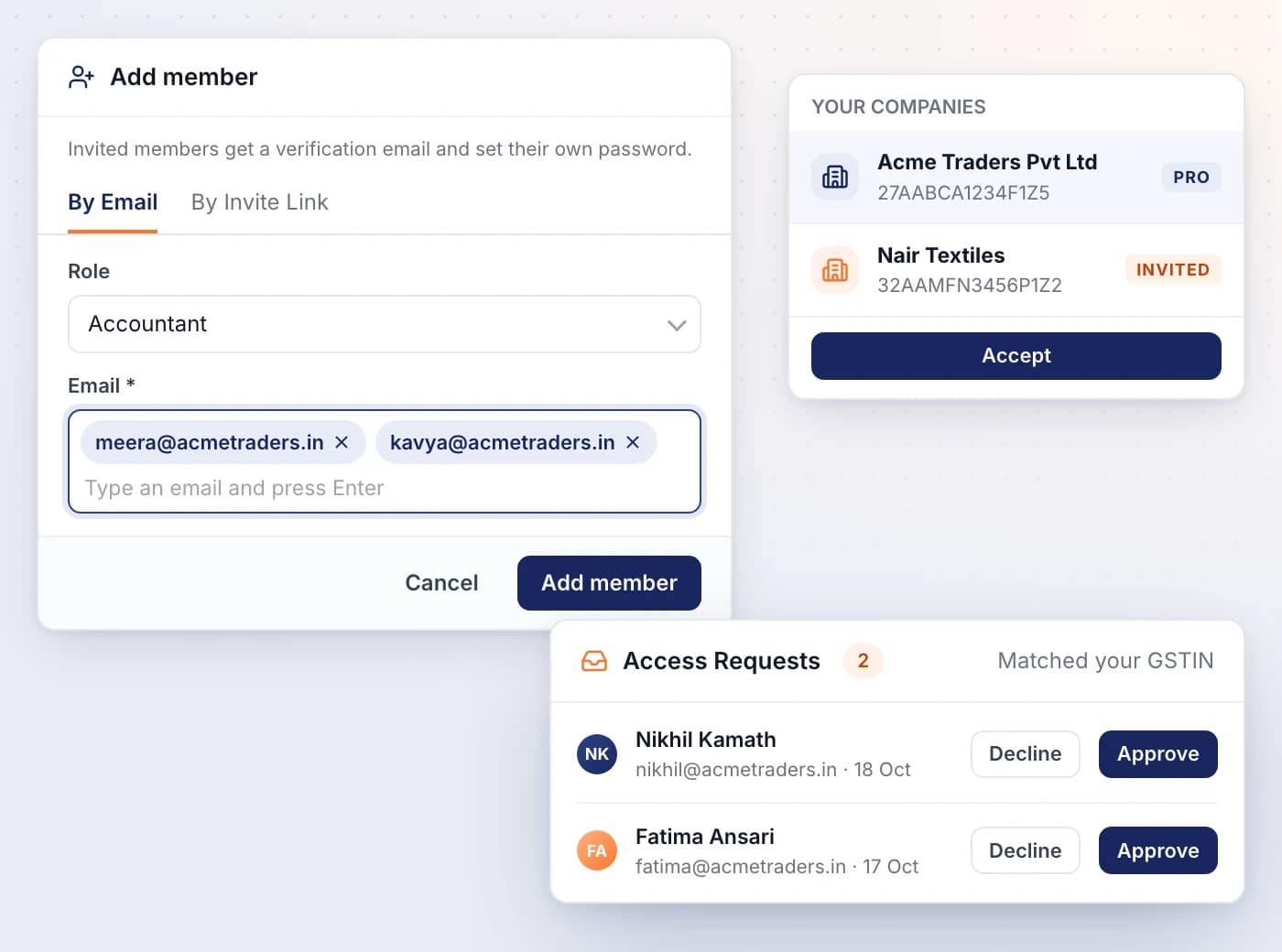
Activity Logs records what each person and each integration, such as a Tally or Zoho Books sync, did in your company, when and from where.
- Open any entry for its timestamp (IST), user role, IP address, location and request ID
- Edits list each changed field with its old and new value
- Filter by category, severity, module or actor to separate syncs from manual edits
- Role changes and disabled or removed users are logged too, so you can see who changed access
- Entries are append-only, and the filtered log exports to CSV or XLSX
Restore what was deleted by mistake
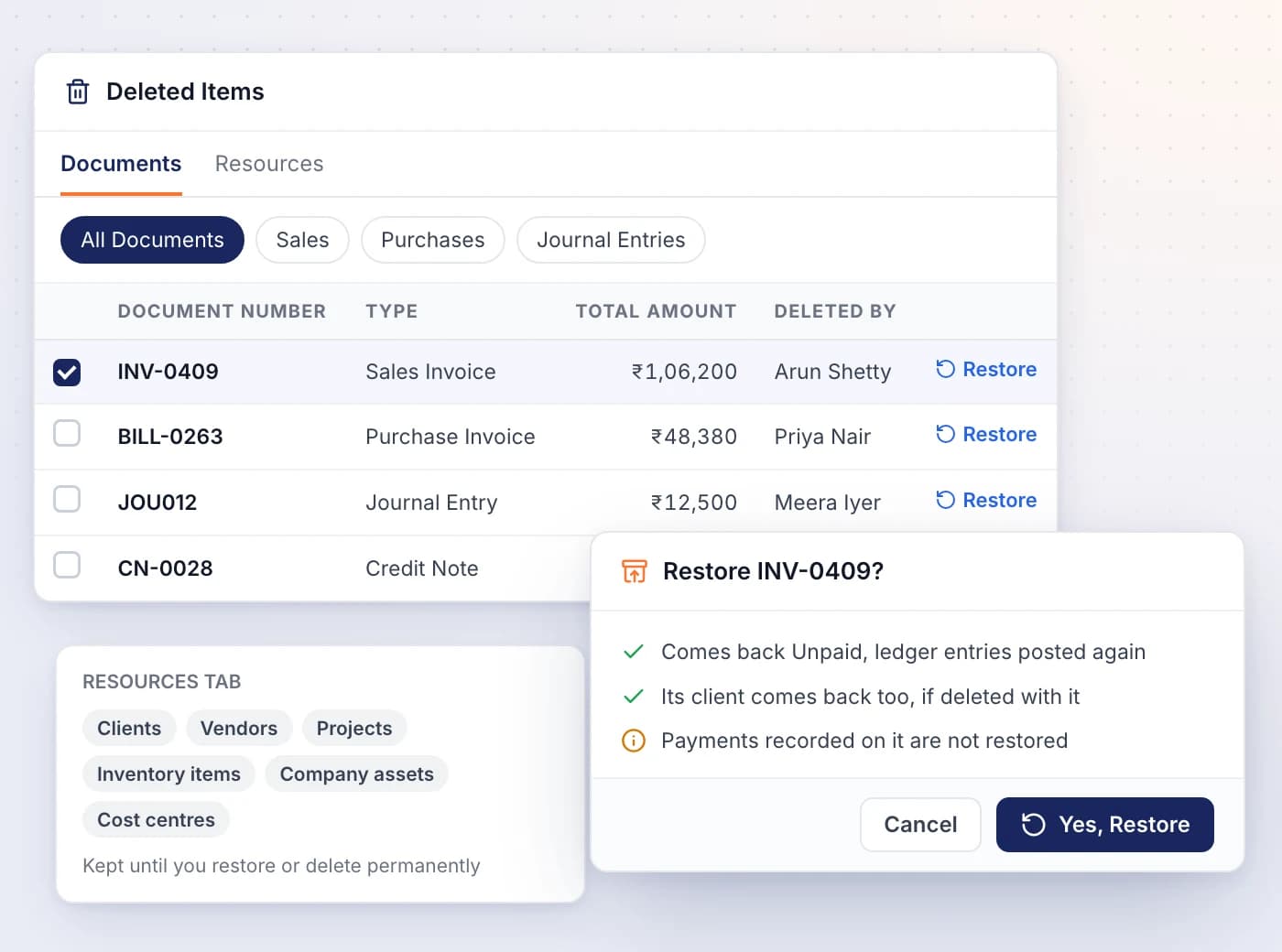
Deleted invoices, bills, journal entries, parties and other records wait in Deleted Items until you restore them or delete them permanently.
- Documents covers invoices, bills, notes, orders and journal entries; Resources covers clients, vendors, projects and more
- A restored invoice or bill comes back Unpaid, with its ledger entries posted again
- Its client or vendor comes back too if it was deleted along with it
- Deleted By and Deleted on show who removed each document, and when
- Restore or delete permanently in bulk; nothing is cleared automatically
Take a full backup, close a company safely
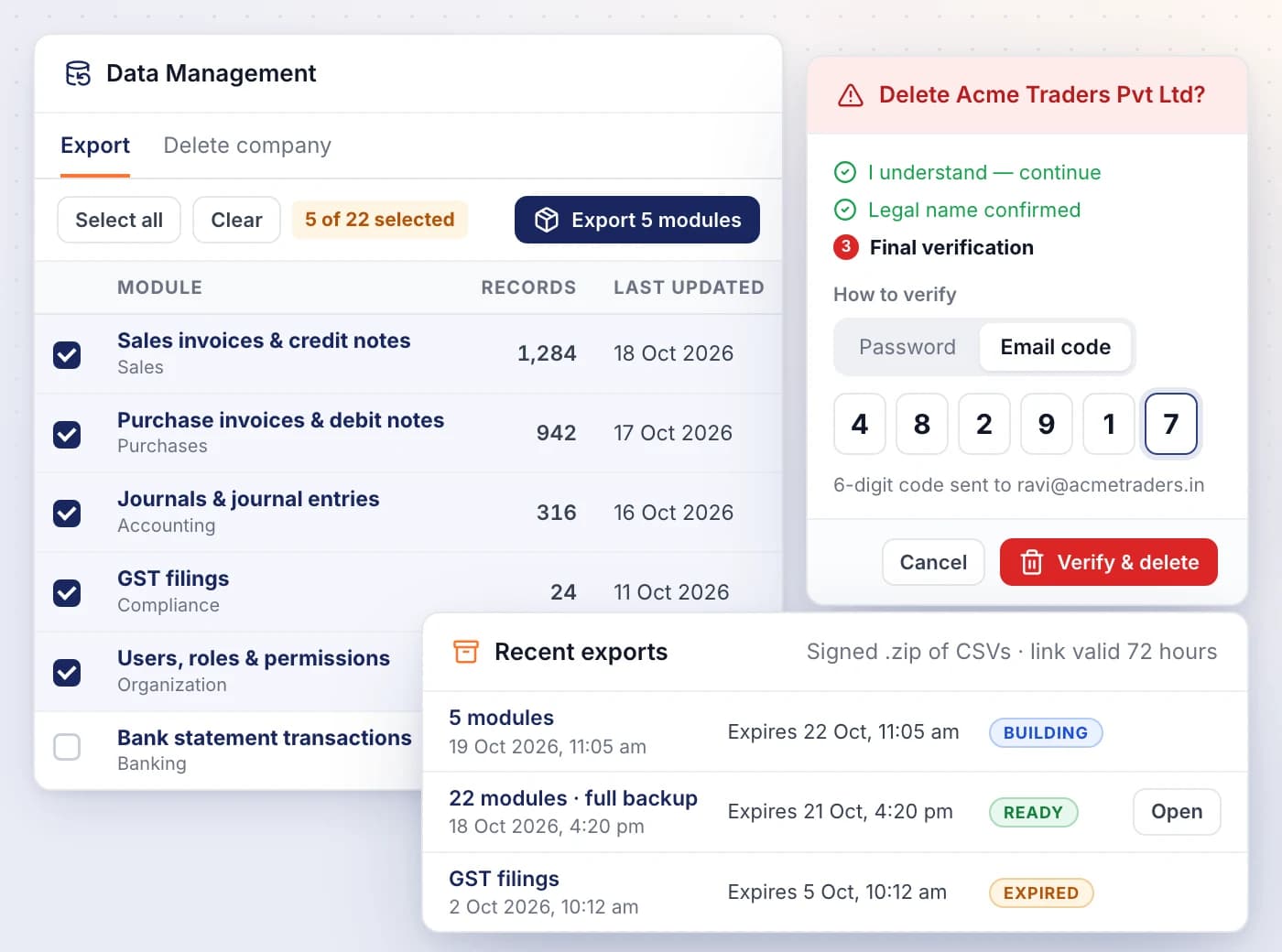
Data Management packs the modules you pick into a signed .zip of CSV files, and lets the Company Owner delete a company behind three checks.
- Each module shows its record count and when it was last updated
- Choose which owners and admins get the download link; links stay valid for 72 hours
- Recent exports shows whether each archive is building, ready, expired or failed
- Deleting asks for the company's legal name plus your password or an emailed 6-digit code
- You can't delete the only company on your account; create another one first

Ready When You Are
Let AI run the books. You verify.
Start a 7-day free trial on your own books or your clients' in minutes — or book a demo walkthrough and we'll show you the full platform live, from AI bookkeeping to compliance and reports.
7-day free trial · No charge today · Built for Indian GST, TDS and ITR