
Double-entry accounting with journals, payments, fixed assets and Schedule III notes
Double-entry accounting with journals, payments, fixed assets and Schedule III notes
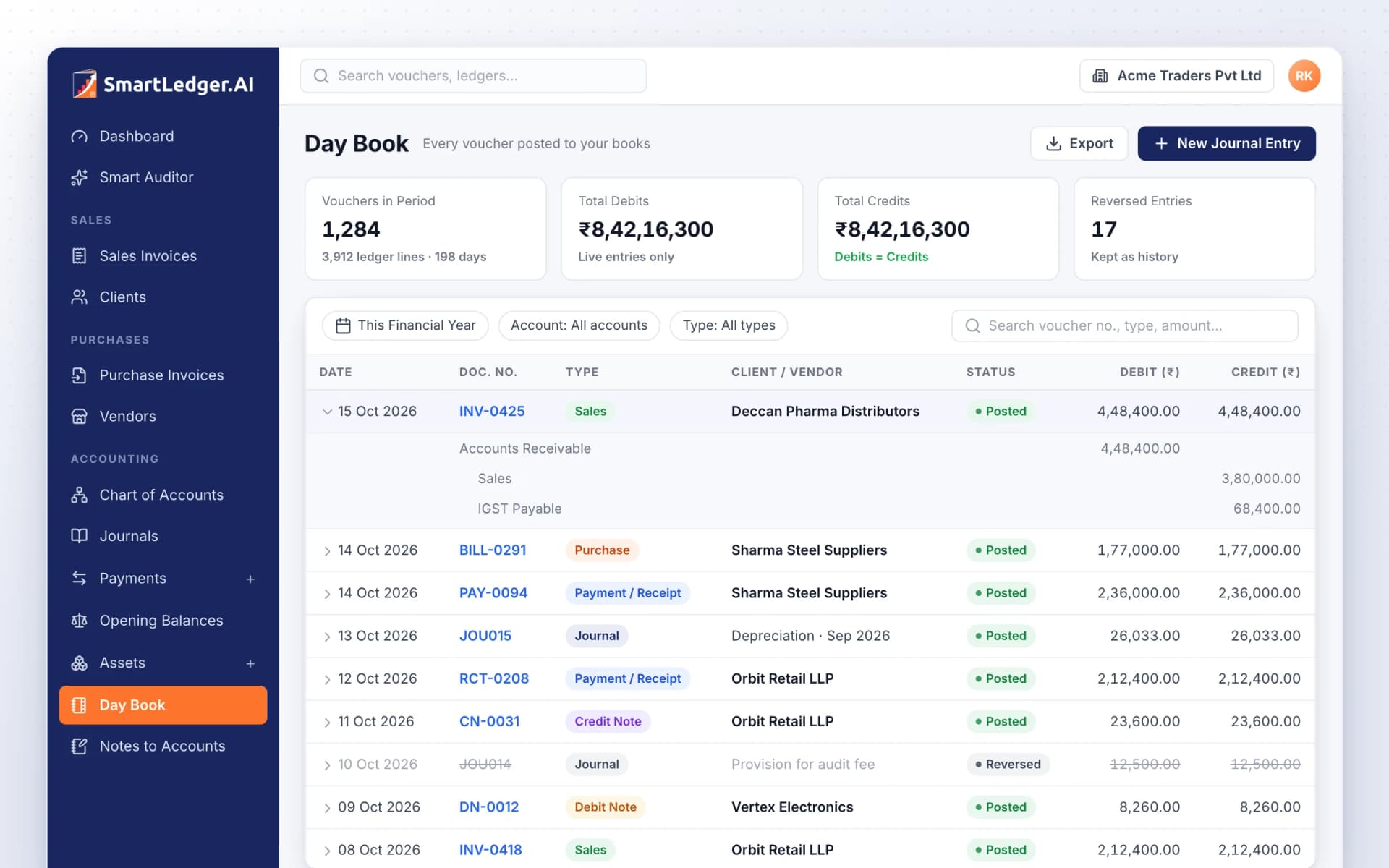
Every invoice, bill, payment and journal in SmartLedger posts to one chart of accounts, so your ledgers, Day Book and financial statements always agree. Corrections post as reversals instead of erasing lines, and year-end work, from opening balances to depreciation and notes to accounts, happens in the same books.
Your chart of accounts and opening balances
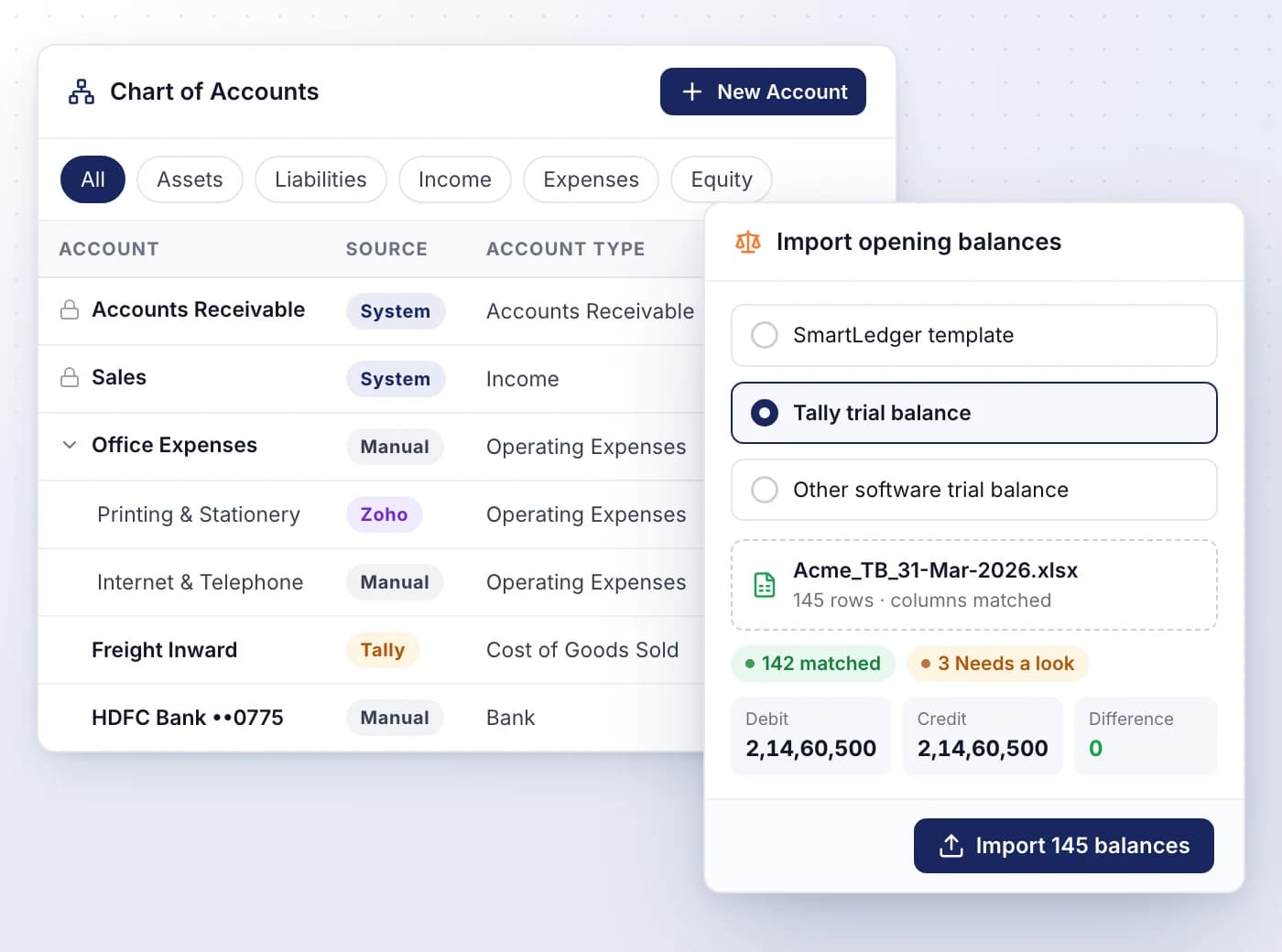
Start from a standard chart of accounts, add the ledgers you need and bring in last year's closing balances from your old software.
- Accounts grouped into Assets, Liabilities, Equity, Income and Expenses
- Locked system accounts keep automatic postings in the right place
- Nest sub-accounts under a parent and see each account's source: System, Manual, Tally or Zoho
- Import opening balances from a Tally, Zoho Books or Busy trial balance, or SmartLedger's template
- Park an unmatched difference in a suspense ledger, flagged until you clear it
Journals that balance before they post
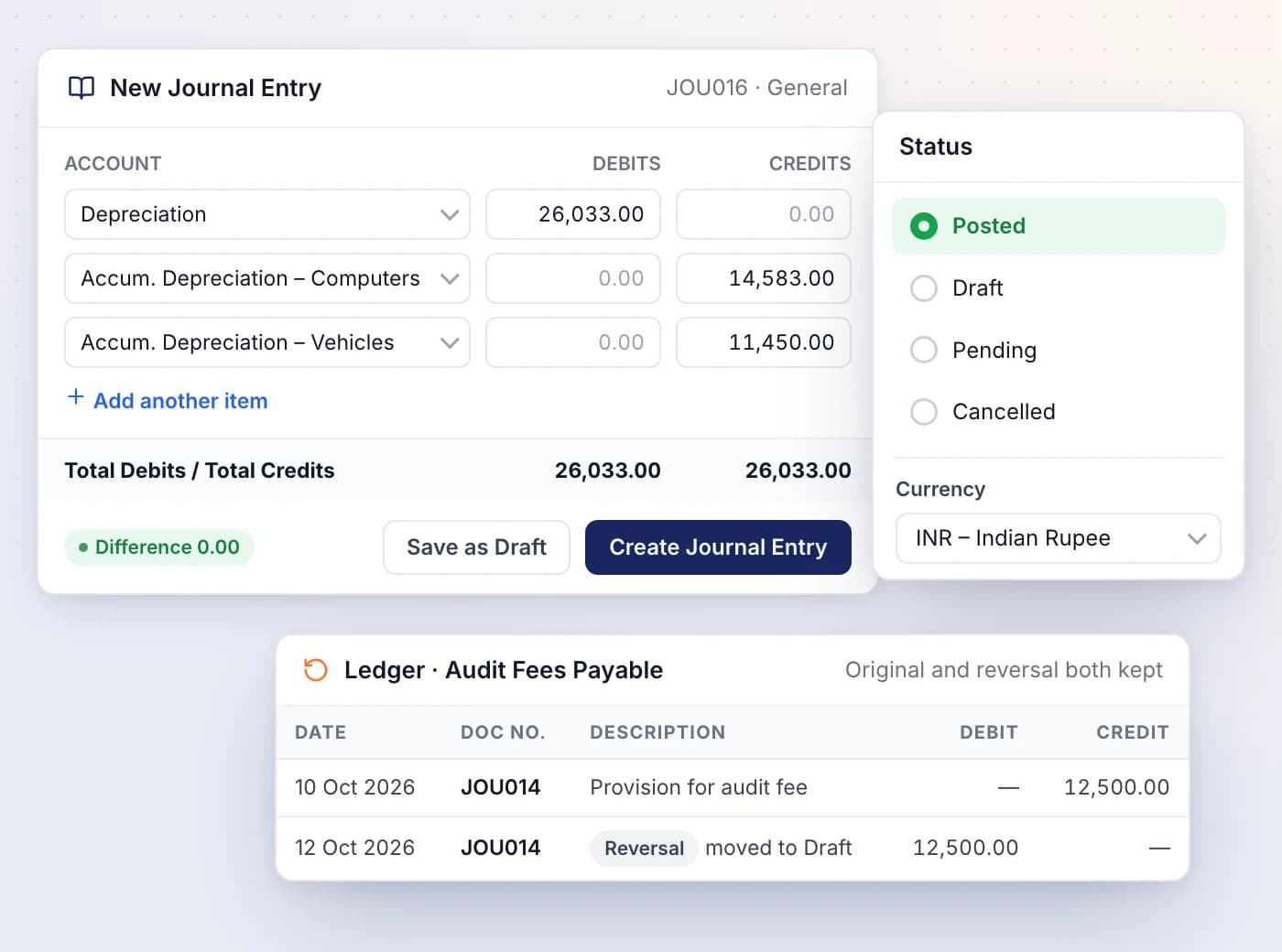
Record depreciation, provisions, transfers and corrections as journal entries that can't post until total debits equal total credits.
- Auto-numbered JOU001, JOU002 or your own number, filed in journals you create
- Draft, Pending, Posted and Cancelled decide what reaches your ledgers
- Foreign-currency entries take the exchange rate for the entry date
- Unposting or deleting a posted entry posts a reversal, so history is never erased
- The Day Book lists every voucher in a period, with its ledger lines a click away
One payment, many bills, advances handled
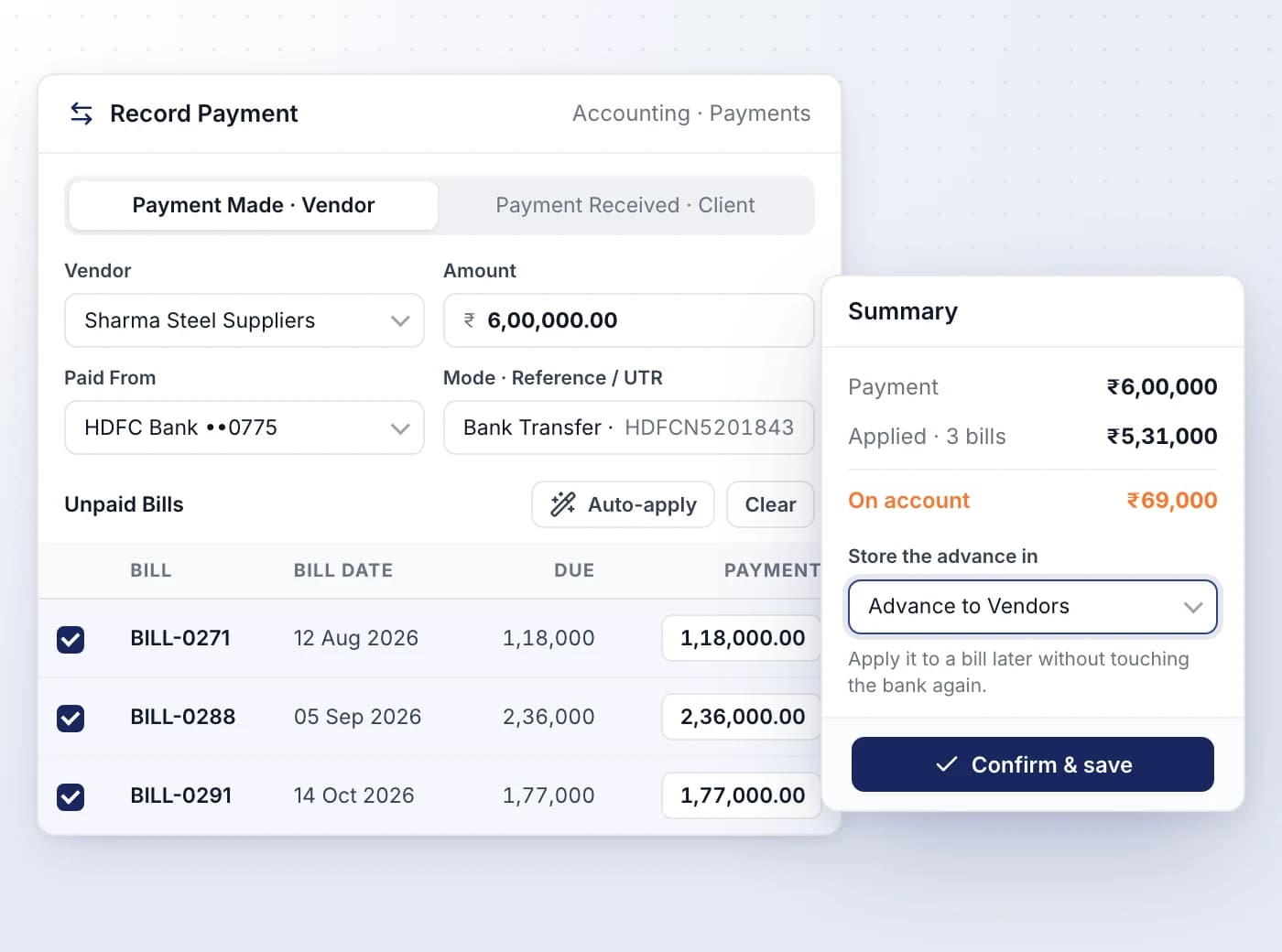
Record money paid to vendors and received from clients in one Payments register, settling several bills or invoices with a single payment.
- Auto-apply spreads the amount over open bills or invoices, oldest first
- Money not applied is held as an advance or overpayment until you use it
- Record the mode, such as Bank Transfer, Cheque or UPI, with its Reference / UTR
- Changing the amount or account asks for a reason, kept in the audit trail
- Reversing a payment reopens the bills it settled, and its number is never reused
An asset register with depreciation schedules
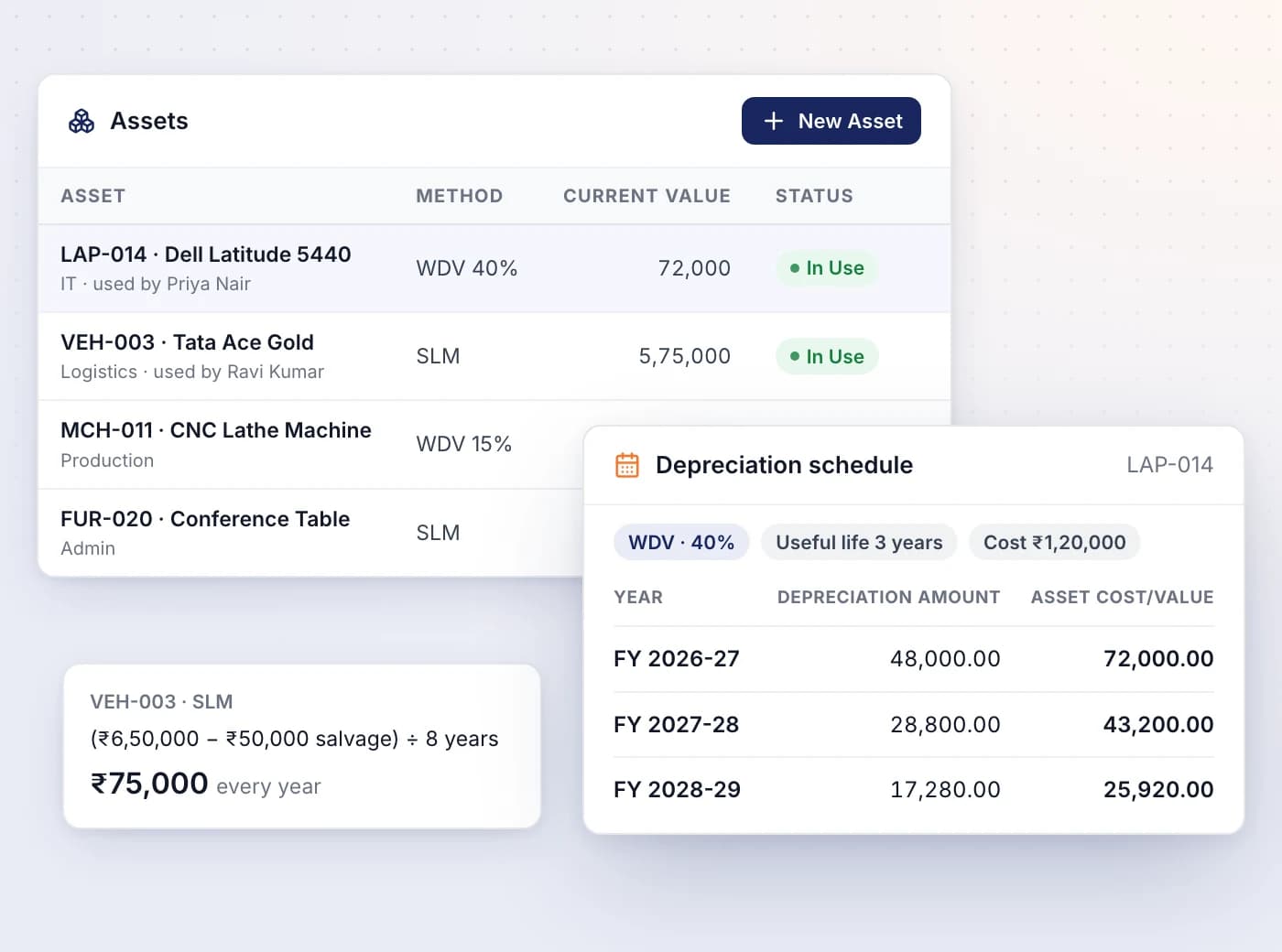
Keep every computer, vehicle and machine in one register, with a year-by-year depreciation schedule worked out from its method.
- Choose SLM (straight line) or WDV (written down value) for each asset
- See each year's depreciation and the value left at the year's end
- Track department, user, vendor and status: In Use, In Maintenance, Unused or Disposed
- Change the cost, life or rate and the schedule is worked out again
- The Depreciation Schedule report shows period-wise depreciation by asset and method
Schedule III and ICAI notes to accounts
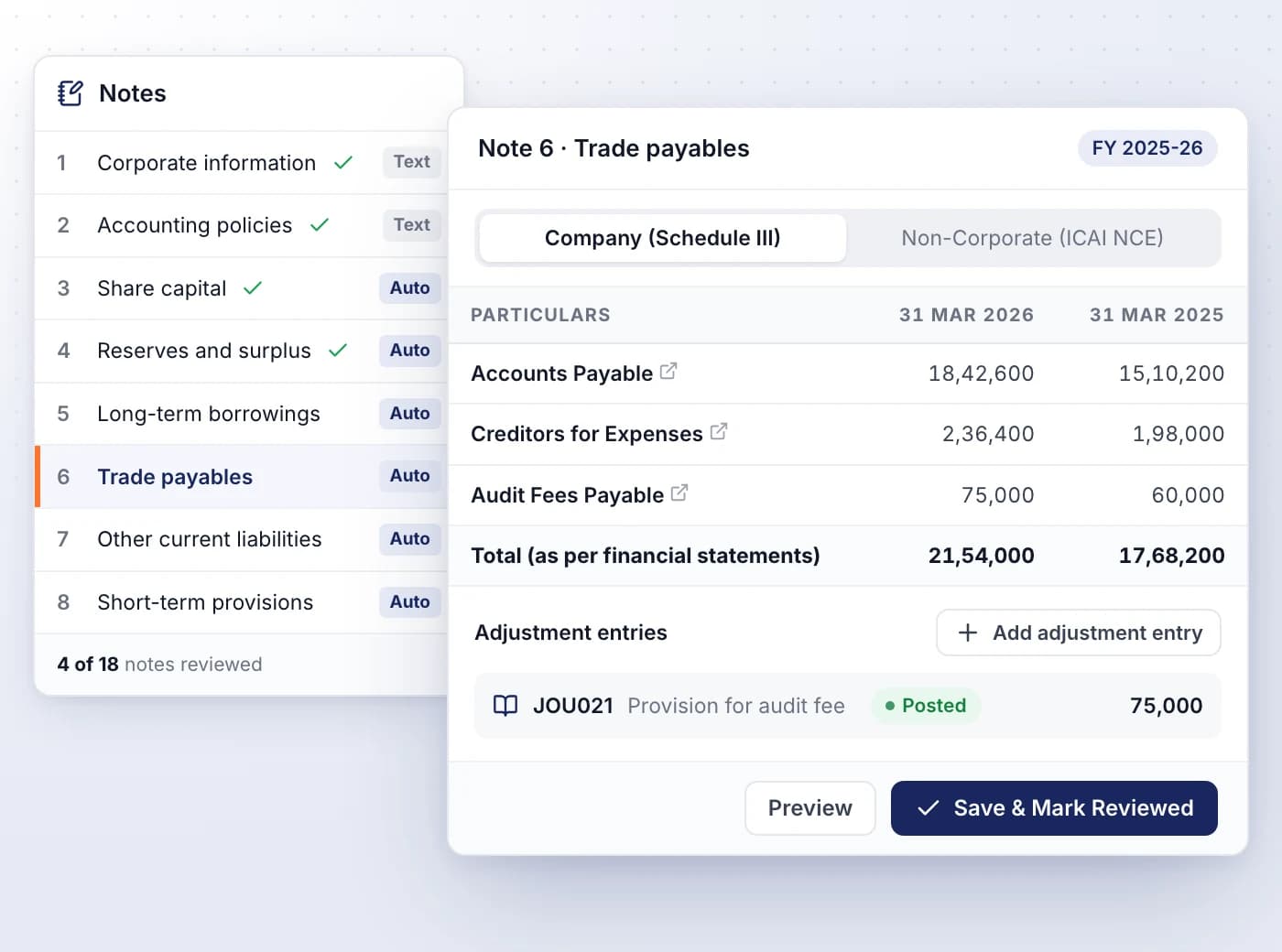
Each note drills into one Balance Sheet or P&L line from the same ledgers, so the note always equals the line it explains.
- Company (Schedule III) or Non-Corporate (ICAI NCE) format, matched to your constitution
- Auto notes fill this year's and last year's figures; text notes take your narrative
- Post finalisation adjustments from the note as journal entries
- Save & Mark Reviewed tracks how many notes are done
- Click a note number on the Schedule III statements to jump to its note

Ready When You Are
Let AI run the books. You verify.
Start a 7-day free trial on your own books or your clients' in minutes — or book a demo walkthrough and we'll show you the full platform live, from AI bookkeeping to compliance and reports.
7-day free trial · No charge today · Built for Indian GST, TDS and ITR