

Prepare GSTR-9 from the figures GSTN holds for your year and file it with an OTP
Prepare GSTR-9 from the figures GSTN holds for your year and file it with an OTP
SmartLedger fetches the financial year's GSTR-9 figures from GSTN, walks you through the annual return table by table, and files it on the GST portal with an EVC OTP. File every GSTR-1 and GSTR-3B for the year first.
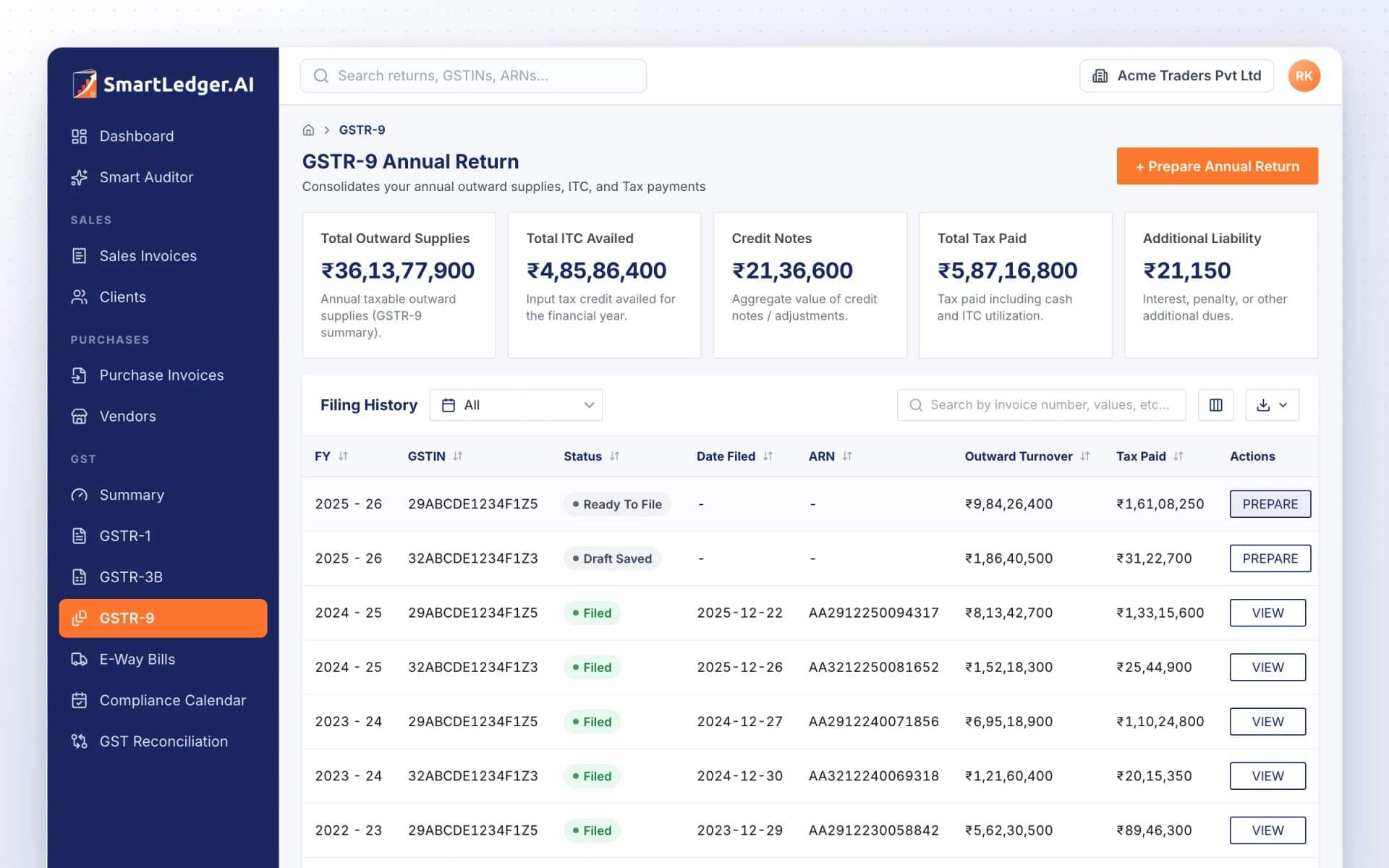
Your year's GST position at a glance
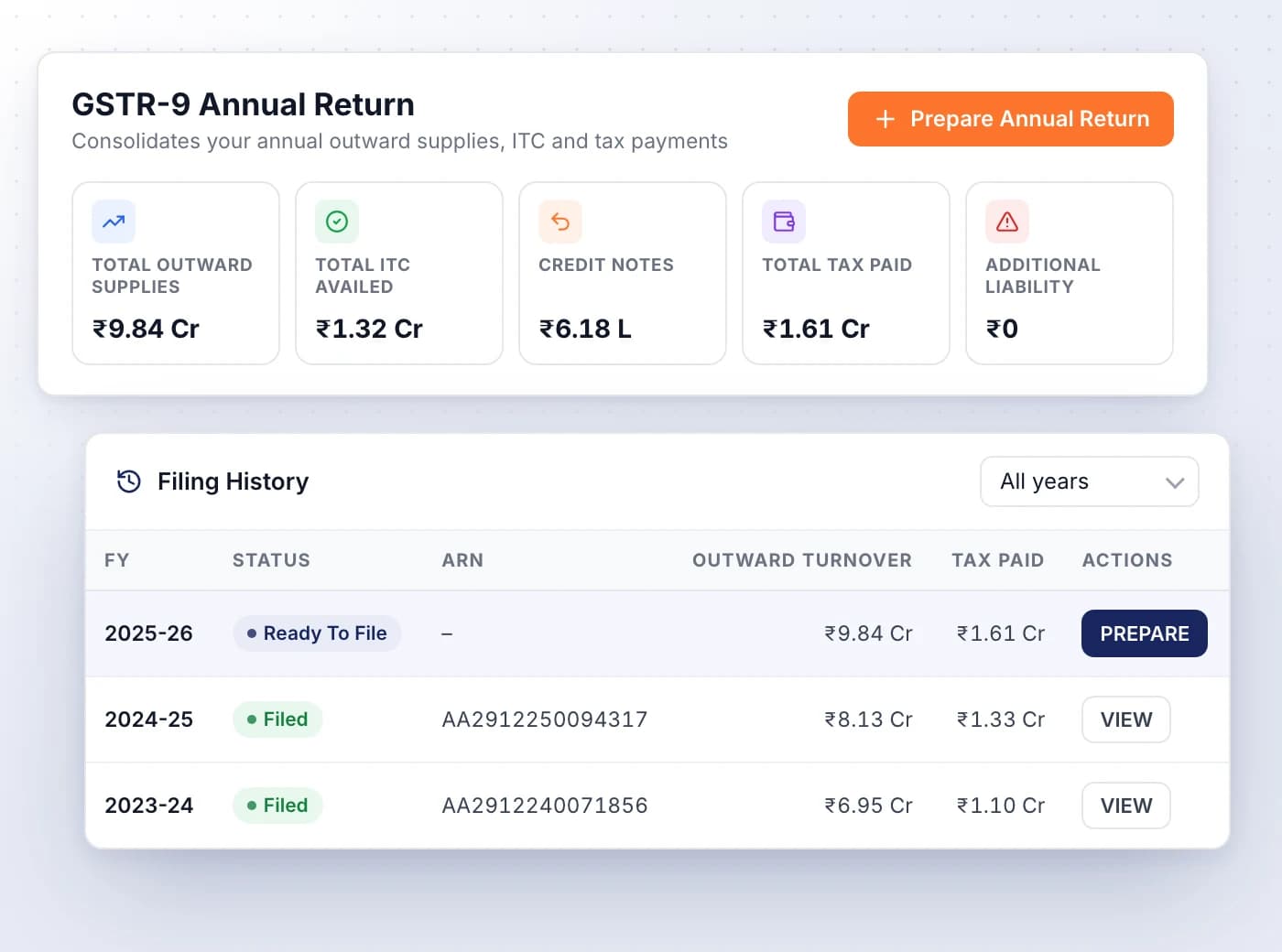
The GSTR-9 page totals the year's outward supplies, ITC availed, credit notes, tax paid and any additional liability.
- Filing History lists each year with its status, ARN, outward turnover and tax paid
- Statuses run from Pending and Draft Saved to Ready To File and Filed
- PREPARE opens a year in progress; VIEW opens one already filed
- The annual return draws on the year's GSTR-1 and GSTR-3B, so file those first
Start from the figures GSTN already holds
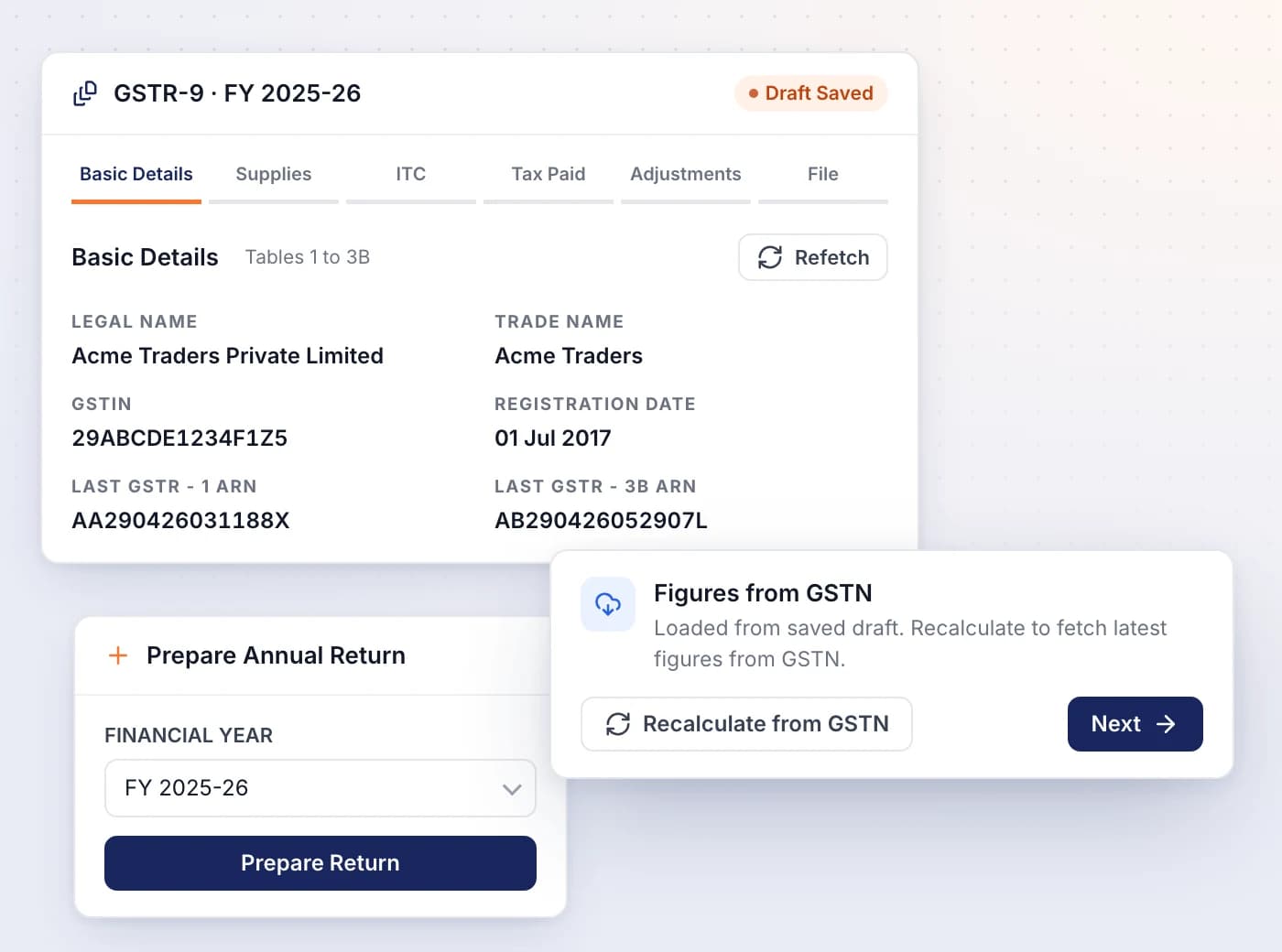
Pick the financial year and SmartLedger fetches its GSTR-9 figures from GSTN, or reopens the draft you saved earlier.
- + Prepare Annual Return opens the GST portal login first if you aren't connected
- Recalculate from GSTN replaces a saved draft with the latest figures
- Basic Details fills in legal and trade name, registration date and your last GSTR-1 and GSTR-3B ARNs
- Refetch reloads those details from your registration
Six steps through the annual return
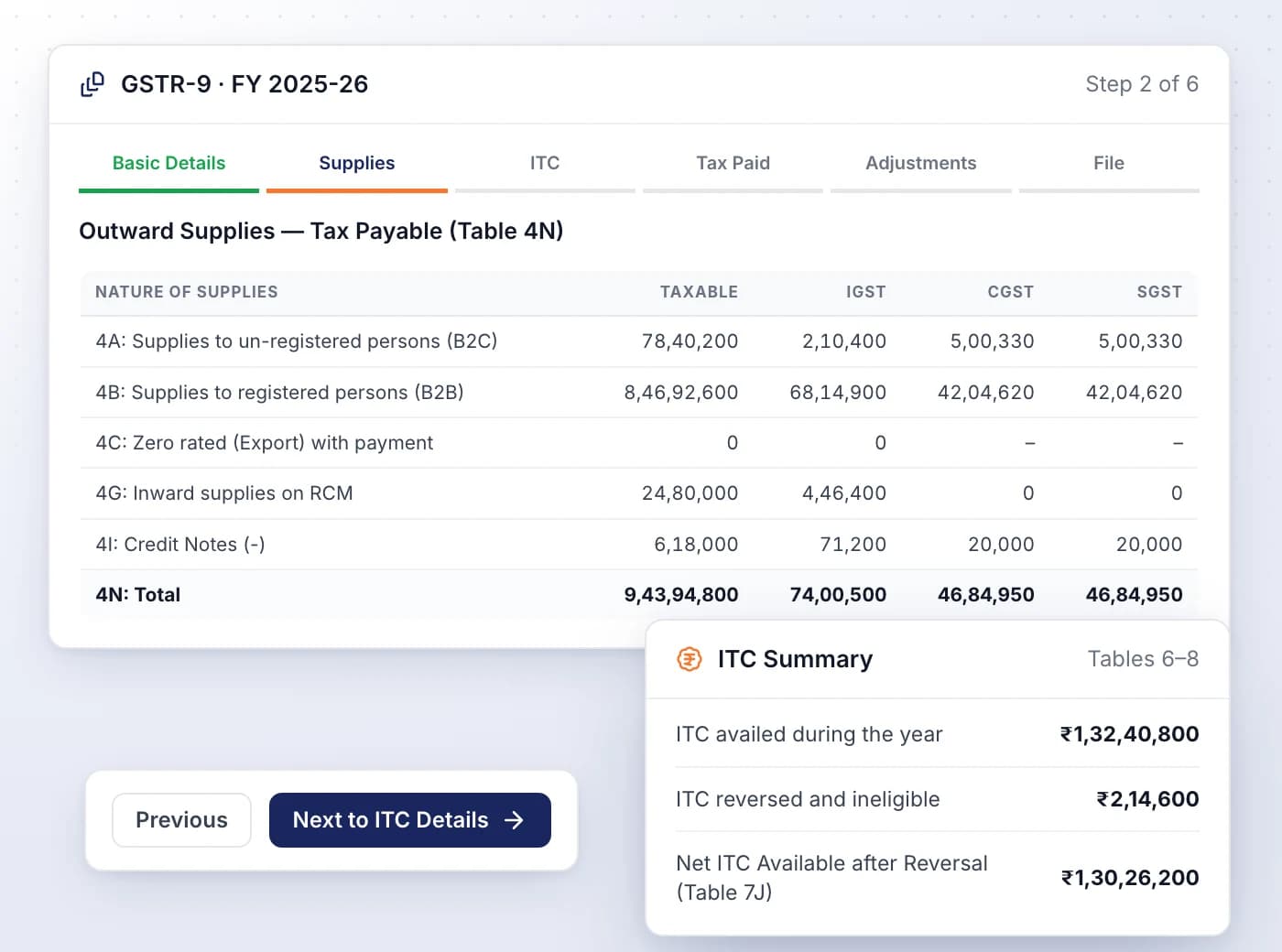
Move through Basic Details, Supplies, ITC, Tax Paid, Adjustments and File, reviewing each GSTR-9 table before you file.
- Supplies covers Table 4, tax payable on outward supplies, and Table 5, supplies with no tax payable
- ITC covers Tables 6 to 8: ITC availed, reversed and ineligible, and other ITC information
- Tax Paid shows Table 9 as declared in the returns you filed during the year
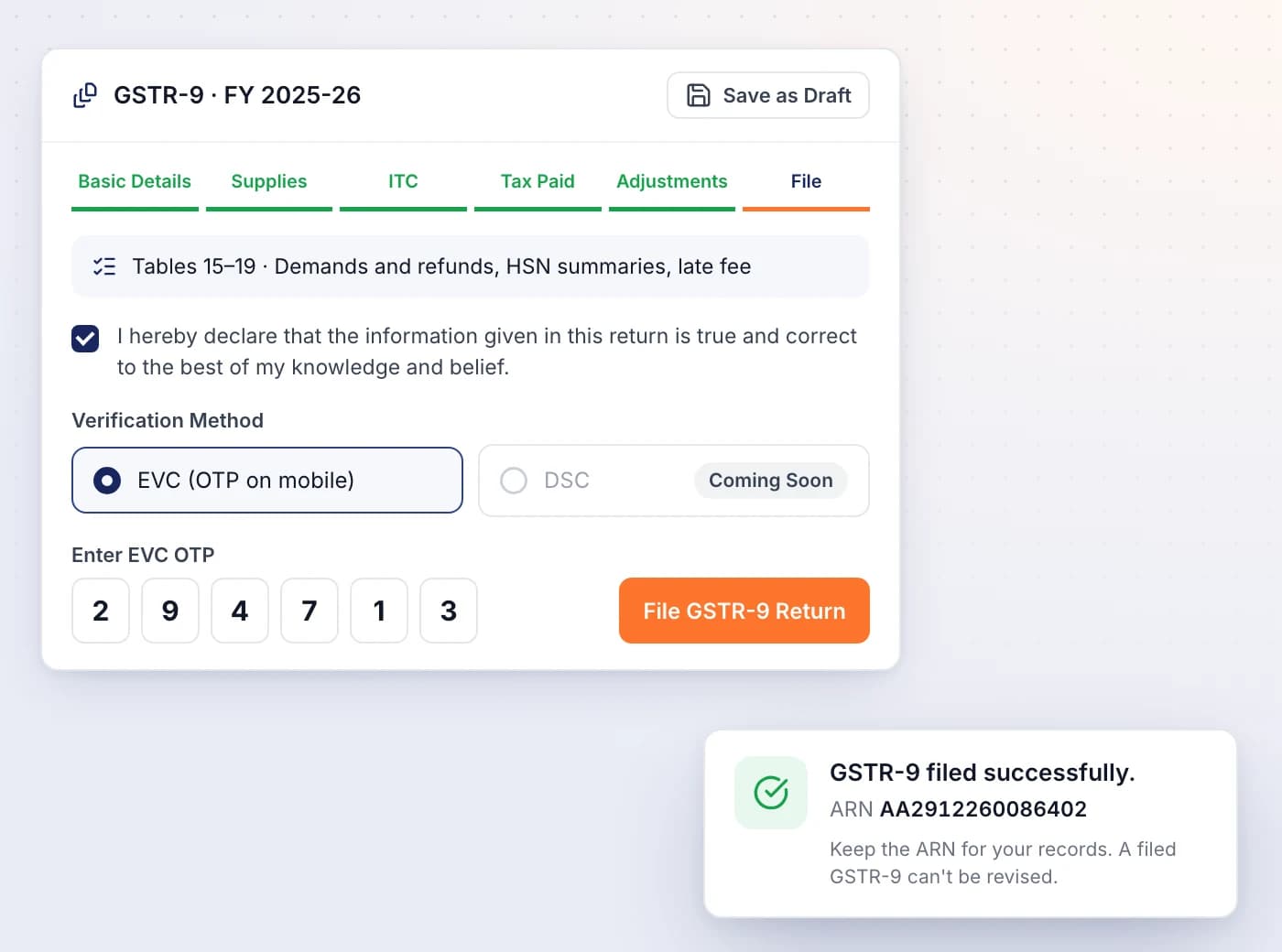
- File holds Tables 15 to 19, including HSN summaries of outward and inward supplies
Save, declare and file with an OTP
Save the return as a draft on the GST portal, tick the declaration, and file with an EVC OTP sent to the authorised signatory.
- Save as Draft stores your figures on the portal, and the return is filed from that copy
- Ticking the declaration asks the portal to validate the return
- EVC (OTP on mobile) is the verification method; DSC is marked Coming Soon
- SmartLedger shows your ARN as soon as the portal accepts the return
Related features

Ready When You Are
Let AI run the books. You verify.
Start free on your own books or your clients' in minutes, with no card and no time limit — or book a demo walkthrough and we'll show you the full platform live, from AI bookkeeping to compliance and reports.
Free forever plan · No card required · Built for Indian GST, TDS and ITR