
Project accounting that tracks billing against contract and spend against budget
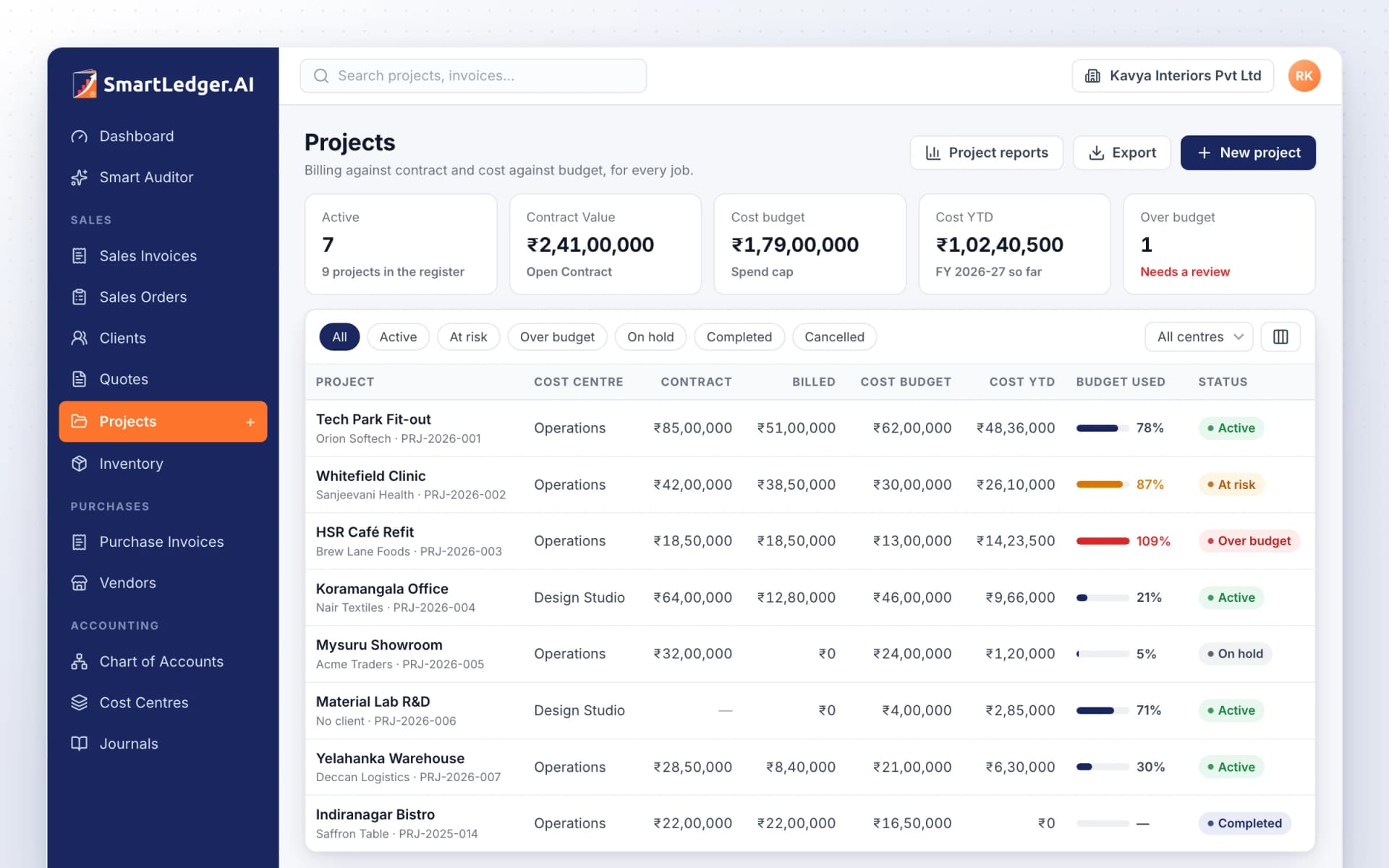
Project accounting that tracks billing against contract and spend against budget
Set up each job, contract or site as a project with its contract value and cost budget, then tag sales invoices, purchase bills and journal entries to it. SmartLedger adds them up, flags projects at risk or over budget, and rolls projects into cost centres for department-level reporting.
Every job with its contract and budget
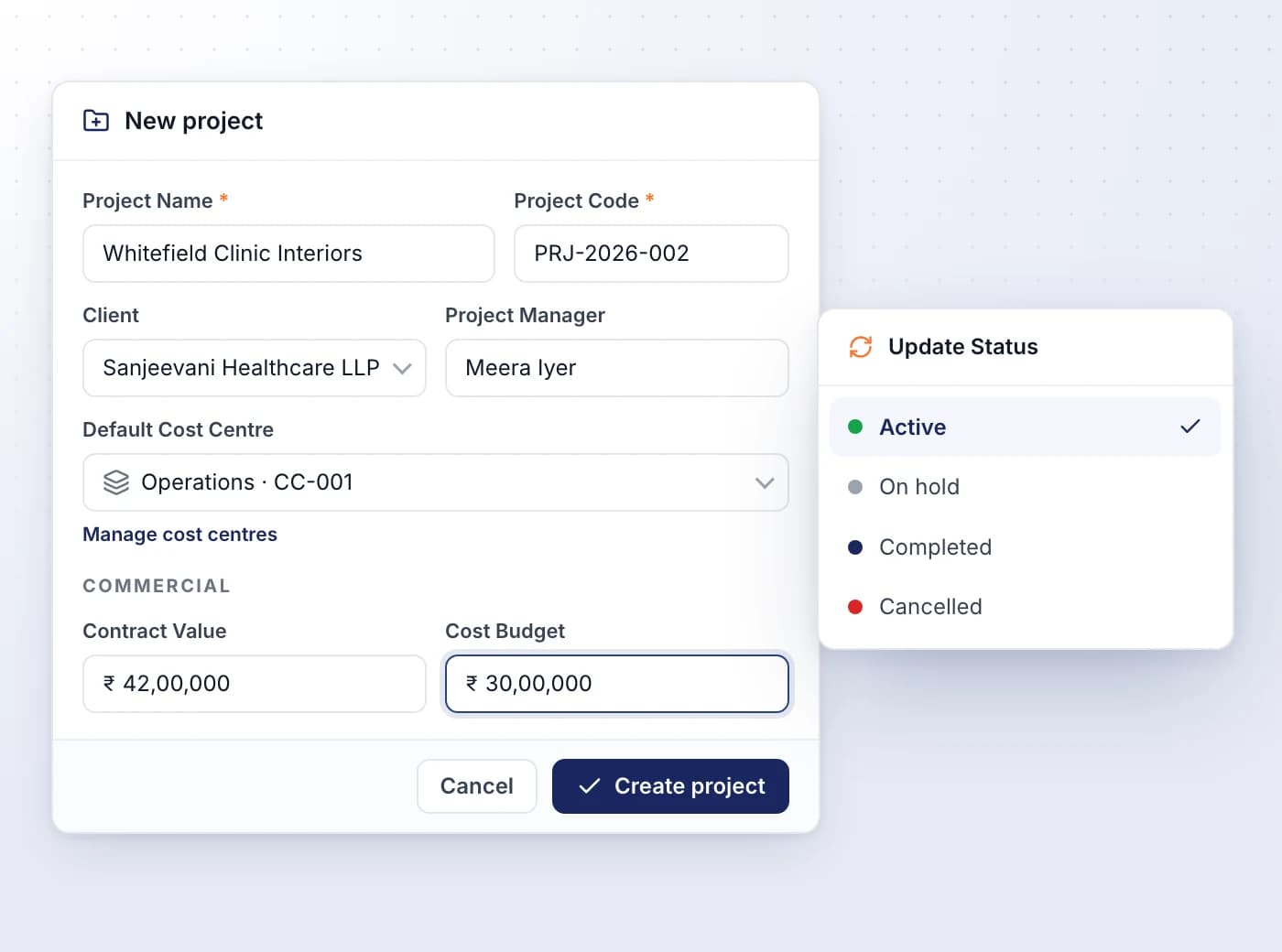
Create a project with its client, manager, contract value and cost budget, so every document tagged to it is measured against them.
- Give each project a unique name and code, such as PRJ-2026-006
- Leave the client as No client for internal work such as R&D or overheads
- Set a default cost centre that new tagged invoices and expense lines pick up
- Create a project from inside an invoice or bill without leaving it
- Move projects through Active, On hold, Completed and Cancelled
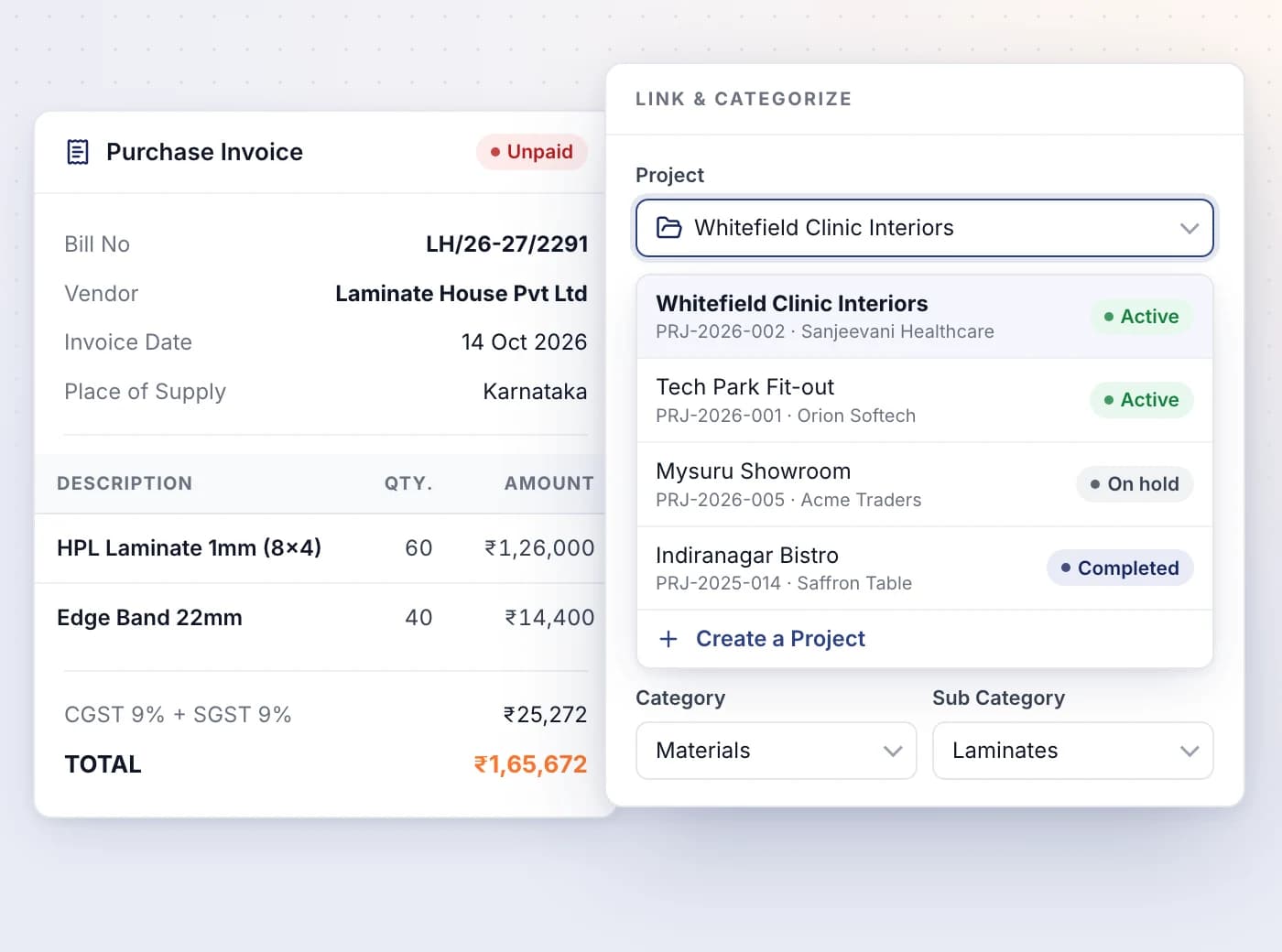
Tag invoices, bills and journals to a project
Pick the project in the Link & Categorize card on a sales invoice or purchase bill, or in Select Projects on a journal entry.
- Sales invoices count as billed; purchase bills and expense receipts count as cost
- Tag uploaded documents to a project while you review them in SmartUploads
- Only issued invoices and bills, and posted journal entries, are counted
- Foreign-currency invoices are converted to rupees in the project totals
- A late bill can still be tagged to a project that is on hold or completed
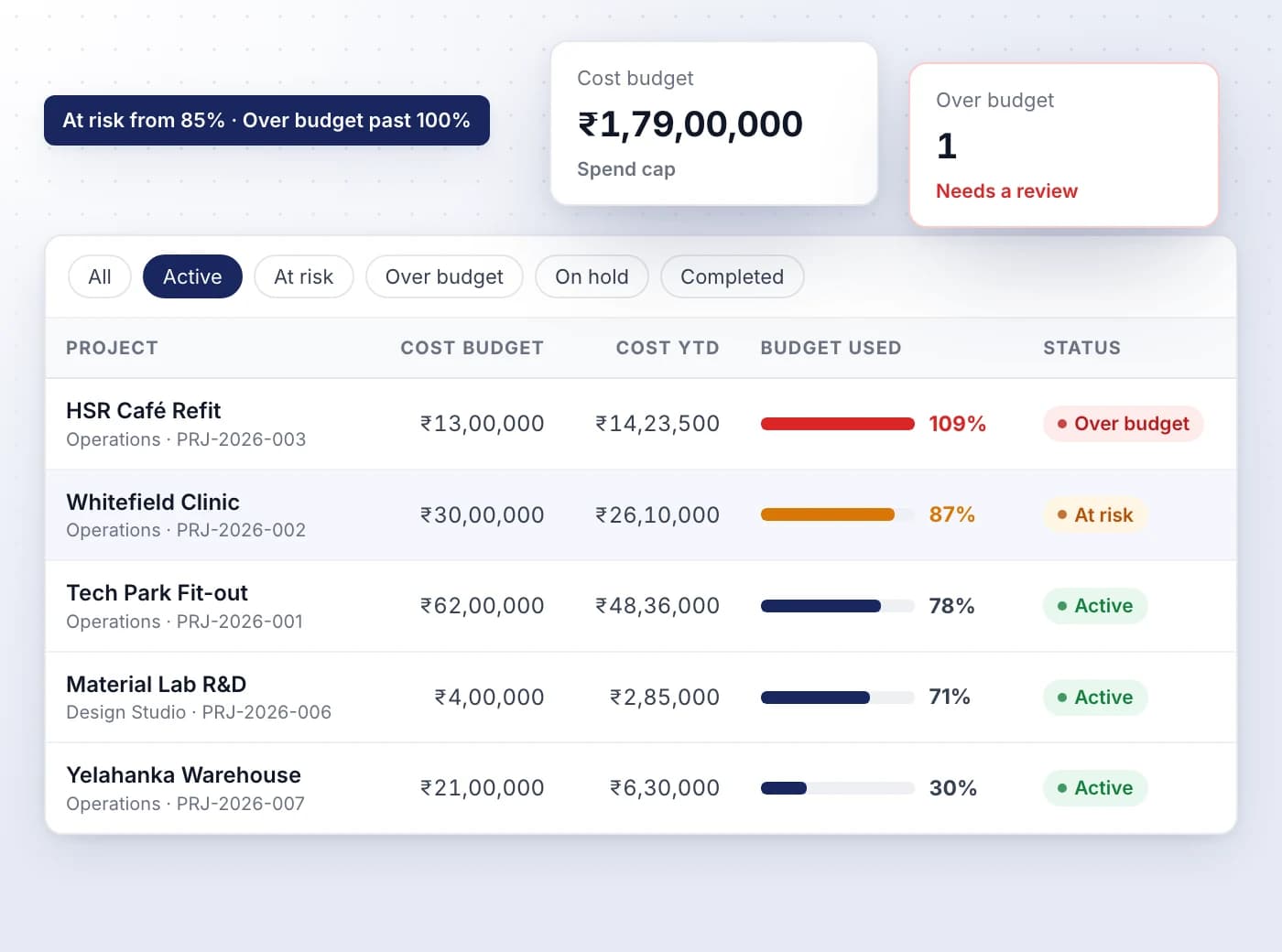
Spot budget trouble while there's time to act
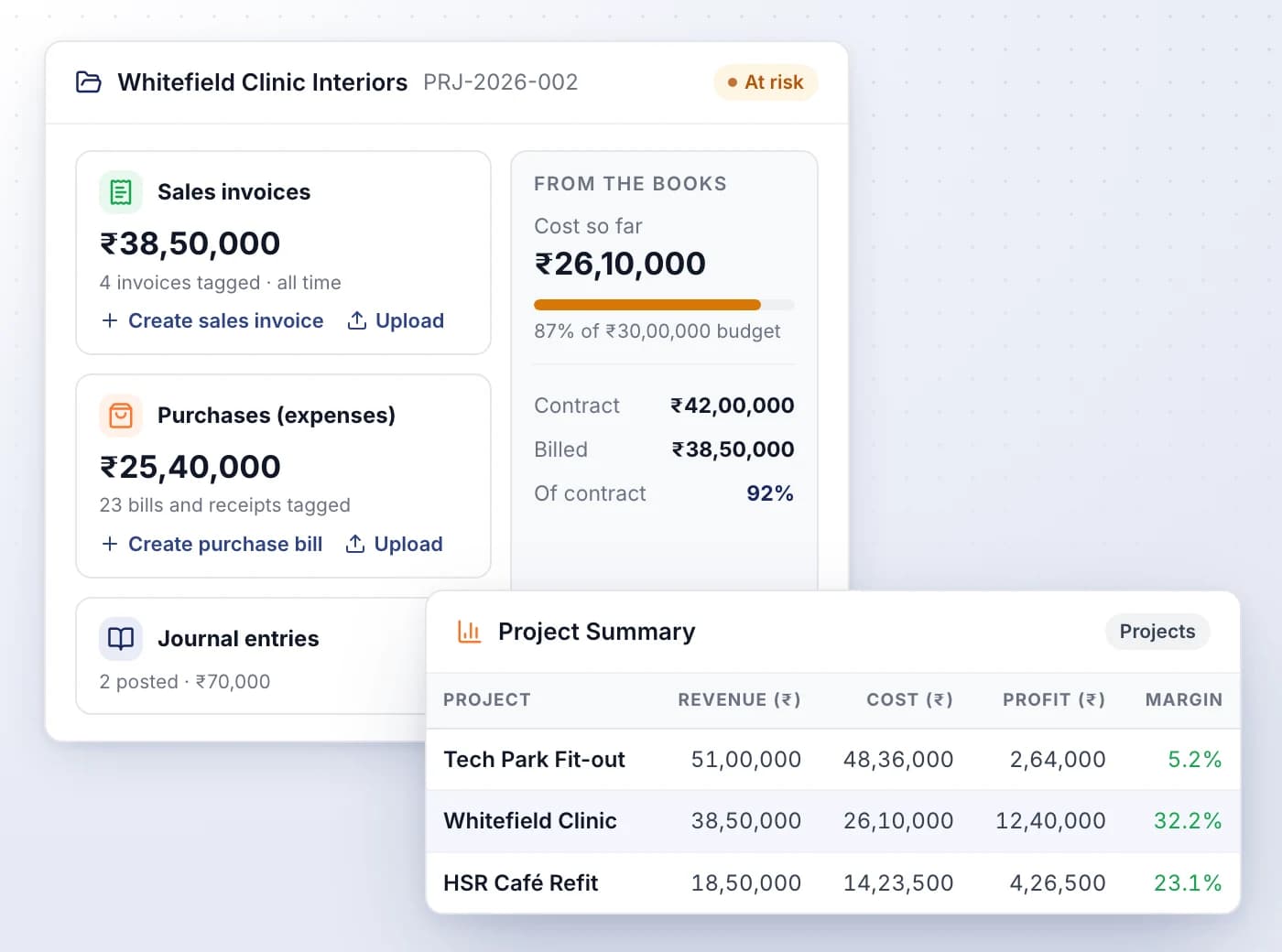
The Projects register adds up each project's billing and cost, and flags active projects as their spend nears the cost budget.
- At risk from 85% of the cost budget, Over budget once it passes 100%
- Budget Used shows each project's spend against its budget as a bar
- Filter with the status chips, or by cost centre
- Cards total active projects, open contract value, cost budgets, cost and projects over budget
- Export the register as CSV or Excel
A page per project, plus profitability reports
Each project's page shows billed against contract and cost against budget, with links to raise or upload its next invoice or bill.
- The Project Summary report lists revenue, cost, profit and margin for every project
- Project Invoices and Expenses by Project break down what is tagged
- Create a sales invoice or upload a purchase or receipt straight from the project
- Journal entries such as accruals and provisions sit alongside its invoices and bills
Roll projects up into cost centres
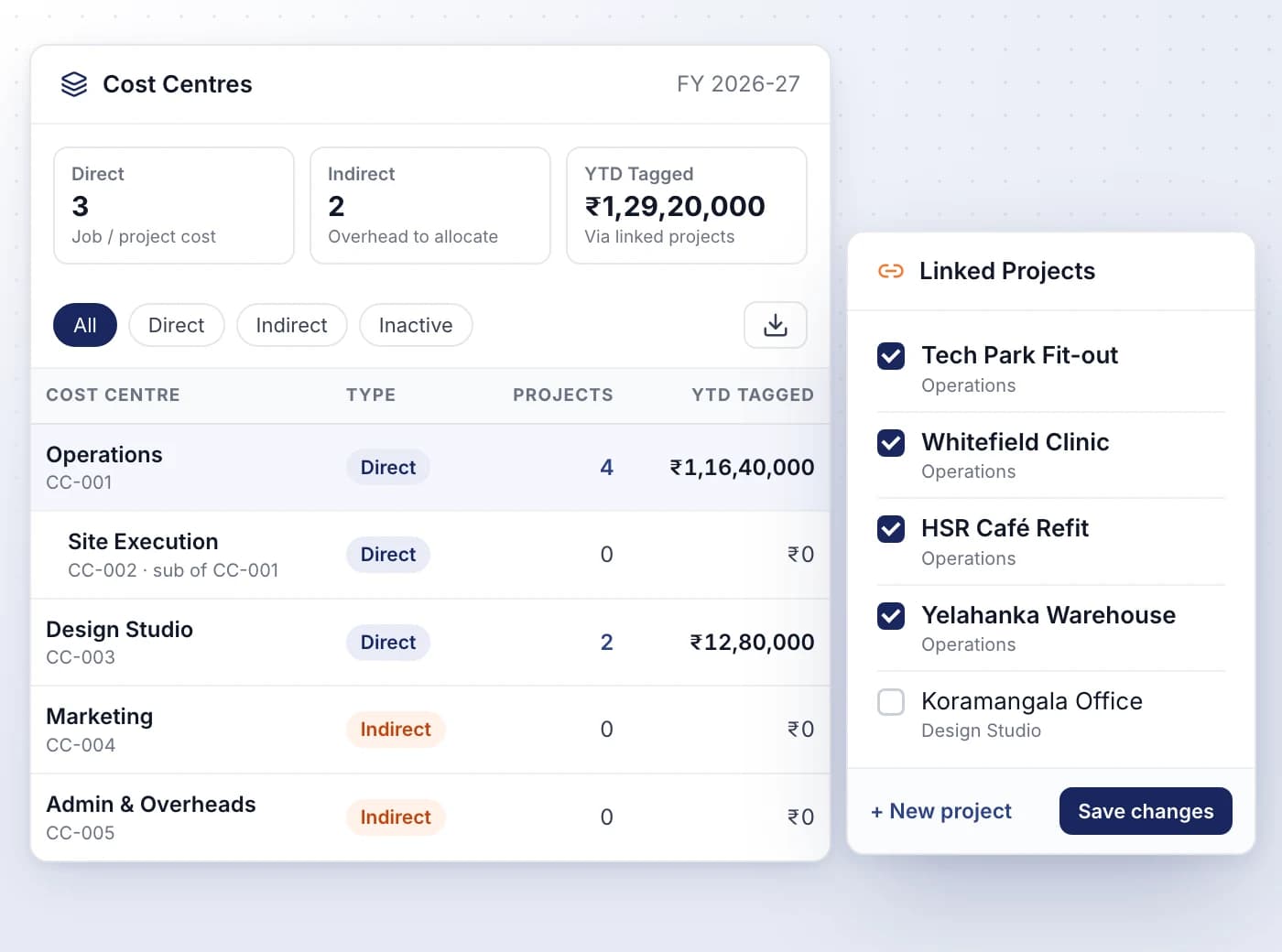
Set up departments such as Operations or Marketing as cost centres, link projects to them, and see this year's sales through each centre.
- Mark a centre Direct for job cost or Indirect for overheads you may allocate later
- Nest centres under a parent, two levels deep, like cost centres in Tally
- Ticking a project makes this centre its default cost centre
- YTD Tagged adds up this financial year's sales invoices on each centre's projects
- Filter by Direct, Indirect or Inactive, and export the register as CSV

Ready When You Are
Let AI run the books. You verify.
Start a 7-day free trial on your own books or your clients' in minutes — or book a demo walkthrough and we'll show you the full platform live, from AI bookkeeping to compliance and reports.
7-day free trial · No charge today · Built for Indian GST, TDS and ITR