
Upload bills, invoices and statements in one go, and SmartLedger reads them for you
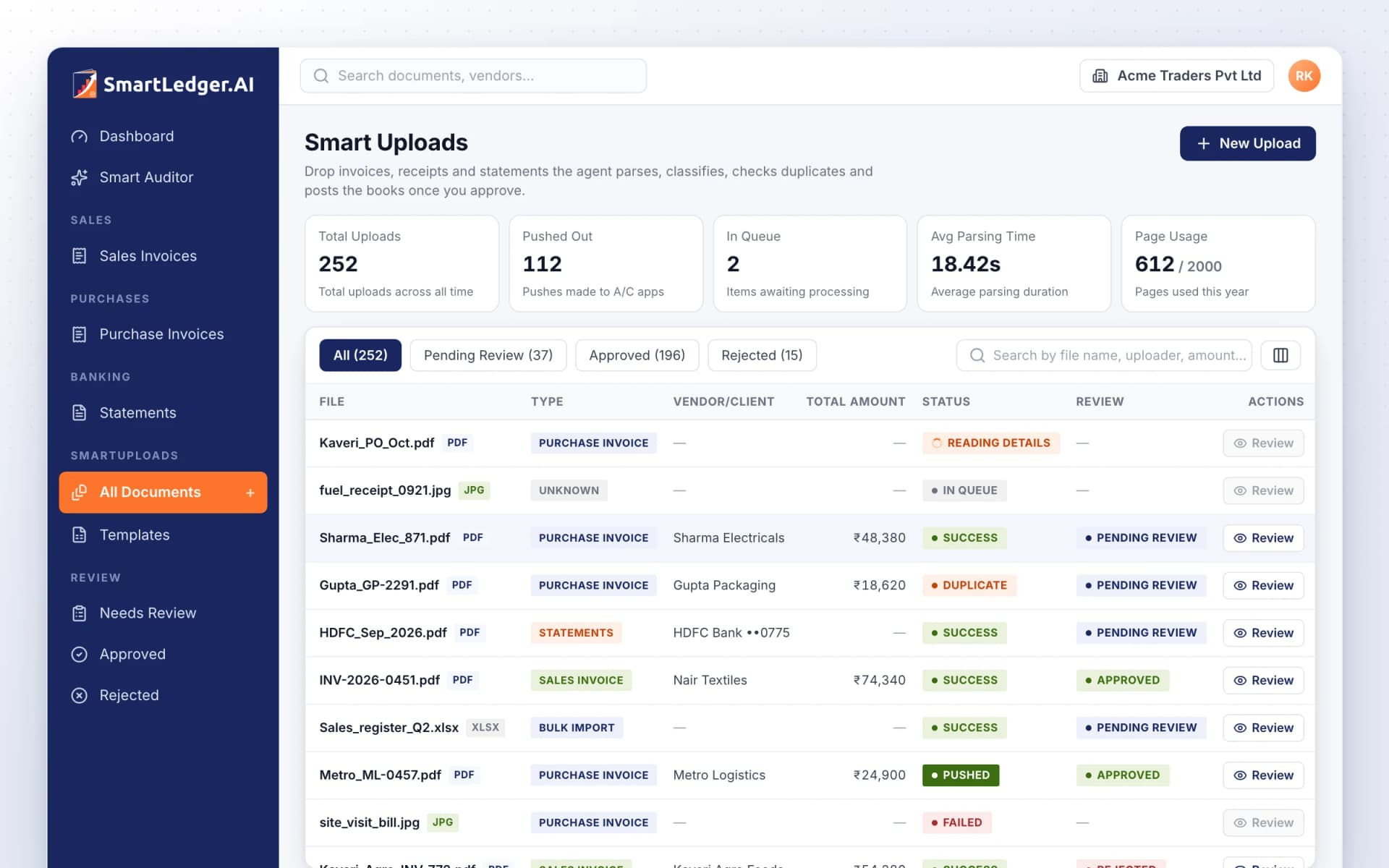
Upload bills, invoices and statements in one go, and SmartLedger reads them for you
Drop vendor bills, your own sales invoices, bank statements and spreadsheets into one inbox. SmartLedger works out what each file is, pulls out the details and checks for duplicates, then waits for you to review, approve or reject. Files can also arrive on their own from Google Drive or WhatsApp.
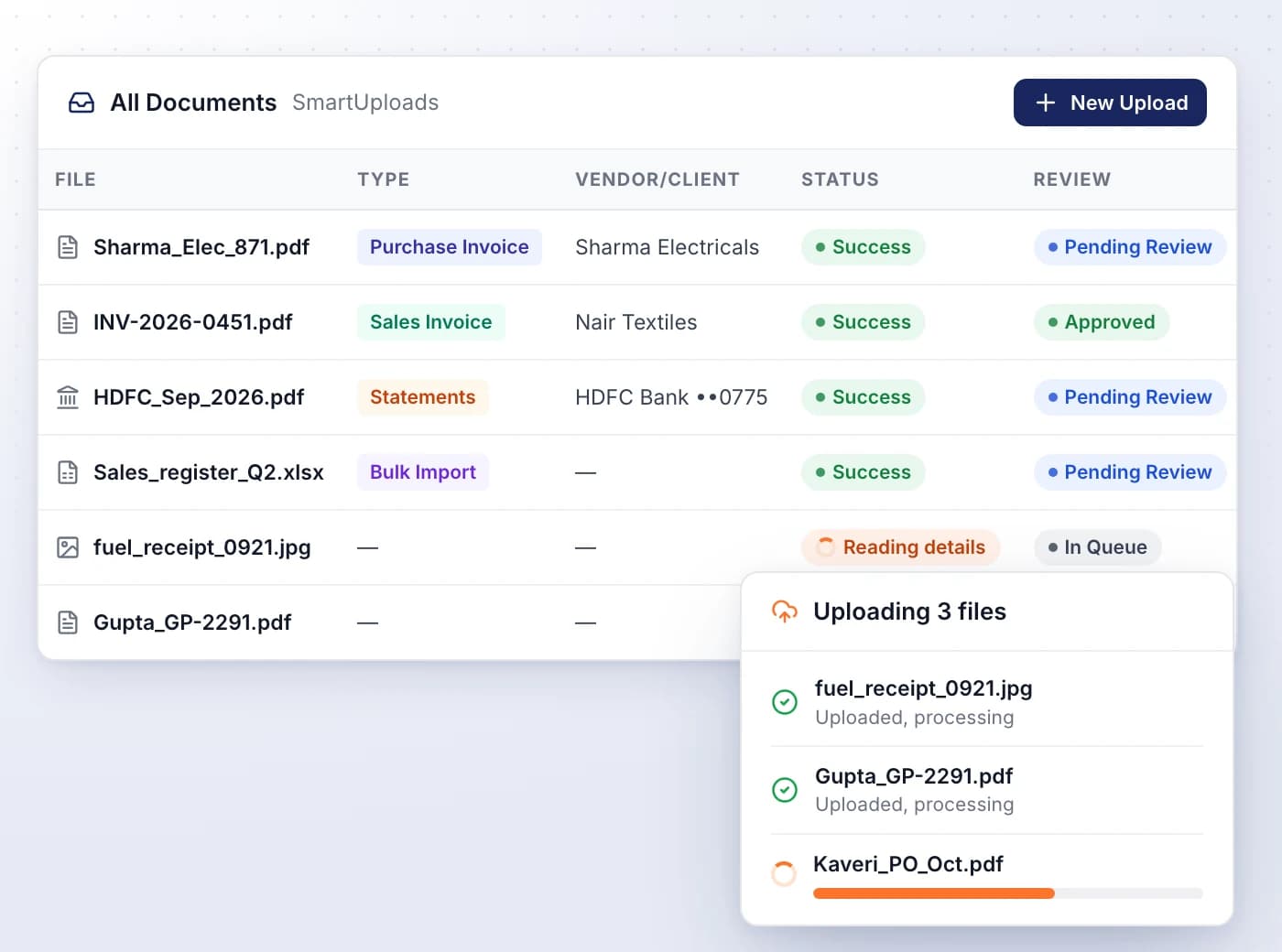
Upload everything together, no sorting needed
Select a mix of PDFs, photos and spreadsheets at once, and SmartLedger decides whether each is a bill, a sales invoice, a statement or a bulk import.
- Accepts PDF, CSV, XLS, XLSX, PNG, JPG, JPEG, WEBP, HEIC and HEIF
- Follow each file live as it's read, from Reading pages to Reading details
- A file holding several documents is split where each one starts
- Retry a failed file with one click, or upload a clearer scan
- The Page Usage card shows how much of your plan's allowance is left
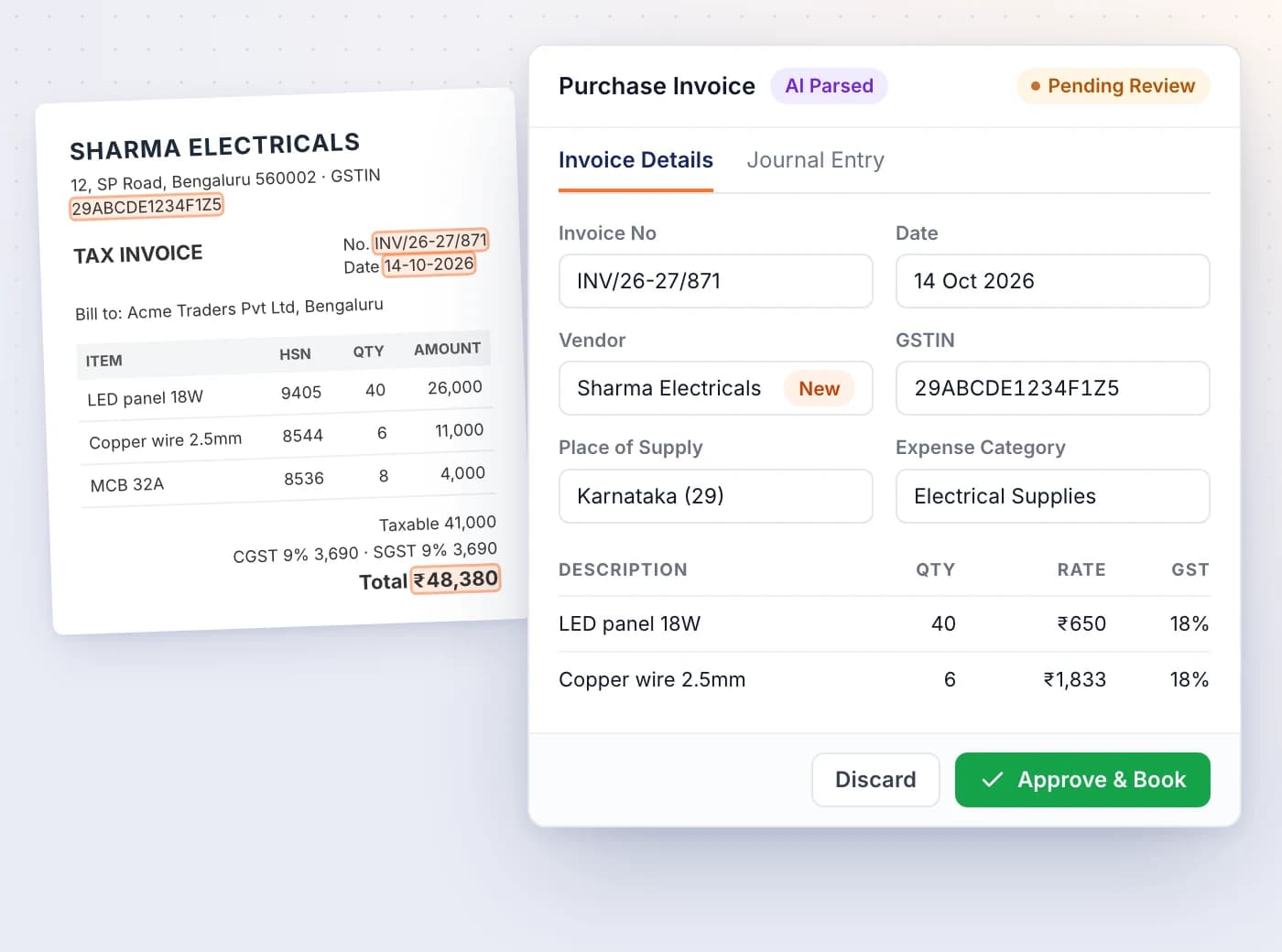
Check what was read against the original
Every upload opens with the document on the left and the details SmartLedger read on the right, ready to correct before you book.
- Check invoice number, party, date, place of supply, GSTIN and each line's GST
- A vendor or client not in your books is proposed as new and created on approval
- See the journal entry that will post before you approve
- Approve & Book creates the invoice or bill and posts it in one step
- Move to the previous or next upload without going back to the list
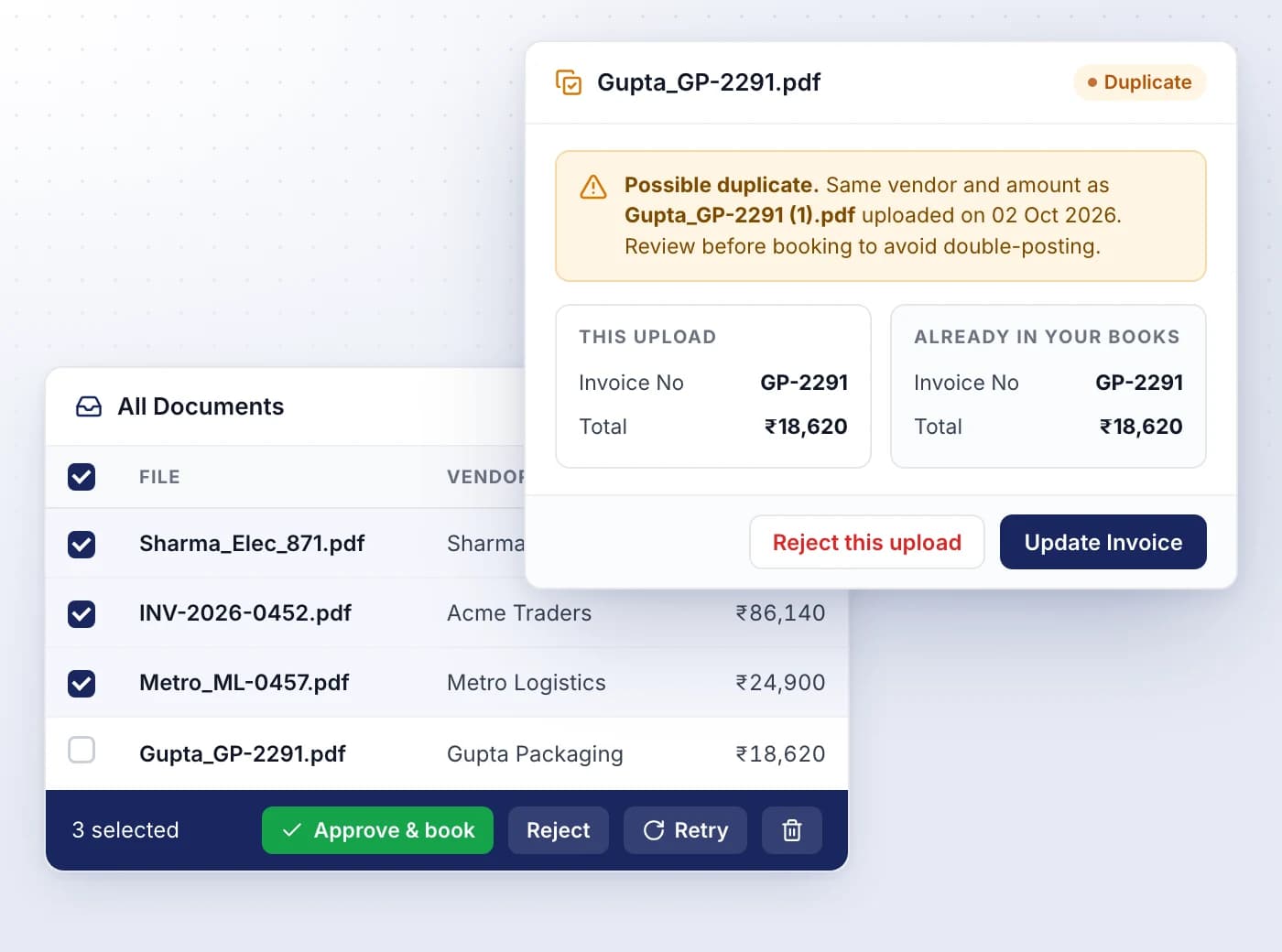
Catch duplicates, then clear the queue in bulk
SmartLedger warns you when an upload matches an invoice already in your books, and lets you act on many uploads at once.
- Compare a possible duplicate side by side before anything is booked
- Update the existing invoice instead of posting a second copy; its payments stay
- Needs Review, Approved and Rejected views keep the queue in order
- Tick several uploads to Approve & book, Reject, Retry or Delete together
- Rejecting posts nothing, and deleting an upload never removes what's already booked
Bring in a whole register from a spreadsheet
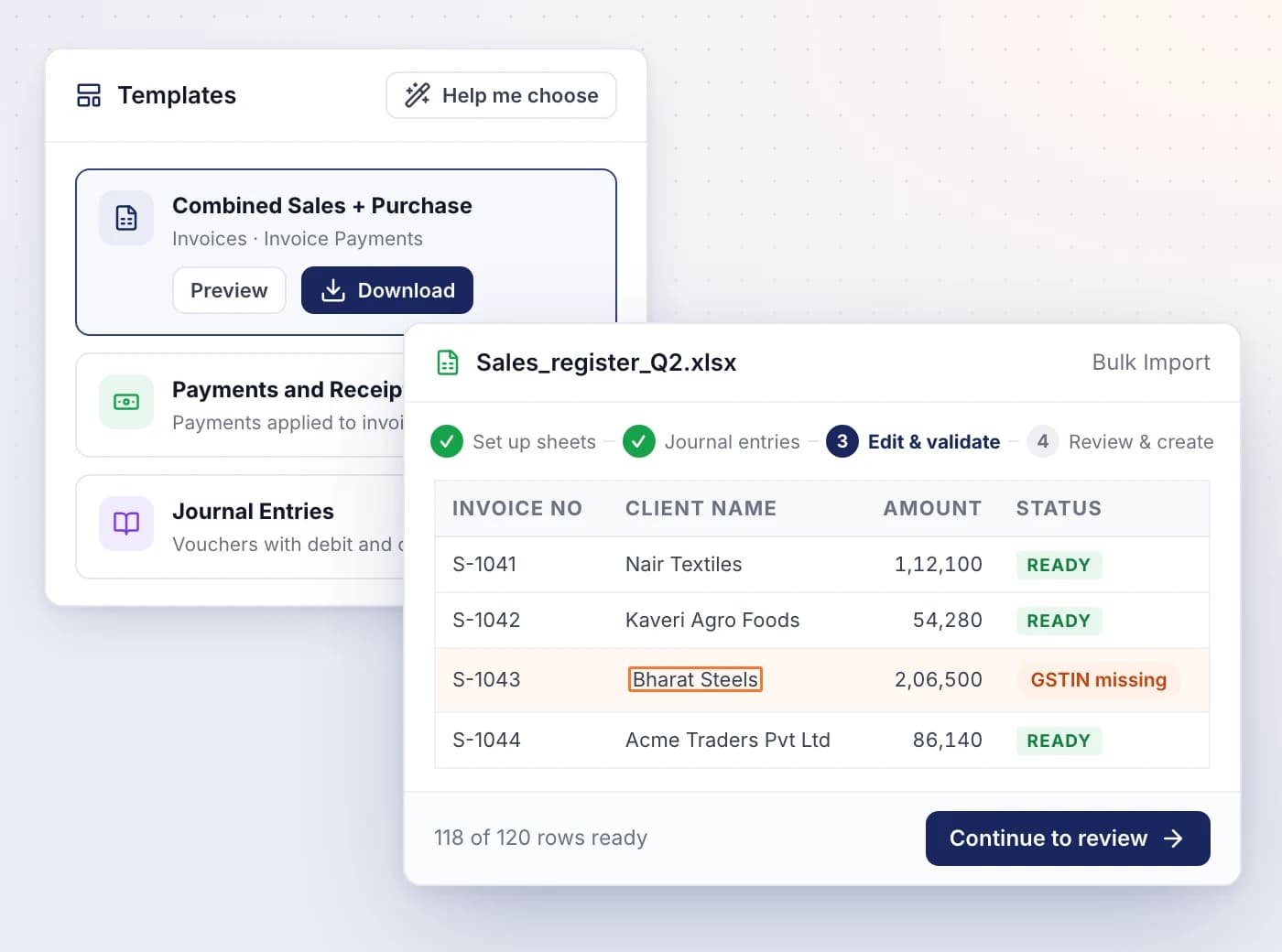
Upload an Excel or CSV file of invoices, payments or journals, check how its columns map, fix flagged rows and create everything in one go.
- Download a ready-made template, or let Help me choose recommend one
- One workbook can hold sales invoices, purchase invoices, payments and journals
- Edit flagged cells in the grid; only rows marked READY are imported
- Imported invoices and journals arrive as drafts, and can be reversed
- Your column mapping is saved for the next file with the same layout
Let documents arrive on their own
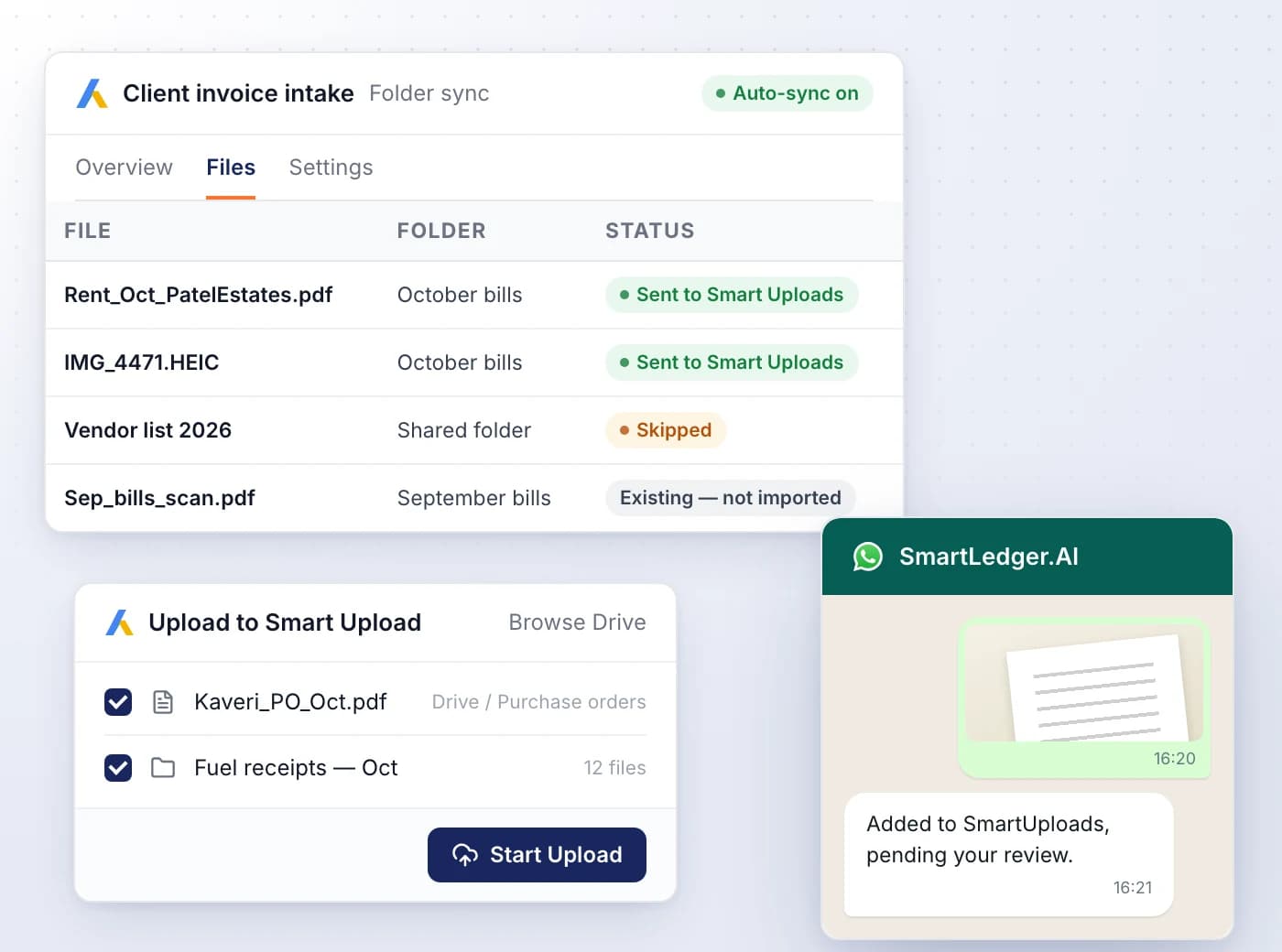
Connect Google Drive or WhatsApp and new bills reach SmartUploads without anyone opening the app, then wait for review like any upload.
- Share one Drive folder and new PDFs and photos are picked up about every two minutes
- Or browse your Drive inside SmartLedger and send only the files you pick
- Send a photo or PDF on WhatsApp and it's added to SmartUploads
- Files already in the folder, Google Docs and oversized files are skipped, with the reason shown
- Drive needs the Plus plan or above, WhatsApp the Pro plan or above

Ready When You Are
Let AI run the books. You verify.
Start a 7-day free trial on your own books or your clients' in minutes — or book a demo walkthrough and we'll show you the full platform live, from AI bookkeeping to compliance and reports.
7-day free trial · No charge today · Built for Indian GST, TDS and ITR