

GST invoicing that works out the tax, emails the PDF and tracks every payment
GST invoicing that works out the tax, emails the PDF and tracks every payment
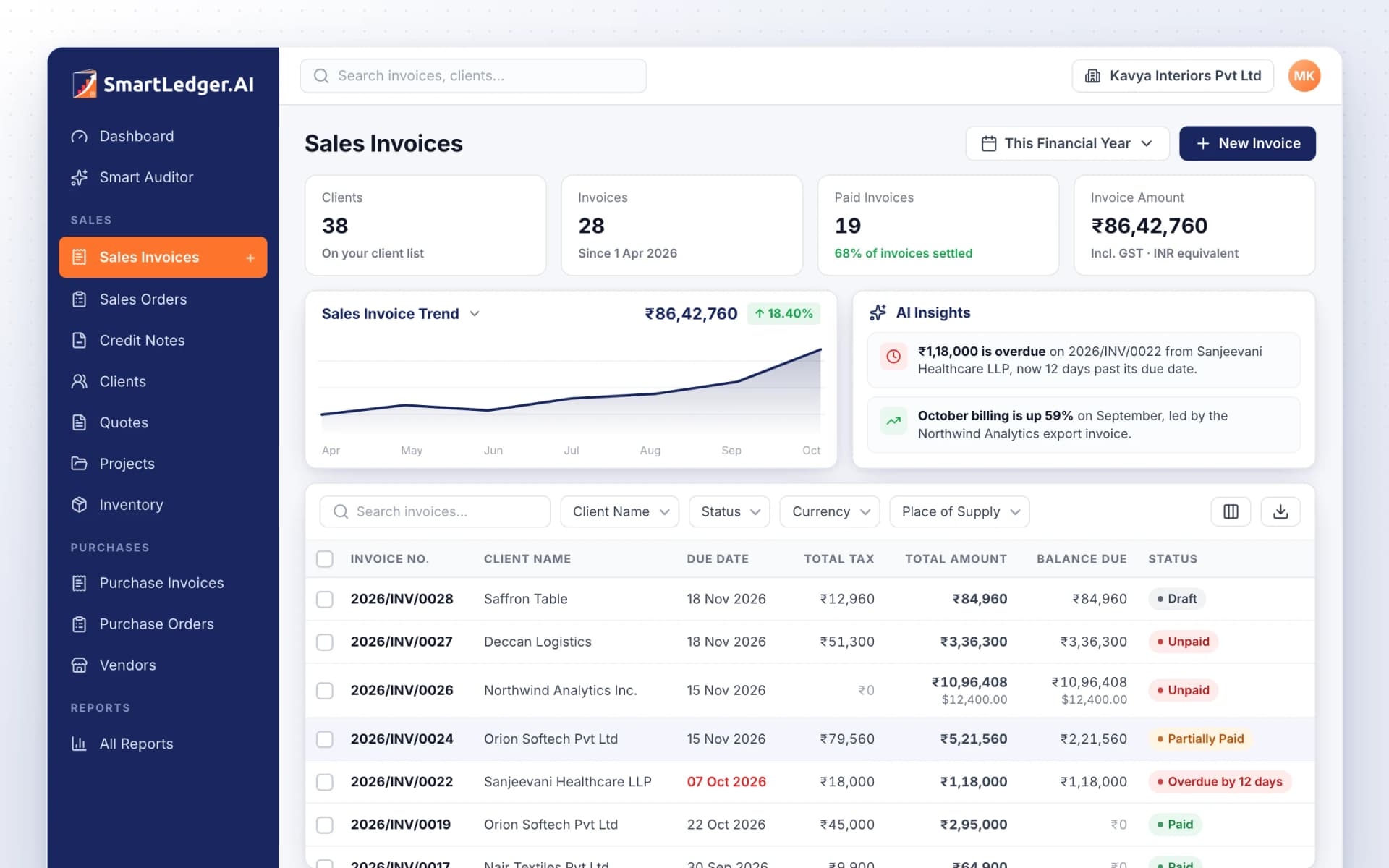
Raise GST-ready sales invoices in SmartLedger: pick the client and items, and CGST, SGST or IGST is worked out from the place of supply. Email the invoice as a PDF, record payments as they arrive, and handle sales orders, credit notes and export invoices under LUT from the same Sales module.
GST-ready invoices, emailed as a PDF
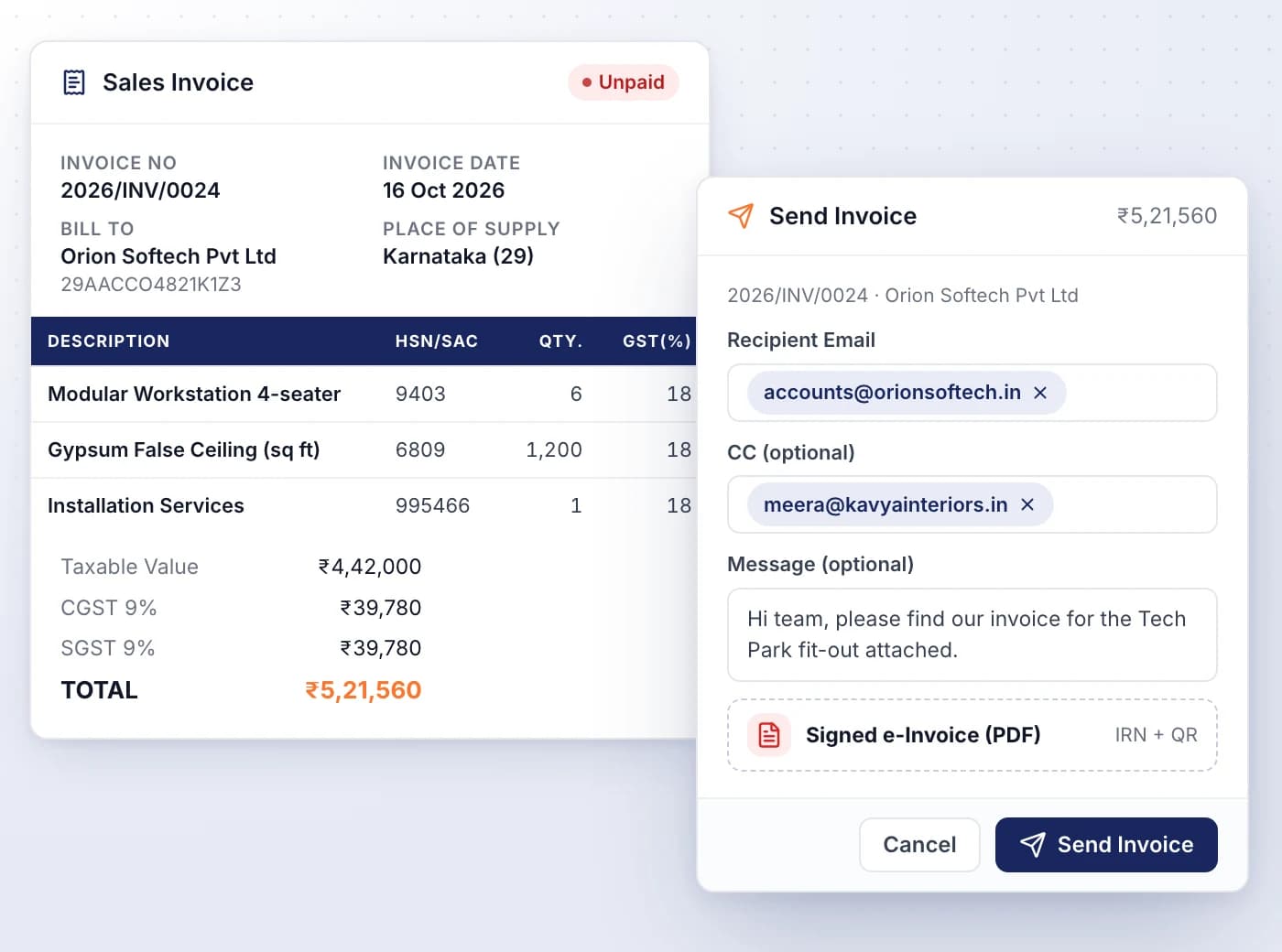
Pick the client and items, and SmartLedger splits GST into CGST and SGST or IGST from the place of supply, then emails the invoice as a PDF.
- Picking an inventory item fills in its sales rate, HSN/SAC and GST rate
- The client's GST treatment sets the tax, from regular B2B and B2C to SEZ, deemed export and overseas
- Invoices number themselves from your prefix and series, such as 2026/INV/0024, with your logo, bank details and terms
- Give a discount per line or on the whole invoice, before or after tax
- Email the PDF with CC and a message; e-invoiced bills go out as the signed copy with IRN
Bill confirmed orders at once or in parts
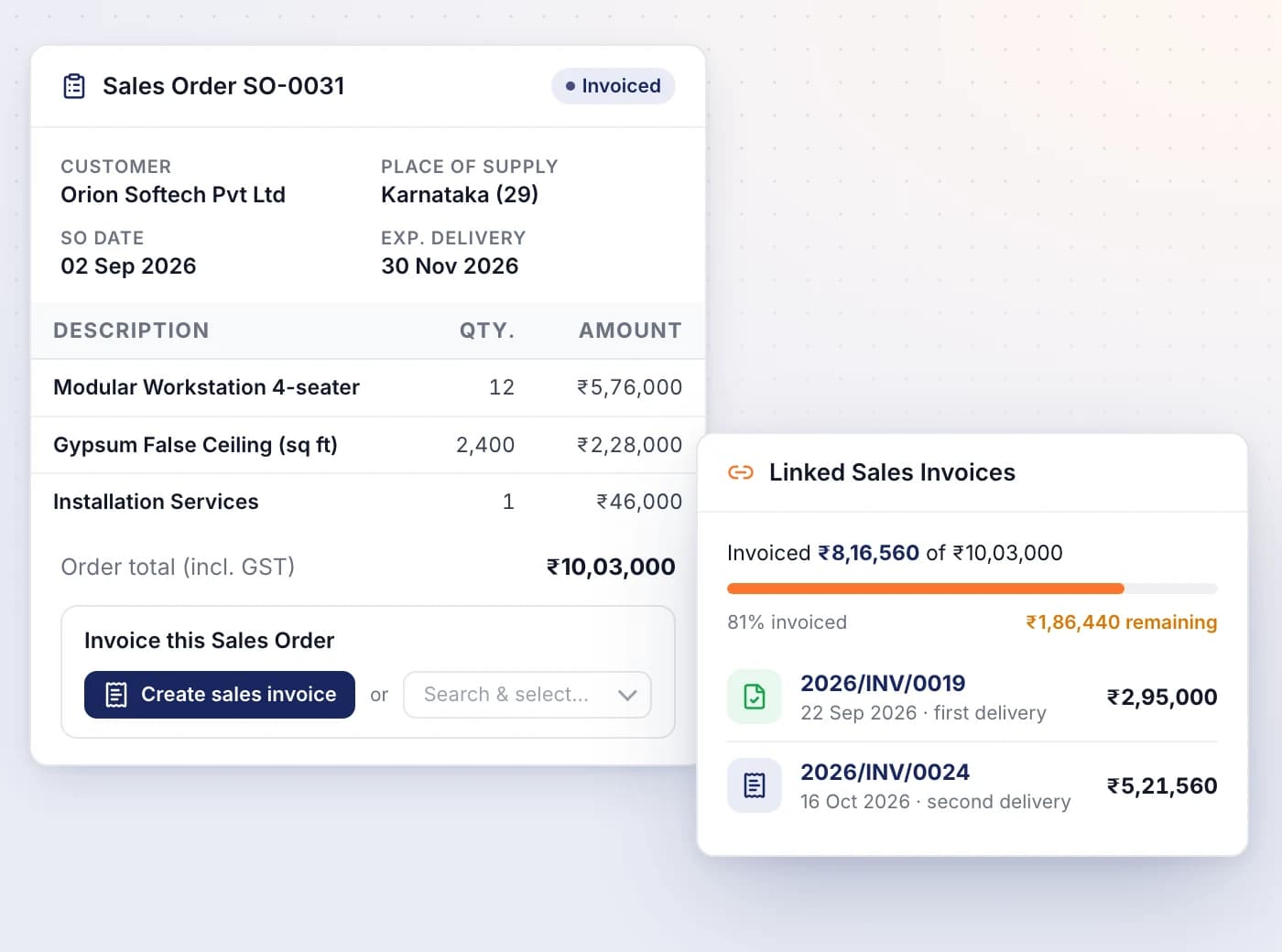
Record what a customer has agreed to buy as a sales order, then create the invoice from it when you deliver, with everything already filled in.
- Create sales invoice copies the customer, place of supply, lines, discount, TDS, project, notes and terms
- Raise several invoices against one order, one per delivery, and see what is invoiced and what remains
- Linked invoices can never add up to more than the order total
- Link an invoice you raised earlier, or unlink it to put the order back to Confirmed
- Email the sales order to your customer as a PDF before you bill it
Record payments and see who still owes you
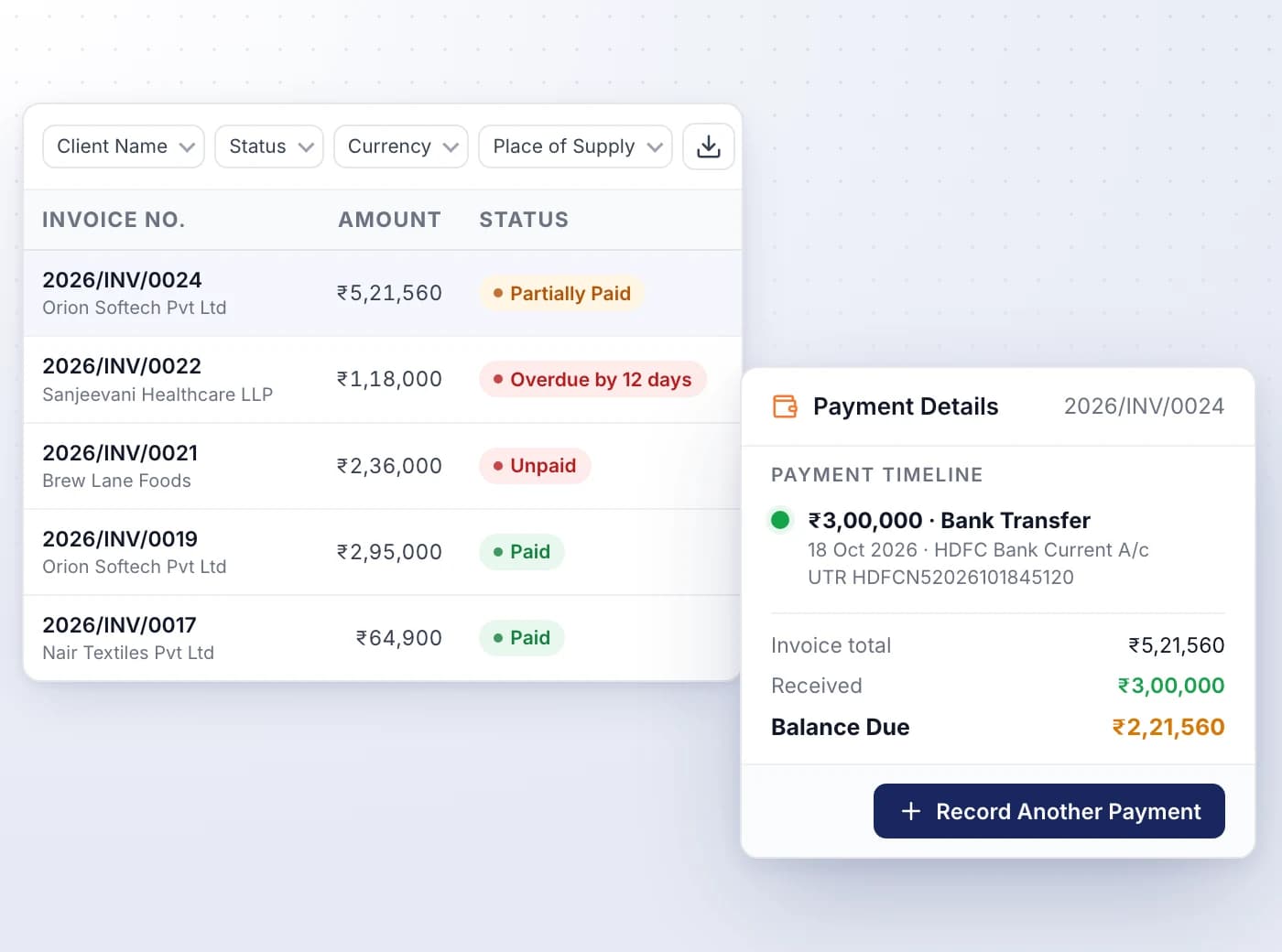
Record full or part payments on an invoice and it moves to Partially Paid or Paid on its own, with every receipt on its payment timeline.
- Cash, bank transfer, cheque, UPI or card, with the UTR or cheque number for reference
- Unpaid invoices past their due date show how late they are, such as Overdue by 12 days
- Book gateway or bank charges, and treat their GST as an expense or claim ITC
- Record the TDS your client deducted as a TDS payment on the same invoice
- Filter by client, status, currency or place of supply, and download the list as CSV or Excel
Credit notes with ITC reversal sign-off built in
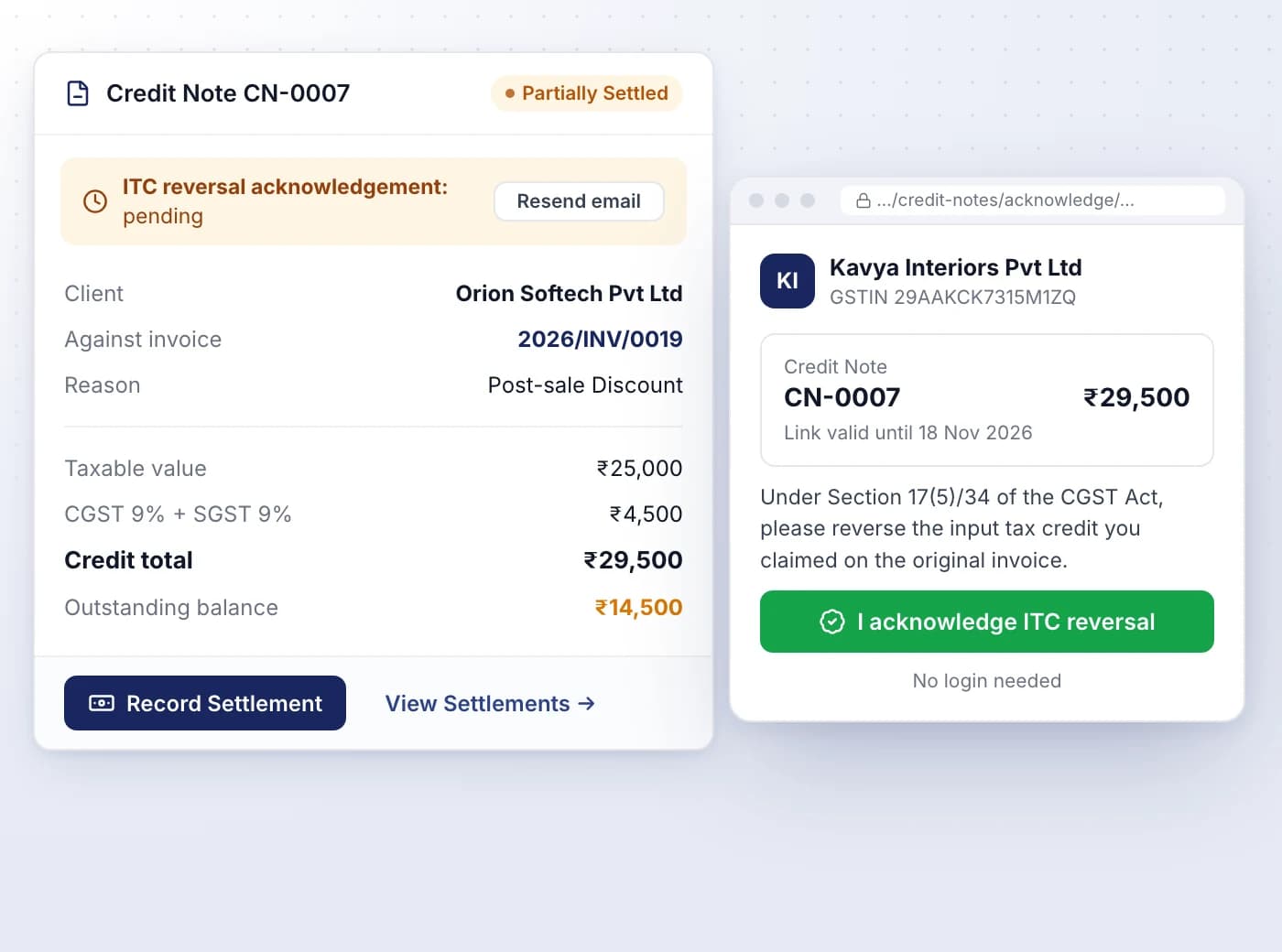
Issue a credit note against an invoice and SmartLedger emails a registered client a one-time link to confirm they have reversed the ITC.
- Pick a reason such as Sales Return, Post-sale Discount, Price / Rate Correction or Goods Damaged
- Your client clicks I acknowledge ITC reversal, with no login needed; the link stays valid for 30 days
- Refund the credit by bank transfer, cash, cheque or UPI, or apply it to another unpaid invoice
- The credit note moves from Partially Settled to Settled as its balance is used
- Each client's page shows their Available Credit across all their credit notes
Export invoices in foreign currency, under LUT
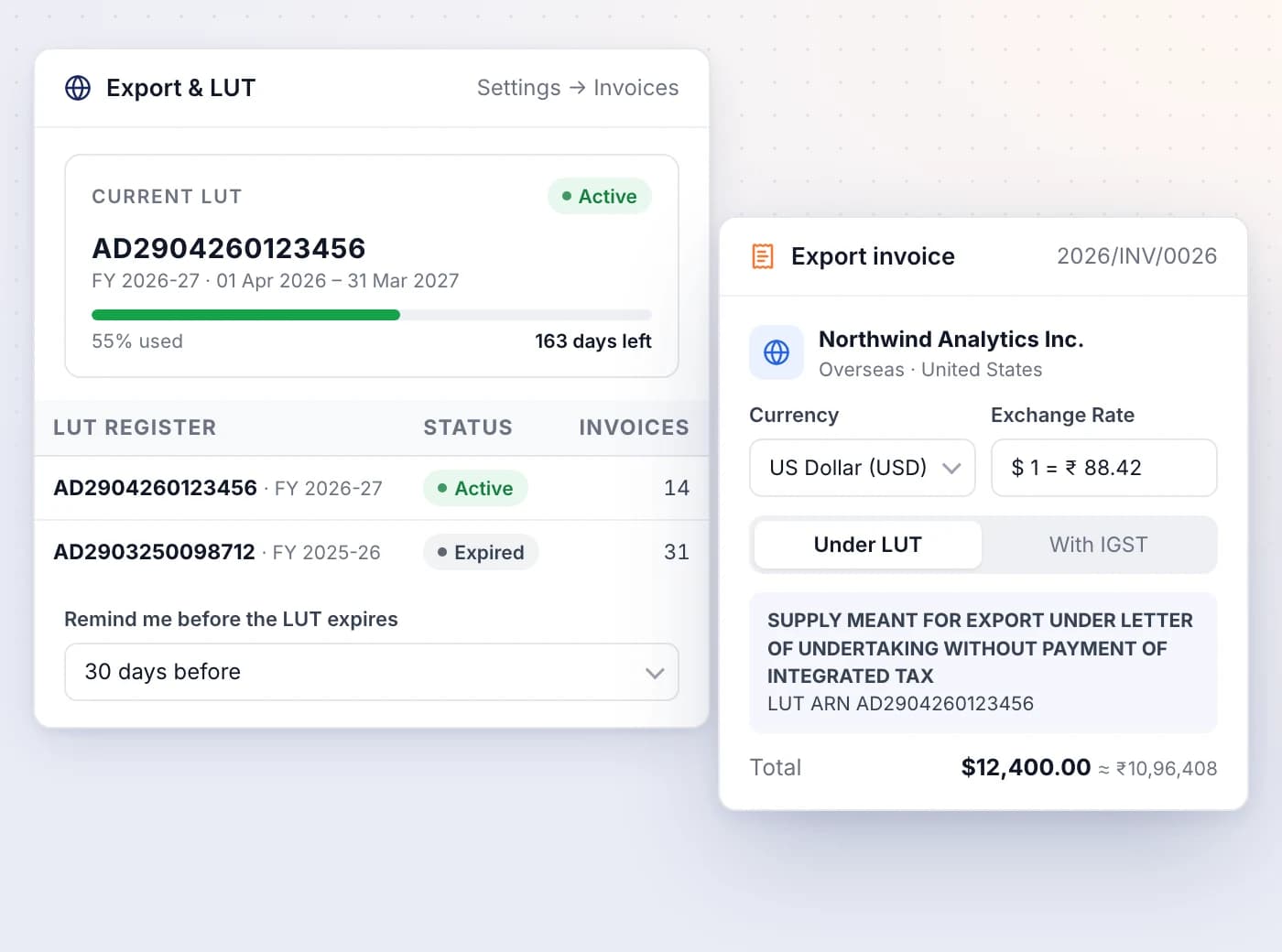
Bill overseas and SEZ clients in US dollars, pounds, dirhams or riyals, with the exchange rate filled in for the invoice date.
- Record each LUT with its ARN, validity and RFD-11 acknowledgement in Settings → Invoices
- Choose Under LUT or With IGST on each export or SEZ invoice
- LUT invoices print the Rule 46 declaration with the LUT's ARN
- Get reminded 7 to 60 days before the current LUT runs out
- Export sales post to the ledger you choose, Export Sales by default
Related features

Ready When You Are
Let AI run the books. You verify.
Start free on your own books or your clients' in minutes, with no card and no time limit — or book a demo walkthrough and we'll show you the full platform live, from AI bookkeeping to compliance and reports.
Free forever plan · No card required · Built for Indian GST, TDS and ITR